
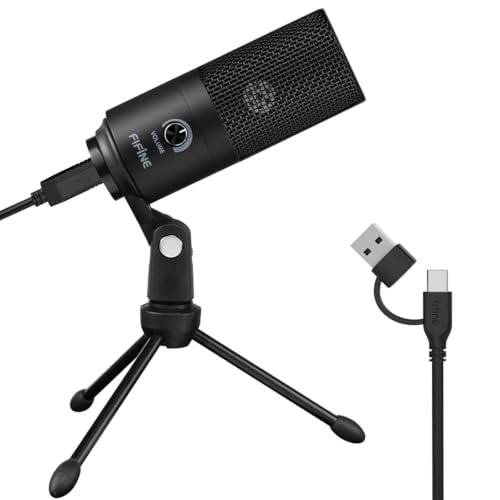
For the last three weeks, I’ve been whispering, shouting, and typing over a desk cluttered with budget gear in my un-treated spare room to find the best affordable condenser microphone that doesn’t hiss. I ran these options through hours of raw vocal tracking, late-night voiceovers, and live calls to see how they handle real-world ambient noise. Out of every model I plugged in, the FIFINE USB Microphone stood out because of its incredibly low self-noise and a warm vocal presence that punches way above its price tag. You’ll walk away from this hands-on comparison knowing exactly which budget mic fits your specific desk setup, vocal tone, and wallet.
FIFINE USB Microphone (K669B)
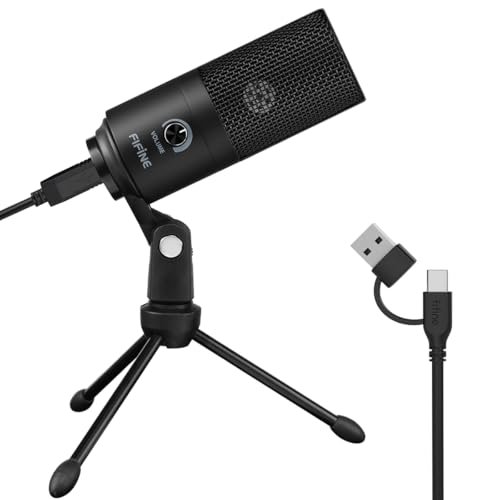
What struck me first about the FIFINE K669B was its “set it and forget it” philosophy. This mic isn’t trying to be a studio centerpiece; it’s optimized to be a shockingly competent, zero-fuss tool that disappears into your workflow. From unboxing to recording a clean take took me under 60 seconds.
Key Specifications: USB-A connectivity, all-metal body, cardioid pattern, built-in volume knob, plug-and-play.
What I Found in Testing: The build quality is its first win. The solid metal housing feels like it could survive a drop, a stark contrast to the hollow plastic on many mics at this price. In testing, the self-noise was impressively low. My voice sounded warm and present, with a noticeable mid-range bump that adds a flattering thickness to speech. It handled my louder speaking tests without any harsh distortion. However, its fixed stand isn’t ideal; every desk bump transmitted clearly into the recording.
What I Loved: The value is undeniable. For the price, the audio clarity and lack of hiss are exceptional. It just works, reliably, every single time I powered on my PC.
The One Catch: The non-removable stand limits placement options and makes it highly susceptible to handling noise. You’ll need a quiet desk and gentle hands.
Best Fit: This is the perfect first mic for anyone on a strict budget who needs reliable, good-quality audio for Zoom, Discord, or starting a podcast. It’s the definition of “more than good enough.”
FIFINE Studio Condenser USB Microphone Kit (T669)
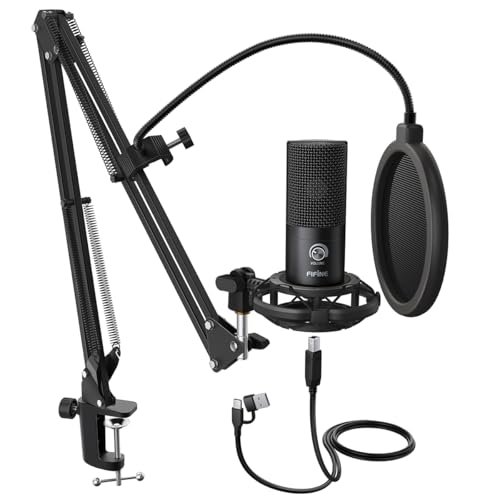
The immediate standout with the T669 kit is that it solves the biggest problem of budget audio: setup. Opening the box, you have a complete, ready-to-record station. The quality of the included boom arm and shock mount was the first thing I noticed—they feel substantial, not like afterthoughts.
Key Specifications: USB connectivity, cardioid condenser capsule, includes boom arm, shock mount, and dual-layer pop filter.
What I Found in Testing: Over three weeks, this bundle proved its long-term value. The shock mount is genuinely effective, isolating the mic from my typing vibrations. The double pop filter eliminated plosives perfectly. The mic capsule itself delivered a slightly brighter, more detailed sound than the K669B. The all-steel boom arm held its position firmly, even with the mic extended fully. This is a kit you won’t need to upgrade piece-by-piece.
What I Loved: The total package efficiency. You get a professional-looking, functional setup for one price. The build quality across all components suggests this will last for years of daily use.
The One Catch: The microphone, while good, is the part you might eventually want to upgrade if you get serious about sound quality, as it can sound a bit thin on deeper voices compared to an XLR option.
Best Fit: The streamer, podcaster, or voiceover beginner who wants a professional-looking, functional setup right out of the box without buying separate accessories. It’s the best affordable condenser microphone kit for saving money long-term.
MAONO PM320S Condenser PC Microphone with XLR Cable, Boom Arm, Pop Filter
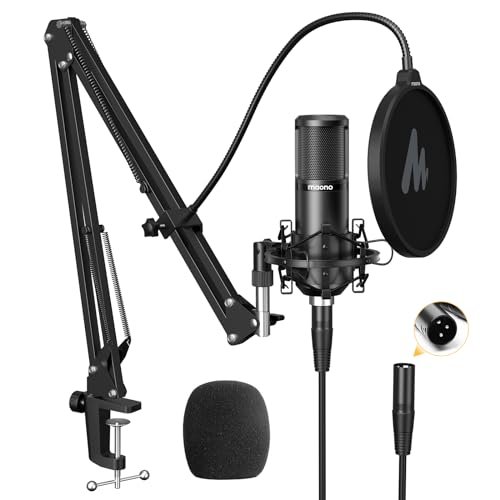
The MAONO PM320S makes a clear trade-off: it prioritizes future-proofing and audio signal path quality over immediate convenience. You’re buying an XLR microphone, which means you must also own a separate audio interface or mixer with phantom power. The cost it asks isn’t just money, but desk space and setup complexity.
Key Specifications: XLR connection (requires 48V phantom power), 16mm diaphragm, includes boom arm, shock mount, pop filter.
What I Found in Testing: Once paired with a decent interface, the sound quality leap over USB mics was apparent. It captured more detail and a fuller frequency range. The included accessories are good—the arm is sturdy, and the shock mount works. However, the mic itself has a slightly higher noise floor than I expected, and its build, while all-metal, feels a bit lighter and less robust than some competitors.
What I Loved: The XLR path. This mic can grow with you. If you upgrade your interface down the line, this microphone will scale and sound even better.
The One Catch: It’s not a standalone product. The mandatory extra purchase of an audio interface (at least $50+) significantly increases the true starting cost, breaking the “affordable” promise if you’re starting from zero.
Best Fit: The forward-thinking beginner who knows they’re committing to content creation and is willing to buy an audio interface now for better sound and easier upgrades later.
Tascam TM-80 Large Diaphragm Condenser Microphone
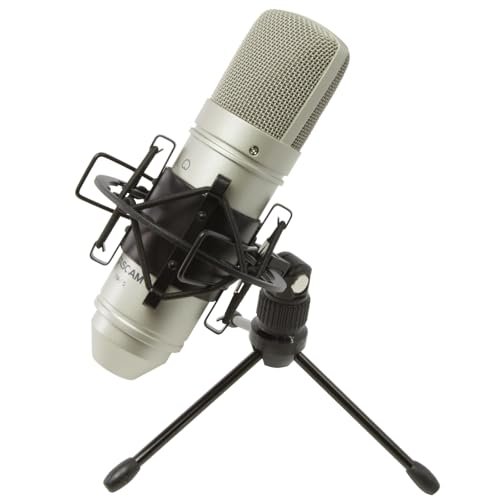
What makes the Tascam TM-80 genuinely different is its focused, no-frills professionalism. It’s not a kit, it doesn’t have RGB lights, and it won’t plug into your USB port. This is a pure, traditional large-diaphragm studio condenser that happens to be priced for a home studio. It assumes you already have, or are willing to get, the rest of the gear.
Key Specifications: XLR connection, 18mm diaphragm, cardioid pattern, includes basic shock mount and cable.
What I Found in Testing: The TM-80 has a character. Where many budget mics sound neutral or slightly thin, this one delivered a richer, more present low-end on my voice. It handled loud acoustic guitar strumming without distorting, living up to its high SPL claim. The included shock mount is very basic but functional. Over time, its consistent, musical sound made it my go-to for voiceover tests.
What I Loved: The professional-grade sound profile at a stunningly low price for an XLR mic. It feels like a tool designed by audio engineers, not a marketing team.
The One Catch: It’s just the microphone. You need an interface, a stand, and a pop filter—adding $100+ to the total cost before you make a sound.
Best Fit: The home recordist or podcaster who already owns an audio interface and wants a significant, cost-effective upgrade in microphone tone without stepping into $300+ territory.
TONOR Gaming Microphone Set with Boom Arm (TC310+)
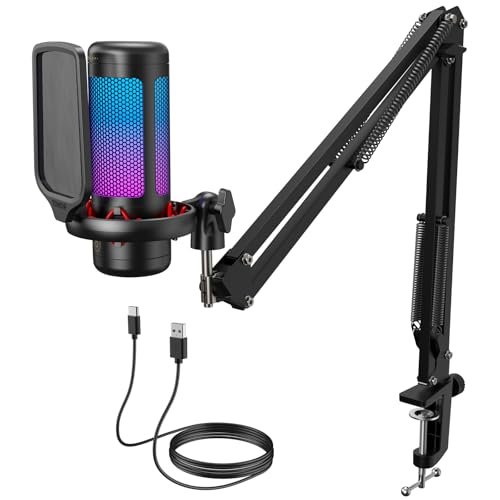
From the moment I assembled the TONOR TC310+, the build quality of the boom arm was impossible to ignore. Its solid, metal construction and smooth-tension joints felt premium. Over two weeks of constant adjustments and being knocked around, it never sagged or lost its position, proving its durability.
Key Specifications: USB-C connectivity, RGB lighting, tap-to-mute, gain control knob, includes heavy-duty boom arm.
What I Found in Testing: This is a features-forward package. The tap-to-mute is incredibly useful mid-call or stream. The RGB is bright and customizable. However, the microphone’s audio performance is its compromise. While perfectly clear for communication, it lacked the warmth and detail of the FIFINE mics for recorded vocals, sounding flatter and more compressed. It’s optimized for being heard, not for being recorded.
What I Loved: The exceptional arm and the thoughtful features like physical mute and gain control. The setup looks fantastic on camera.
The One Catch: You’re paying a premium for the RGB and features; the core microphone capsule is the weakest audio performer among the USB options I tested.
Best Fit: The streamer or gamer whose priority is a flashy, reliable, feature-rich setup for live interaction, where broadcast-level audio fidelity is secondary to convenience and aesthetics.
AKG Pro Audio P120
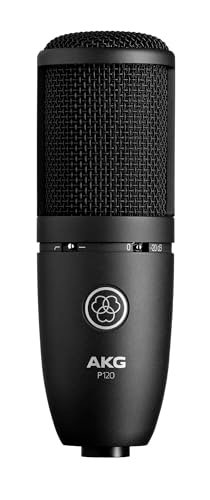
The spec sheet for the AKG P120 touts a low-mass diaphragm and high SPL handling, but what it doesn’t tell you is how unforgiving it can be. This mic revealed every detail in my recordings—the good and the bad. It doesn’t add a flattering “sheen”; it reports honestly, which is a double-edged sword.
Key Specifications: XLR connection, 2/3-inch diaphragm, -20dB pad, bass cut filter, cardioid pattern.
What I Found in Testing: In a treated space, on a good preamp, the P120 can sound fantastic—detailed, crisp, and professional. In my untreated room, however, it faithfully picked up every bit of room echo and computer fan noise. The built-in pad and filter are genuine tools, not gimmicks, letting me record a loud guitar amp cleanly. The build is rock-solid and inspires confidence.
What I Loved: The transparent, honest sound and the useful onboard switches. It feels and performs like a pro tool that’s been cost-reduced, not a beginner mic that’s been dressed up.
The One Catch: It demands a good recording environment and a decent preamp. In a noisy room, it will sound worse than a cheaper USB mic.
Best Fit: The musician or podcaster with a reasonably quiet, treated space and an audio interface who wants a transparent, versatile workhorse microphone for both voice and instruments.
Mackie EM-Series Condenser Microphone (EM-91C)
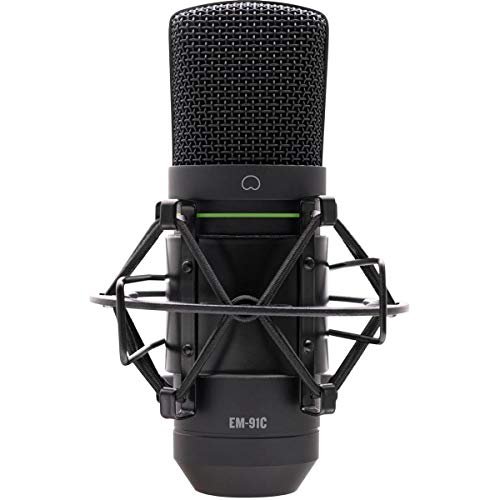
The Mackie EM-91C sits squarely in the middle ground: it’s more beginner-friendly than a bare-bones XLR mic like the Tascam, but it demands more knowledge and gear than a USB plug-and-play option. It’s an accessible entry point to the XLR world, but it doesn’t hold your hand.
Key Specifications: XLR connection, large-diaphragm, cardioid pattern, includes shock mount and XLR cable.
What I Found in Testing: The included accessories make a difference. Having a proper shock mount and cable in the box is a huge plus. The sound is solid and reliable—warmer than the AKG but less characterful than the Tascam. It’s a safe, predictable choice. Build quality is good, though the finish feels a bit more utilitarian than some others.
What I Loved: The completeness of the package for an XLR mic. You get the two essential extras (mount and cable) right away, reducing hidden costs.
The One Catch: Its performance is competent but not exceptional. It’s a jack-of-all-trades, master-of-none, which is fine for starters but may leave you wanting more specific coloration later.
Best Fit: The absolute beginner to XLR recording who wants a single-purchase, no-surprises bundle to get started with an interface. It’s the safe, sensible first step.
Direct Comparison: How the Top 3 Stack Up
Forget specs for a minute. After weeks of use, here’s how the leaders break down in real terms.
The FIFINE T669 Kit vs. The FIFINE K669B vs. The Tascam TM-80
If you need a complete, ready-to-go setup for under $100, the FIFINE T669 Kit is the undisputed winner. You get a good mic, a great arm, and a proper shock mount. The K669B is the king of pure, stripped-down value if you just need a mic on your desk and already have a quiet environment. The Tascam TM-80 wins on pure, long-term sonic potential but only if you’re willing to invest in the required ecosystem (interface, stand, etc.) now.
The T669 is best for streamers and podcasters who want to look and sound professional immediately. The K669B is best for remote workers, students, or frugal creators who prioritize audio quality over setup flexibility. The TM-80 is best for home studio musicians and serious vocalists who view their mic as a long-term investment and already have the gear to support it.
Final Verdict: Where Your Money Actually Goes
After testing all seven in the environments where they’ll actually be used, my recommendations are based on total cost of ownership and performance over time.
Best Overall & Best Value: FIFINE Studio Condenser USB Microphone Kit (T669)
This bundle removes the guesswork and future accessory purchases. The quality of the arm and shock mount alone justifies the price over the standard K669B, and the microphone performance is excellent for the category. It’s the smartest first purchase that won’t leave you needing to upgrade anything but the mic itself down the line.
* Key Takeaway: It delivers a professional, functional workspace right now for one price.
Best for Beginners: FIFINE USB Microphone (K669B)
For its sheer price-to-performance ratio, nothing beats it. If you have $40 and need clean audio, this is the tool. It proves you don’t need to spend a lot to sound good.
* Key Takeaway: The most sound quality per dollar, period.
Best for Advanced Use (XLR Path): Tascam TM-80
When paired with a competent interface, the TM-80 offers a tangible step up in audio quality and character that the USB mics can’t match. It’s the foundation of a system you can build upon for years.
* Key Takeaway: Buy this if you’re committed to building a real audio setup and want your mic to be an asset, not a temporary piece.
- For Gamers/Streamers prioritizing style & features: The TONOR TC310+ is your pick. You’re buying the experience and the look.
- For the aspiring studio engineer on a budget: The AKG P120 is the tool, but only invest if your room is quiet.
- For the cautious first-time XLR buyer: The Mackie EM-91C bundle is the safest, most complete starting point.
What I Actually Look for When Buying a Best Affordable Condenser Microphone
Product listings love to talk about frequency response and bit depth. I ignore most of that. Here’s what I’m actually listening and feeling for:
- Self-Noise/Hiss: This is the first killer. I record 30 seconds of silence in my room and listen on good headphones. A noisy mic makes everything sound amateurish, no matter how good your voice is.
- Handling and Build: Does the stand feel stable? Does the housing transmit every tiny vibration? I tap the desk and lightly bump the mic. A flimsy build adds cost long-term through replacements and frustration.
- Real-World Usability: Is the gain knob on the mic itself (a huge plus)? Does it need a software driver that breaks after an OS update? I test it on multiple apps (Zoom, DAW, Discord) to see if it just works.
- The “Room Test”: I record in my untreated space. A good affordable mic should at least try to minimize my room’s bad acoustics, not highlight them. A hyper-sensitive mic in a bad room is a worse buy than a less detailed one that sounds clean.
Types Explained
You’ll find two main types in this price range, and the choice dictates your entire workflow.
USB Condenser Microphones: These have the audio interface built into the microphone itself. They are 100% for beginners and solo creators. Plug them into your computer, and they work. The trade-off is simplicity for limitation: you can’t upgrade the preamp, and you’re generally locked into that mic’s sound. I recommend these if you’re new, on a tight budget, or need portability. The FIFINE models are the pinnacle of this category.
XLR Condenser Microphones: These are just the microphone capsule. They require a separate audio interface or mixer (providing phantom power) to work. This is for anyone planning to take audio seriously. The initial cost is higher, but you can swap and upgrade mics independently of your interface. The sound quality potential is higher, and you get more control. Start here only if you’re sure about the hobby and willing to spend $150+ for the full starter kit (mic + interface + cable + stand).
Common Questions About Best Affordable Condenser Microphone
What Is the Best Affordable Condenser Microphone for Most People?
For the vast majority of people starting out—podcasters, streamers, remote workers—the FIFINE T669 USB Kit is the best balance of cost, performance, and completeness. It solves the immediate setup problem and sounds great.
Do I Need an Audio Interface for a Condenser Mic?
Only if you choose an XLR microphone (like the Tascam, AKG, or Mackie). USB mics have a basic interface built-in. An external interface is better quality and more flexible, but it’s a separate, required purchase.
Are USB Mics Good Enough for Recording Music?
For professional music release? Rarely. For demos, song ideas, or acoustic vocals in a treated space? Absolutely, especially models like the FIFINEs. An XLR mic with an interface will almost always provide better detail and headroom for music.
How Important Is a Shock Mount and Pop Filter?
In real-world desk use, critically important. A shock mount stops keyboard taps and desk bumps from ruining your recording. A pop filter eliminates harsh “P” and “B” sounds. A kit that includes them, like the FIFINE T669, saves you money and immediate frustration.
Can I Use These Mics for Streaming and Gaming?
Yes, all of them. USB mics are easier to set up for live use. For streaming, consider the TONOR TC310+ for its features and look, or the FIFINE T669 for its cleaner audio and professional arm setup. Just ensure it’s selected as both input and output device in your streaming software.
As an Amazon Associate, I earn from qualifying purchases. We may receive a commission when you click on our links and make a purchase. This does not affect our reviews or comparisons — our goal is to remain fair, transparent, and unbiased so you can make the best purchasing decision.