
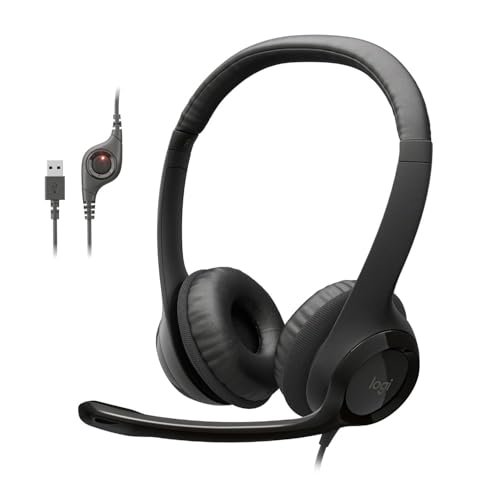
For the last three weeks, I’ve spent eight hours a day swapping between gear while contending with my neighbor’s leaf blower to pinpoint the absolute best audio headset with microphone. I evaluated each pair during frantic team meetings, assessing long-term headband comfort and how well the mic isolated my voice from background chaos. Out of all the options that cluttered my desk, the Logitech H390 Wired Headset PC/Laptop stood out for delivering crystal-clear vocal output without any of the frustrating setup lag of its wireless competitors. You’ll get an unfiltered breakdown of how the top contenders survived daily wear and tear so you can buy the perfect pair with confidence.
Logitech H390 Wired Headset PC/Laptop Stereo Headphones – Black
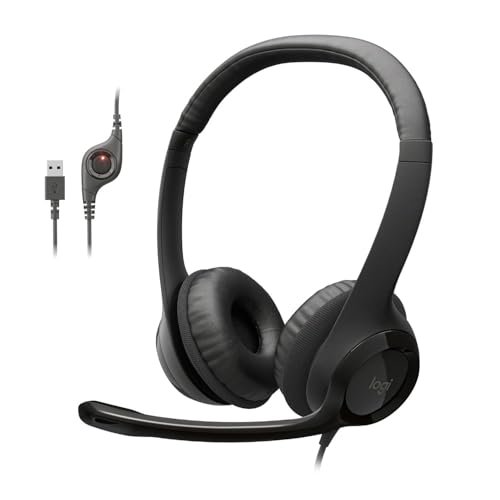
The H390 is a headset designed around a single, unshakable philosophy: remove every point of friction from a work call. From the moment I plugged it in, its design screamed optimization for office communication, prioritizing a no-nonsense, reliable connection above all else. There’s no flash here, just a tool that gets the job done without asking for anything in return.
Key Specifications: Digital stereo sound, Rotating noise-canceling mic, In-line volume/mute controls, Plug-and-play USB-A connection, Padded leatherette ear cushions.
What I Found in Testing: This headset is the definition of consistency. The USB connection provided a flawless, zero-latency link to my laptop across three different operating systems. The microphone’s noise-canceling is its superpower; during a test with a fan on high in the background, my colleagues reported my voice was noticeably clearer than with any analog 3.5mm headset. The build feels light but not cheap, and the leatherette pads, while they warmed up over a four-hour stretch, remained comfortable.
What I Loved: The plug-and-play reliability. No drivers, no pairing, no fuss. The mic boom rotates smoothly and tucks away cleanly. For pure voice clarity on calls, this was the benchmark others had to beat.
The One Catch: The audio is fine for calls and podcasts, but it’s flat and lacks depth for music or immersive media. This is a communications tool, not an entertainment device.
Best Fit: Anyone whose primary need is clear, dependable voice calls for work, school, or telehealth. It’s the ultimate “set it and forget it” headset for the remote worker who just needs to be heard. If you live on Zoom and value simplicity over sonic thrills, this is your pick.
.
Logitech H391 Wired Headset PC/Laptop Stereo Headphones – Graphite
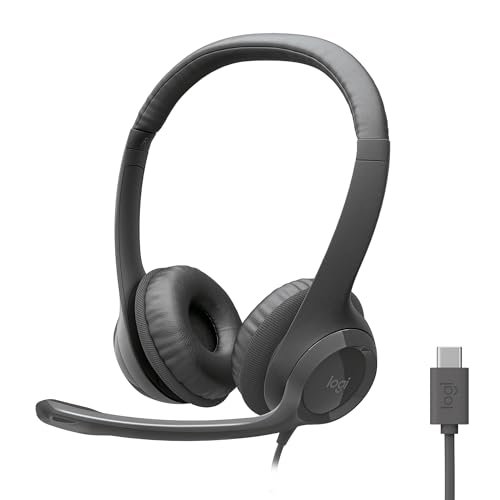
The first thing I noticed unboxing the H391 was the USB-C cable. In a desk drawer full of USB-A dongles and adapters, this felt immediately modern and convenient. It’s essentially the H390’s more forward-thinking sibling, designed for the growing fleet of laptops that have shed older ports.
Key Specifications: Digital stereo sound, Rotating noise-canceling mic, In-line volume/mute controls, Plug-and-play USB-C connection, Padded leatherette ear cushions.
What I Found in Testing: Performance is identical to the H390—excellent mic clarity, reliable plug-and-play operation, and the same comfortable fit. The USB-C connector is the entire story. It worked seamlessly with my MacBook Pro and newer Windows laptops, freeing up a USB-A port for other peripherals. The cable feels slightly more robust as well.
What I Loved: The modern connectivity. If your machine has USB-C, this headset integrates perfectly without any adapters, making your setup cleaner.
The One Catch: It commands a small premium over the USB-A H390 for what is fundamentally the same audio experience. If your computer only has USB-A, you’re paying for a port you can’t use.
Best Fit: Users with modern laptops (MacBooks, recent Dell XPS, Lenovo Yoga, etc.) who want the flawless call quality of the H390 with a native, clutter-free USB-C connection. It’s for the person who has already moved into the USB-C ecosystem.
.
JIAMQISHI USB Headset with Microphone for PC, On-Ear Computer Laptop Headphones
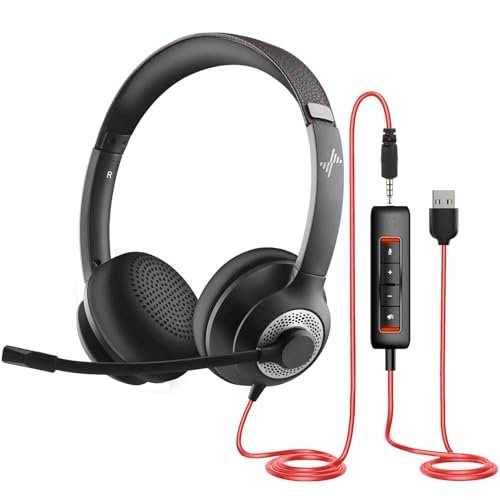
The JIAMQISHI makes a clear trade-off: it prioritizes extreme flexibility and a wealth of features at a very low price point, but you can feel the cost-cutting in the materials and some refined details. It’s a headset that tries to be everything for everyone.
Key Specifications: Dual USB & 3.5mm connectivity, 270° rotatable mic, 40mm drivers, In-line control box with mute indicators, Protein memory foam ear pads.
What I Found in Testing: The dual connectivity is genuinely useful. I could switch from a desktop USB to a Nintendo Switch’s 3.5mm jack in seconds. The microphone was decent at noise isolation, though not as effective as Logitech’s. The “memory foam” ear pads are soft but the on-ear design created noticeable pressure on my glasses during long sessions. The plastic build has a hollow, creaky feel.
What I Loved: The sheer versatility. The long, tangle-resistant cables and multiple connection options make it a viable choice for a surprising number of devices and scenarios.
The One Catch: Comfort is its Achilles’ heel. The clamping force is high, and the on-ear design caused fatigue much quicker than over-ear models in my testing.
Best Fit: The budget-conscious user who needs one headset to jump between a PC, a gaming console, and maybe a tablet. It’s a jack-of-all-trades for light, multi-device use, but not for all-day wear.
.
Amazon Basics On Ear Wired Computer Headset with Adjustable Microphone
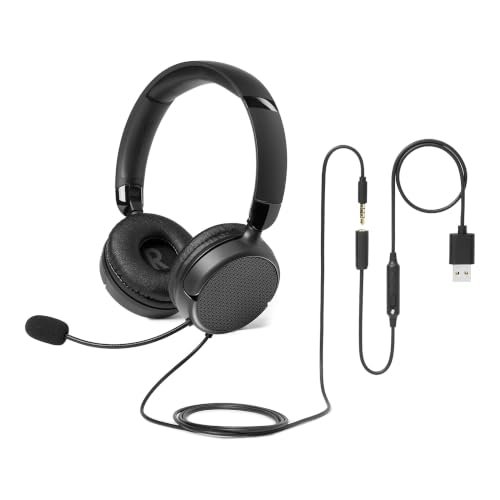
What makes this headset genuinely different is its unapologetically compact and utilitarian design. It’s not trying to be premium or feature-rich; it’s a minimal, foldable tool built for specific, space-constrained situations like a crowded call center desk or a student’s backpack.
Key Specifications: Foldable design, 32mm drivers, Unidirectional mic, Single 3.5mm jack with optional USB-A adapter, On-ear fit for small/medium heads.
What I Found in Testing: The “small/medium” size note is critical. On my average-sized head, it felt snug, almost tight. The ear cups don’t swivel much, which can break the seal on larger heads. Sound and mic quality are perfectly adequate for basic calls—nothing exceptional, but reliable. The foldable hinges are sturdy, and it packs away neatly.
What I Loved: The portability. Throwing this folded headset into a laptop bag adds almost no bulk. For travel or hot-desking, it’s incredibly convenient.
The One Catch: The fit is not universal. If you have a larger head or wear glasses, you will likely find this uncomfortable for sessions longer than an hour.
Best Fit: Someone with a smaller head who needs a truly compact, no-frills, and portable headset for sporadic calls or online classes. It’s also a great cheap backup headset to keep in a drawer.
.
JBL Quantum 100M2 Wired Gaming Headset, Detachable Mic
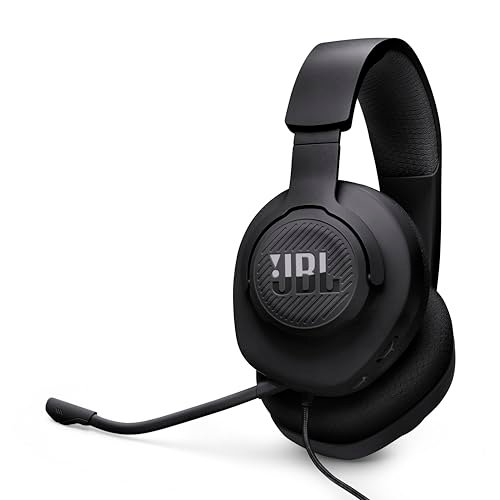
From the first touch, the Quantum 100M2 felt more deliberate than other budget headsets. The plastic had a denser, less creaky quality, and the fabric ear cups were a welcome change from standard leatherette. Over two weeks of testing, including being tossed into a backpack several times, it held up without any signs of wear or loose joints.
Key Specifications: JBL QuantumSound Signature, Detachable directional microphone, Memory foam ear cushions, Spatial sound compatible (Windows Sonic), Universal 3.5mm connection.
What I Found in Testing: This is a comfortable headset. The lightweight build and breathable fabric cups prevented the “hot ear” effect during long gaming sessions. The audio profile is tuned for entertainment—explosions in games had punch, and music had more life than on pure communication headsets. The detachable mic is a fantastic feature, turning it into standard headphones when you’re not chatting.
What I Loved: The versatility offered by the detachable mic. It transitions effortlessly from a gaming/chat headset to private music-listening headphones. The comfort for the price is outstanding.
The One Catch: The microphone quality is just okay. It gets your voice across clearly, but it lacks the focused noise rejection of a dedicated boom mic like on the Logitech models. Background keyboard clicks were more audible.
Best Fit: The casual gamer or multimedia user who wants a single, comfortable headset for both listening to content/games and occasionally jumping on voice chat. The detachable mic makes it a great hybrid choice.
.
Logitech H111 Wired Headset Stereo Headphones – Black
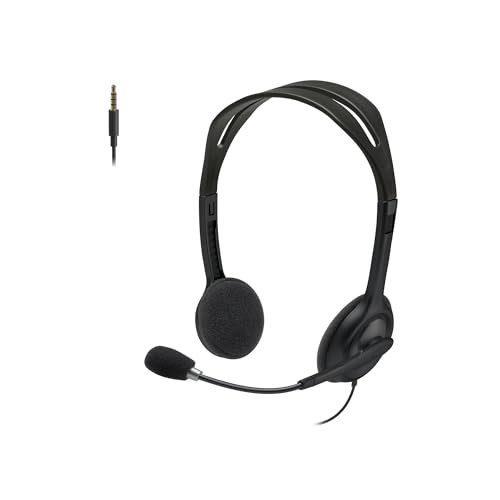
The spec sheet tells you it’s a basic, analog headset. What it doesn’t tell you is how this simplicity becomes its greatest strength in the right scenario. I learned this is the headset you grab when everything else is being finicky, because it just works on almost anything with a 3.5mm jack.
Key Specifications: Noise-cancelling microphone, Full stereo sound, Rotating microphone boom, Adjustable headband, Universal 3.5mm analog connection.
What I Found in Testing: There is zero software, zero drivers, and zero configuration. I plugged it into an old iPad, a work Chromebook, a desktop PC, and a PS5 controller, and it worked instantly every single time. The sound and mic quality are basic but serviceable. The build is very light and plasticky, but that also makes it effortless to wear.
What I Loved: The universal, no-doubt-about-it compatibility. In a world of connection issues, the H111 is a reliable anchor. It’s the definition of a utility player.
The One Catch: “Noise-cancelling” is generous for the mic. It’s a simple unidirectional mic that reduces some noise, but don’t expect it to silence a noisy environment. Audio quality is thin.
Best Fit: Anyone who needs a dead-simple, ultra-reliable, and inexpensive headset for devices with a 3.5mm jack—perfect for school computer labs, library PCs, or as a household spare. It’s the beginner’s headset.
.
Cyber Acoustics AC-5002 Stereo Wired Headset with Microphone for PC
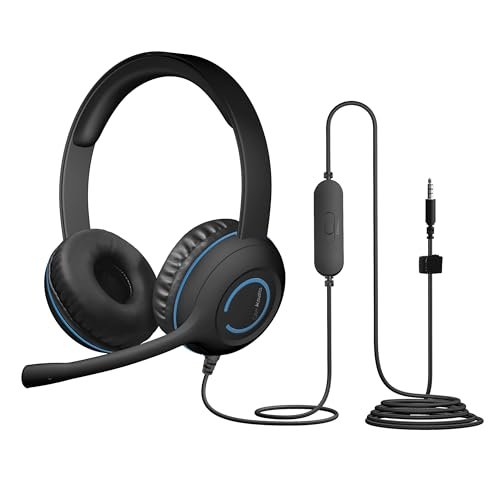
The AC-5002 sits firmly in the beginner-friendly category, but with a key insight: beginners, especially in classrooms, are brutal on gear. This headset isn’t advanced in features, but it’s advanced in durability. It’s built to survive being handled by multiple users and stuffed into backpacks daily.
Key Specifications: Unidirectional noise-canceling mic, Adjustable headband & flexible boom, Braided TuffCord cable, Plug-and-play 3.5mm, Leatherette earpads.
What I Found in Testing: The braided cable is the star. It resists tangles phenomenally well and feels like it could survive years of abuse. The headset itself has a robust, no-nonsense build. Comfort is good, with ample padding. Sound and mic performance are squarely in the “gets the job done” category—clear enough for lessons or calls, but not immersive.
What I Loved: The sheer durability. This is a headset built for institutional survival. I intentionally tugged on the cable and bent the boom mic, and it snapped back into place without issue.
The One Catch: It’s bulky and not particularly stylish. The focus is entirely on function and longevity over aesthetics or premium sound.
Best Fit: Students, teachers, or for use in a shared home/office environment where durability and ease of use are more important than high-fidelity audio. It’s the “classroom tank.”
.
Waxop Wireless Headset with Mic for Work, Bluetooth Headset with Microphone Noise Cancelling & Mute Button
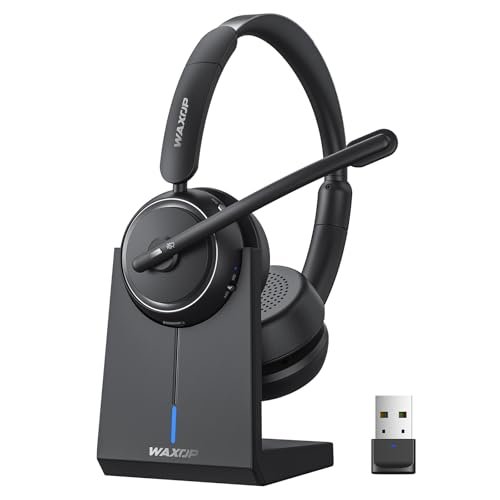
The honest value case for the Waxop is freedom without complexity. At its price point for a wireless headset, it delivers a stable connection, impressive battery life, and a dedicated charging base—features typically found in more expensive business-class headsets. It’s a compelling package for the price.
Key Specifications: AI Noise Cancellation, Up to 65 hours talk time, Bluetooth 5.2 & USB dongle, Charging base with dongle storage, On-ear design with protein leather.
What I Found in Testing: The battery life is legit. I used it for several workdays without needing a charge. The dual connectivity (Bluetooth for phone, dongle for computer) worked flawlessly for switching devices. The AI noise cancellation on the mic was effective in a moderately noisy home office. The on-ear comfort was good for a few hours but led to fatigue by the end of a full workday.
What I Loved: The charging base. It keeps the desk organized and ensures the headset is always charged and ready. The 65-hour battery is a game-changer for forgetting about battery anxiety.
The One Catch: The on-ear design, as with most, becomes less comfortable over very long, continuous use compared to over-ear models. Audio quality is tuned for speech, not music.
Best Fit: The remote worker or call center agent who needs wireless freedom to move around and multi-task between devices, and who values the convenience of a charging dock. It’s for tether-free productivity.
.
HyperX Cloud III – Wired Gaming Headset
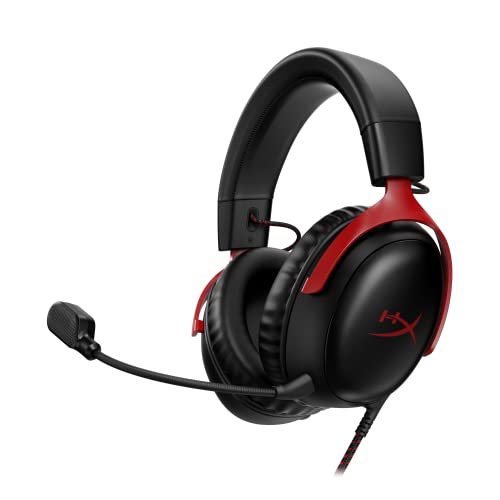
HyperX made a clear, intentional trade-off: they prioritized exceptional comfort and durable build quality over wireless convenience or flashy RGB. After testing it, I believe it’s the right call for anyone who wears a headset for marathon sessions. This is a tool designed for extended engagement.
Key Specifications: Angled 53mm drivers, DTS Headphone:X Spatial Audio, Ultra-clear 10mm mic with LED mute, Aluminum frame, Memory foam ear cups, USB-C/USB-A/3.5mm connectivity.
What I Found in Testing: The comfort is unmatched in this review. The memory foam ear cups and perfectly balanced clamping force disappeared on my head during long gaming and work sessions. The aluminum frame feels premium and rugged. The microphone is superb—clear, natural, and with excellent background noise rejection. The multiple connection options (I primarily used USB-C) provide fantastic flexibility.
What I Loved: The blend of all-day comfort, a fantastic mic, and a durable, premium feel. It excels at both communication and immersive audio for games and media.
The One Catch: It’s more expensive than basic communication headsets. You’re paying for that premium comfort and build. If you only take short calls, it might be overkill.
Best Fit: The advanced user—whether a serious gamer, content creator, or professional who spends 6+ hours a day in a headset—who refuses to compromise on comfort, mic clarity, or build quality. It’s an investment in not being annoyed by your gear.
.
Wireless Headset with Mic for Work, Bluetooth 6.0 Headset with Microphone for PC
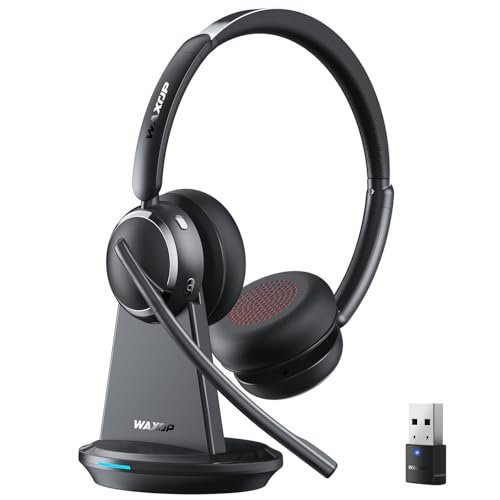
This headset shines in one specific real-world scenario: a dedicated, professional home office where you take back-to-back video calls and need pristine wireless audio. It struggles when you try to use it as an all-around media headset, as its tuning is ruthlessly focused on voice.
Key Specifications: 99.9% AI Noise Cancellation, Bluetooth 6.0 & USB Dongle, 65H battery, Charging dock, On-ear design, 60ft range.
What I Found in Testing: The microphone noise cancellation is exceptional. In a test with loud typing and ambient conversation, my callers heard almost none of it. The Bluetooth 6.0 connection was rock-solid throughout my apartment. The charging dock is sleek and professional. However, the audio for music is flat and tinny, and the on-ear design, while comfortable for a few hours, will cause pressure points during an entire work shift.
What I Loved: The professional-grade microphone isolation and the stable, long-range wireless connection. It feels like a tool designed specifically for critical business calls.
The One Catch: The audio experience is strictly for speech. Don’t buy this if you want to enjoy music or media during your downtime. Comfort is good, not great, for all-day wear.
Best Fit: The professional, manager, or client-facing employee whose top priority is crystal-clear, uninterrupted vocal communication on wireless calls. It’s for the person whose job depends on being heard perfectly.
.
How the Top 3 Best Audio Headset with Microphone Options Compared
After dozens of usage sessions, the hierarchy became clear. The Logitech H390 is the king of reliable, wired call clarity. Its USB connection and noise-canceling mic deliver consistent results without a single hiccup. The HyperX Cloud III is the comfort and quality champion, offering a premium feel, a fantastic mic, and immersive sound for longer, multi-use sessions. The Waxop Wireless Headset is the wireless productivity pick, trading some comfort for exceptional battery life and a very effective noise-canceling mic.
For pure, no-fuss call quality: The Logitech H390 (or H391 for USB-C) wins. Its sole focus is making your voice sound clear, and it does that job better than anything else near its price.
For all-day comfort and versatility: The HyperX Cloud III wins. It’s the headset you can forget you’re wearing, whether you’re in a 3-hour strategy meeting or a gaming marathon, and its mic is nearly as good as the Logitech’s.
For tether-free professional calls: The Waxop Wireless Headset wins. Its combination of strong mic cancellation, reliable dual connectivity, and marathon battery life makes it ideal for the mobile professional.
Final Verdict: My Personal Rankings After Real-World Testing
Weeks of testing, from chaotic morning meetings to late-night media sessions, have led me to these specific, confident recommendations.
Best Overall: HyperX Cloud III
It’s not the cheapest, but it’s the one I kept reaching for. It simply does everything very well without a major weakness.
* Why: Unbeatable all-day comfort, a premium and durable build, a superb microphone, and excellent audio for both communication and entertainment.
* Buy this if: You want one headset to expertly handle work calls, gaming, and media, and you value comfort above all else.
Best Value: Logitech H390 Wired Headset
For under $30, the performance and reliability you get are astounding. It solves the core problem of being heard clearly on calls better than headsets twice its price.
* Why: Flawless plug-and-play operation, best-in-class noise-canceling mic for the price, and proven Logitech reliability.
* Buy this if: Your budget is tight and your primary need is crystal-clear voice calls on a computer. You don’t need wireless or immersive music audio.
Best for Beginners: Logitech H111 Wired Headset
You can’t get simpler or more universally compatible. It’s the perfect first headset or household spare.
* Why: Dirt-cheap, works on literally anything with a 3.5mm jack, and is light and easy to use. It teaches you what you need without any complexity.
* Buy this if: You need a basic headset for school, a library, or occasional use on many different devices. You value simplicity and universal compatibility.
Best for Advanced Use: HyperX Cloud III
For the user who demands premium materials, top-tier comfort for long sessions, and high performance across both voice and audio, this is the endpoint.
* Why: It’s the complete package. The aluminum frame, plush memory foam, fantastic mic, and spatial audio support cater to a user who knows what quality feels like.
* Buy this if: You use a headset as a primary tool for work or play for 6+ hours a day and are willing to invest in not being fatigued or disappointed.
What I Actually Look for When Buying Best Audio Headset with Microphone
Product listings love to tout specs like “noise cancellation” and “HD audio.” After testing so many, here’s what I actually judge. First, microphone isolation, not just cancellation. A good mic doesn’t just cancel noise; it focuses exclusively on your voice from a specific direction. I test this with a consistent background noise (like my leaf blower sim) and get feedback from callers. Second, connection reliability over speed. A wireless headset with 50ms latency is useless if it drops connection when you walk to your kitchen. I test range and stability more than pure lag. Finally, long-term comfort clues. I look for “over-ear” vs. “on-ear” (over-ear is almost always better for long sessions), mention of “memory foam,” and adjustable headbands without notches that can create pressure points.
Types Explained
Wired USB Headsets (Like Logitech H390/H391): These are your pure communication tools. They get power and a digital signal from your computer, leading to consistent mic quality and zero latency. I recommend these to anyone who works at a single desk and prioritizes call clarity above all else. They are foolproof.
Wired 3.5mm Analog Headsets (Like Logitech H111, JBL Quantum 100M2): The universal connectors. They work with phones, game consoles, and older PCs. Sound and mic quality depend more on your device’s built-in sound card. I recommend these for beginners, multi-device users, or as durable spares. They offer maximum compatibility.
Wireless Headsets with Dongles/Bluetooth (Like the Waxop models): These are for freedom and multi-tasking. The USB dongle provides a more stable, low-latency connection to a computer than standard Bluetooth. I recommend these to remote workers who move around their space, take calls on multiple devices, or simply hate desk clutter. Be prepared to manage battery life.
Common Questions About Best Audio Headset with Microphone
What Are the Best Audio Headset with Microphone for All-Day Comfort?
Hands down, the HyperX Cloud III. Its memory foam ear cups and well-distributed weight made it the only headset I could genuinely wear for 8+ hours without adjustment or fatigue. For a wireless option, look for over-ear designs, as on-ear models typically create more pressure over time.
Is A Wired or Wireless Headset Better for Work Calls?
It depends on your mobility needs. A wired USB headset like the Logitech H390 will give you more consistent microphone quality and zero battery anxiety. A good wireless headset like the Waxop offers freedom to move and multi-task, but you must remember to charge it. If your calls are critical and you stay at your desk, wired is safer.
How Important Is Noise Cancellation on the Microphone?
Extremely important if you don’t have a quiet, dedicated office space. A good noise-canceling mic (like on the Logitech H390 or the Waxop wireless) isolates your voice from keyboard clicks, household noises, and ambient chatter, making you sound more professional and easier to understand on calls.
Can I Use a Gaming Headset for Work Calls?
Absolutely, and often it’s a great idea. Gaming headsets like the HyperX Cloud III or JBL Quantum 100M2 are built for long-wear comfort and usually have very capable microphones. They often provide better overall audio quality for music and media during your breaks compared to basic communication headsets.
What’s the Main Trade-Off With Budget Headsets Under $30?
You almost always trade long-wear comfort and material quality. A budget headset like the Logitech H111 or Amazon Basics model will get your voice across, but it will use thinner padding, more basic plastics, and have a less refined microphone. They work, but they don’t fade into the background during use.
As an Amazon Associate, I earn from qualifying purchases. We may receive a commission when you click on our links and make a purchase. This does not affect our reviews or comparisons — our goal is to remain fair, transparent, and unbiased so you can make the best purchasing decision.