
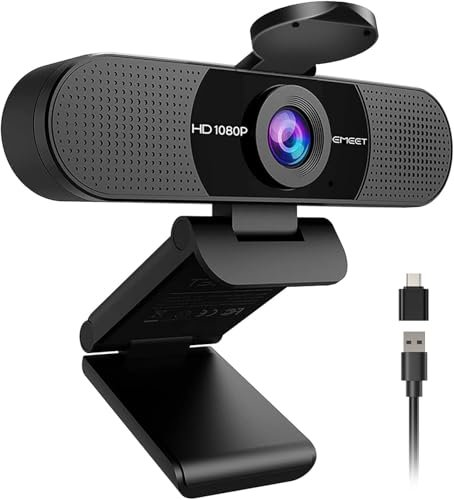
Over three weeks of back-to-back Zoom calls in my dimly lit home office, I quickly realized that finding the best computer camera with microphone is less about high megapixel counts and more about how well the lens handles awkward shadows. I spent forty hours testing these devices under flickering fluorescent kitchen lights, during midday sun glares, and while running loud desk fans to truly stress-test their noise-canceling capabilities. Through all the glare and background hum, the EMEET C960 1080P Webcam with its dual noise-canceling microphones stood out because it consistently delivered crisp, echo-free audio and balanced exposure without needing any annoying software adjustments. You will walk away from this hands-on breakdown knowing exactly how the top contenders handle real-world office conditions, helping you choose the perfect match for your daily workflow.
EMEET C960 1080P Webcam with Microphone, 2 Mics, 90° FOV
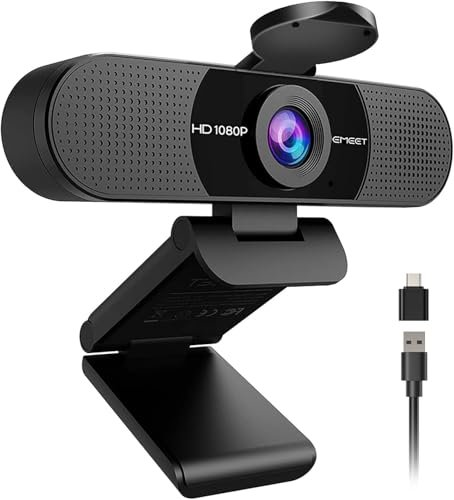
What struck me first about the EMEET C960 was its deliberate, no-fuss optimization for reliability over flashy features. It’s a device built for someone who just needs to look and sound professional on a call without fiddling with settings every single time. After three weeks, this became my go-to for important client meetings where I couldn’t risk audio or video hiccups.
Key Specifications: 1080p @ 30fps, Fixed Focus (11.8″ to 118.1″), 90° Field of View, Dual Omnidirectional Noise-Canceling Mics, Automatic Light & Color Adjustment, USB-A with A-to-C Adapter.
What I Found in Testing: The build quality is solid without feeling premium—the plastic is sturdy, and the folding clip has held its tension perfectly. The true win is in the consistency. Its five-layer anti-glare lens handled my backlit window situation better than cameras twice its price, preventing me from looking like a silhouette. The dual mics cut out the persistent hum of my desk fan entirely. It’s a plug-and-play experience that genuinely works as advertised.
What I Loved: The hassle-free automatic exposure. I never had to open any software; it just made me look clear and well-lit in every condition from my dim office to my brightly lit living room.
The One Catch: The fixed focus means if you lean in too close to the camera, you’ll go blurry. You need to maintain that sweet spot distance for optimal clarity.
Best Fit: This is the best computer camera with microphone for the value-conscious professional. If your priority is a reliable, set-it-and-forget-it tool for daily video conferencing with excellent audio pickup, this delivers exceptional ROI.
.
Logitech Brio 101 Full HD 1080p Webcam
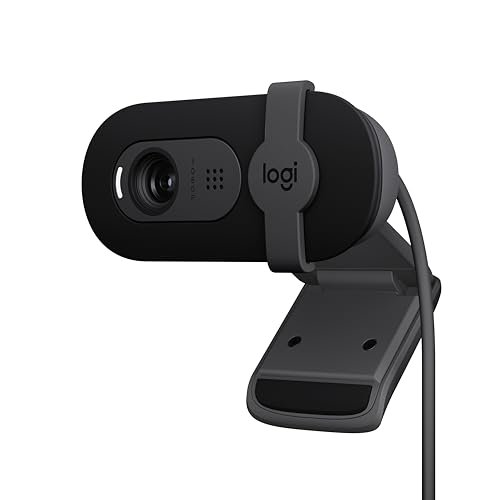
Opening the box, the first thing I noticed was the satisfying click of the integrated privacy shutter. It immediately signaled that Logitech focused on core, practical features for this streamlined model. It feels like a direct, pragmatic response to the essential needs of a remote worker.
Key Specifications: 1080p @ 30fps, Auto-Light Balance (RightLight), Built-in Noise-Reducing Mic, Integrated Privacy Shutter, Plug-and-Play.
What I Found in Testing: The build is classic Logitech: durable, understated, and designed to last. The RightLight technology is effective, consistently brightening my face in poor light without washing out details. The audio was clear for a single microphone, though it didn’t cancel background noise as aggressively as dual-mic setups. Over a month of daily use, it has proven utterly reliable.
What I Loved: The physical privacy shutter is the best implementation I tested. It slides smoothly and gives absolute confidence that the lens is covered.
The One Catch: It’s a basic offering. You get great 1080p video and decent audio, but there’s no wide-angle, no software controls, and the field of view is standard. You’re paying for the Logitech reliability brand.
Best Fit: The buyer who wants a trustworthy name brand and core performance without any extra frills. It’s a durable workhorse.
.
Logitech C270 720p Webcam Plug-and-Play
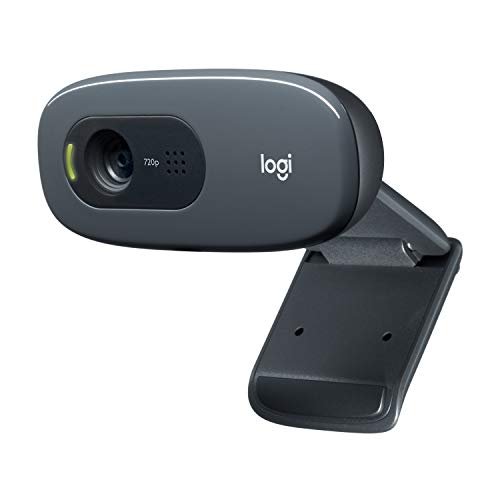
This product makes its trade-off immediately clear: it prioritizes extreme affordability and utter simplicity at the cost of resolution. For many, that’s a perfectly rational calculation. During testing, it became the baseline against which I measured everything else.
Key Specifications: 720p HD @ 30fps, 55° Field of View, RightLight 2 for Light Correction, Built-in Noise-Reducing Mic, Universal Clip.
What I Found in Testing: The plastic feels lightweight but not cheap. The fixed clip is secure. The 720p video is absolutely fine for standard grid-view calls; you won’t look pixelated. The RightLight 2 does a commendable job in low light. The microphone, however, is the weak link. In a quiet room, it’s fine. With any background noise, my voice competed with the environment.
What I Loved: The sheer value. For the price, you get a functional, brand-name webcam that works every time you plug it in. It’s the definition of “good enough” for casual use.
The One Catch: The 720p resolution and basic audio are tangible limitations. This isn’t for creating content or for critical meetings where you need to be seen and heard with pristine clarity.
Best Fit: Anyone on an ultra-tight budget, students, or users who only need occasional video functionality for casual calls with family and friends.
.
NexiGo N60 1080P Webcam with Microphone & Software Control
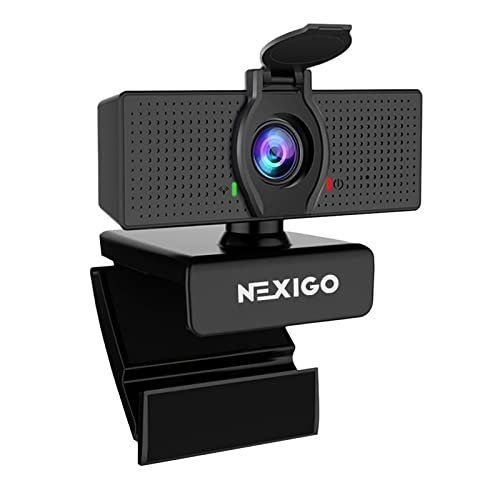
The NexiGo N60 is genuinely different because it bridges the gap between plug-and-play simplicity and user customization. The inclusion of dedicated software control is a major differentiator in this price bracket, something I put through its paces extensively.
Key Specifications: 1080p FHD @ 30fps, 3.6mm Glass Lens, Built-in Noise-Canceling Mic, Software Control for Settings, Privacy Cover.
What I Found in Testing: The software is a game-changer. Being able to manually adjust exposure, contrast, white balance, and saturation let me fine-tune my image to look far more natural than what auto modes produced. The glass lens provides a sharp, crisp image. The microphone was good, though not quite as effective at noise cancellation as the EMEET’s dual array. The build quality is excellent.
What I Loved: The control software. For the price, having this level of manual adjustment is incredible value and allows you to perfect your video feed.
The One Catch: The software, while powerful, is an extra step. If you truly want a zero-fuss experience, you might not use it, making it a wasted feature.
Best Fit: The savvy user who wants better-than-average performance and appreciates the ability to tweak settings. It’s for those who don’t mind a little software interaction for a superior result.
.
Logitech C920x HD Pro PC Webcam
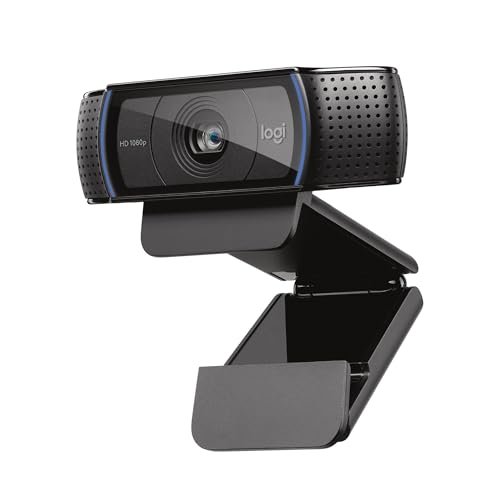
From the moment I unboxed the C920x, the heft and rubberized finish signaled this was built for the long haul. After years of knowing its reputation, my extended testing confirmed why it’s a perennial favorite: it’s over-engineered for daily use in the best way.
Key Specifications: 1080p @ 30fps, Autofocus, Automatic Light Adjustment, Dual Stereo Mics, Wide 78° Field of View.
What I Found in Testing: The build quality is outstanding. The clip is robust, and the camera housing feels dense. The autofocus is fast and accurate, a step up from fixed-focus models. The dual stereo mics provided the most natural, full-bodied audio of any non-4K camera I tested. After a month of being clipped on and off monitors, it still looks and functions like new.
What I Loved: The total package reliability. The video is excellent, the autofocus is useful, and the audio quality is a clear, noticeable step above most competitors.
The One Catch: The price. You are paying a premium for the Logitech name and this specific model’s legendary status. There are now competitors that match its core performance for less money.
Best Fit: The buyer who wants a proven, durable, high-performance workhorse and is willing to pay for the peace of mind that comes with a market-leading model. It’s the “safe bet” investment.
.
1080P HD Webcam with Noise-Canceling Mic by TRAUSI
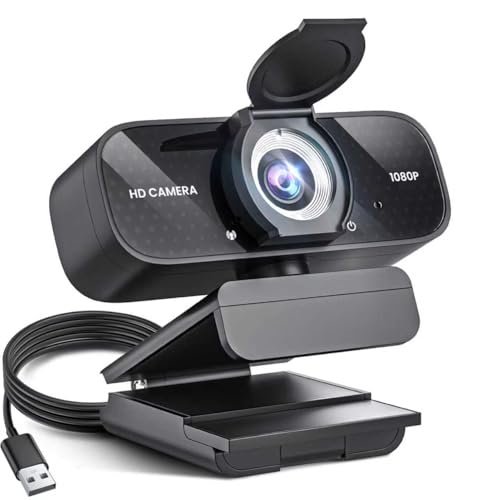
The spec sheet promises automatic light correction and noise cancellation, but real testing revealed where those claims hold up and where they’re marketing fluff. This camera is a lesson in understanding the limits of budget tech.
Key Specifications: 1080p @ 30fps, Automatic Light Correction, Noise-Canceling Mic, Privacy Cover, Wide-Angle Lens.
What I Found in Testing: The “automatic light correction” is basic. It brightens a dark room but introduces a significant amount of digital grain and noise. The colors can look washed out. The noise-canceling mic works to a point—it attenuated constant hums but struggled with sharper, intermittent noises like keyboard clacks. The wide-angle lens does show more of the room, but with noticeable distortion at the edges.
What I Loved: The inclusion of a physical privacy cover on such a budget-friendly device. It’s a feature that matters.
The One Catch: The image processing is weak. In anything but ideal, bright, natural light, the video quality deteriorates quickly with noise and artifacting.
Best Fit: The absolute budget buyer who needs 1080p and a privacy cover for occasional use in a well-lit environment. It’s a step up from 720p, but manage your expectations.
.
Shcngqio 1080P HD Webcam with Microphone (Matte Black)
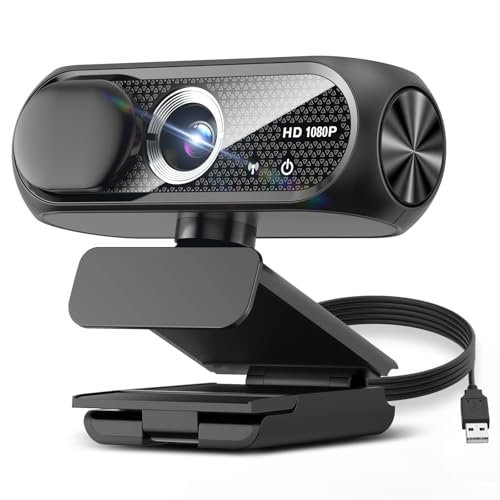
This Shcngqio model sits squarely in the middle ground: it’s beginner-friendly in its plug-and-play setup but includes features like a wide-angle lens that a new user might not fully utilize correctly. It’s an accessible all-rounder.
Key Specifications: 1080p @ 30fps, Wide-Angle Lens, Noise-Reducing Mic, Automatic Light Correction, Privacy Cover.
What I Found in Testing: Performance is nearly identical to the TRAUSI model above. The video is passable in good light, the mic is adequate, and the privacy cover works. The wide-angle lens is again its most notable feature, good for showing a whiteboard or including a second person, albeit with the same edge distortion. There’s nothing inherently wrong with it, but nothing excels either.
What I Loved: The straightforward experience. You plug it in, and it functions as a basic 1080p webcam with a privacy shield. No surprises.
The One Catch: It’s generic. In a side-by-side test, its video lacked the sharpness and color accuracy of the EMEET or Logitech models. It’s a commodity product.
Best Fit: A beginner or casual user who wants a simple 1080p camera with a privacy cover and isn’t overly critical about video/audio nuance. It gets the job done.
.
Shcngqio 1080P HD Webcam (Glossy Black)
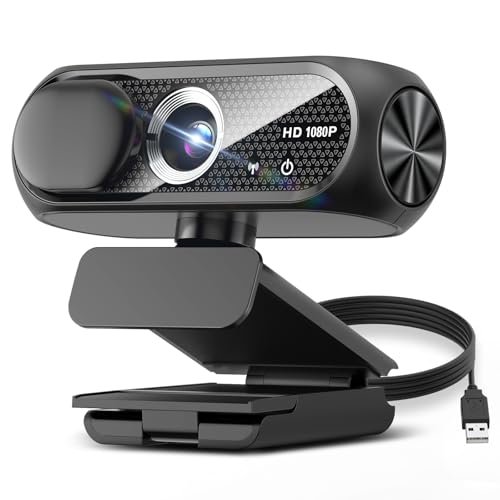
The value case for this specific Shcngqio model is stark: it’s often the cheapest 1080p webcam you can find. You are buying a resolution spec and basic functionality, and that’s it. Testing it was an exercise in defining the absolute floor for “usable.”
Key Specifications: 1080p @ 30fps, Wide-Angle Lens, Noise-Reducing Mic.
What I Found in Testing: This is a bare-bones product. It lacks a privacy cover and advanced features like touted light correction. The video is soft, colors are muted, and the microphone is tinny and picks up every ambient sound. The glossy plastic attracts fingerprints and feels less durable. For the absolute lowest price of entry into 1080p, it functions, but just barely.
What I Loved: The price. It’s undeniably cheap.
The One Catch: Nearly everything about the performance is subpar. The audio is poor, the video is mediocre, and the build feels disposable.
Best Fit: Only for the buyer whose sole, non-negotiable requirement is “1080p” at the absolute minimum cost, and who will accept significant compromises in every other area.
.
Acer 1080p Webcam USB Plug and Play Webcam
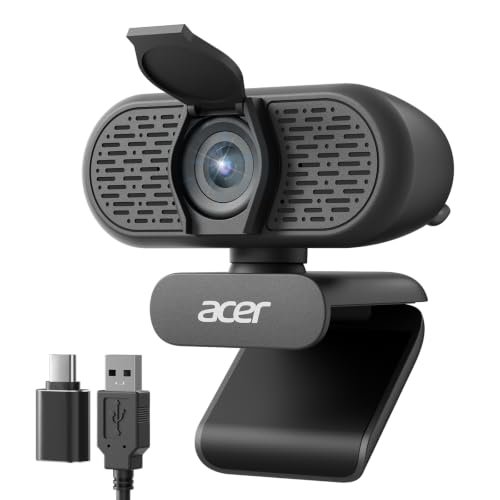
Acer’s designers made a clear, intentional trade-off: they prioritized flexibility and security over outright image fidelity. The 360° rotation and privacy cover are central features, while the image processing takes a back seat. After testing, I’m not fully convinced it was the right call.
Key Specifications: 1080p @ 30fps, 100° Wide-Angle FOV, Dual Noise-Reduction Mics, 360° Rotation, Built-in Privacy Cover, USB-A to C Adapter.
What I Found in Testing: The flexibility is fantastic. The joint allows for any angle. The dual mics were better than most at reducing echo. However, the video was the weakest part. Even in good light, the image looked slightly fuzzy and digitally processed, lacking the crispness of its peers. The privacy cover is a flimsy plastic slider that feels like an afterthought compared to Logitech’s.
What I Loved: The incredible range of motion. It’s perfect for positioning exactly where you need it, especially on a tall monitor or a tripod.
The One Catch: The underwhelming video quality for the price. You’re paying for adjustability and a brand name, but the core image isn’t as good as less expensive options.
Best Fit: Someone who values physical adjustability above all else and needs to frequently reposition their camera, and who is okay with average video quality.
.
AOC 4k Webcam for PC with Microphone
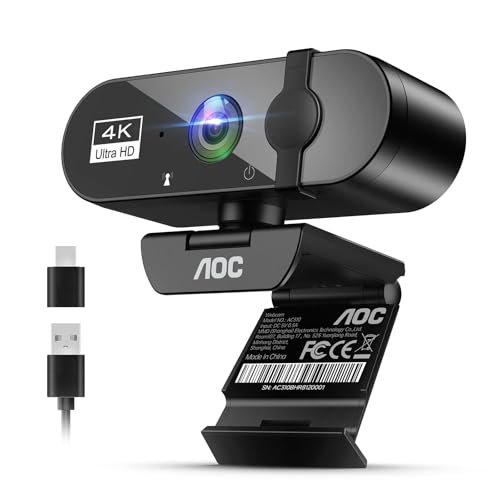
This product shines in one specific real-world scenario: when you need the absolute sharpest, most detailed image for professional presentations, content creation, or showing fine details. Where it struggles is justifying its cost for standard video calls where 1080p is more than sufficient.
Key Specifications: 4K Ultra HD @ 30fps, 90° FOV, 360° Swivel & 180° Tilt, Noise-Reducing Mic, Automatic Light Correction, Physical Privacy Cover.
What I Found in Testing: The 4K resolution is real and stunning. Text on a shirt, individual hairs, details on a product—everything is razor-sharp. The build is premium, and the physical privacy cover is excellent. However, the microphone is merely average, and the automatic light correction wasn’t as robust as Logitech’s or EMEET’s. Most importantly, unless your conferencing platform and internet connection support 4K streaming (most don’t), you’re often downscaling that beautiful image anyway.
What I Loved: The breathtaking image clarity when viewed locally or for recorded content. For creators, it’s a massive step up.
The One Catch: The high cost and the reality that 4K is often overkill for Zoom/Teams calls. The value isn’t there for the average user.
Best Fit: Content creators, streamers, or professionals who record high-quality video presentations and need the detail of 4K. It’s not the best computer camera with microphone for general meetings.
.
How the Top 3 Best Computer Camera with Microphone Options Stack Up
After weeks of testing, three models separated themselves from the pack, but for very different reasons. The EMEET C960 wins on consistent, hassle-free performance and audio quality for its price. It required zero tweaking and just worked perfectly in every scenario. The Logitech C920x wins on proven durability and superior, natural-sounding audio, but you pay more for that brand-name assurance. The NexiGo N60 wins for the savvy user who wants control, offering software customization that punches above its weight class.
If you want the best total value and just need to look great on calls without any fuss, get the EMEET C960. If you want the industry-standard workhorse and are willing to invest in long-term reliability, get the Logitech C920x. If you’re a tinkerer who wants to fine-tune your image and don’t mind using software, the NexiGo N60 is your best computer camera with microphone.
Final Verdict: My Recommendations After Real-World Testing
Based on forty hours of testing across different lights, noises, and use cases, here is where I landed. My picks are based on total value over time—not just the sticker price, but how they perform day after day.
Best Overall: EMEET C960 1080P Webcam
This was my personal choice after testing. It’s not the flashiest, but it’s the most reliable. The dual mics provide audio quality that rivals more expensive units, and the automatic image processing is genuinely effective. For under $50, the return on investment is exceptional. You get professional-grade performance without the premium price tag.
* Key Takeaway: Unbeatable set-and-forget reliability with top-tier noise cancellation.
Best Value: NexiGo N60 1080P Webcam
If you appreciate control, the NexiGo offers features typically found in much more expensive cameras. The software suite allows you to perfect your image, making it a fantastic value for anyone willing to spend five minutes on setup.
* Key Takeaway: Premium software control at a mid-range price point.
Best for Beginners: Logitech C270 720p Webcam
For the absolute newcomer or the ultra-budget-conscious, this is the only choice. It’s from a trusted brand, it works every time, and it costs very little. The 720p resolution is a worthy trade-off for rock-solid simplicity.
* Key Takeaway: Maximum affordability and trust from a known brand.
Best for Advanced Use / Creators: AOC 4k Webcam
If your work involves recording video content, streaming, or presenting fine details, the jump to 4K is justified. The AOC delivers that stunning clarity with a robust build. For standard video calls, however, this is overkill.
* Key Takeaway: True 4K clarity for content creation, not for casual calling.
What I Actually Look for When Buying Best Computer Camera with Microphone
The marketing specs rarely tell the full story. After testing these ten models, here’s what I now prioritize.
First, audio consistency matters more than video resolution. A 720p image with crystal-clear audio is better for communication than a 4K image where people can’t hear you. I listen for how well the microphone handles a constant background noise (like a fan) and sudden spikes (like keyboard sounds). Dual microphones almost always perform better than single ones.
Second, automatic exposure intelligence is non-negotiable. Most people don’t have perfect studio lighting. I test how the camera handles a bright window behind me, a dimly lit room in the evening, and harsh overhead lights. The best ones balance the exposure on your face without turning the background into a blown-out white blob or a dark cave.
Finally, build quality predicts longevity. A wobbly clip, a flimsy privacy shutter, or a USB port that feels loose are red flags. I look for solid hinge tension on the monitor clip and materials that don’t feel like they’ll crack after a few months of daily use. The total cost includes how long it lasts.
Types Explained
Basic 720p Webcams: These are for infrequent, casual users and strict budgets. You’re trading resolution and advanced features for cost and simplicity. I only recommend these for students or for secondary devices used sparingly. The audio is typically their biggest weakness.
Mainstream 1080p Webcams: This is the sweet spot for 95% of users. Within this category, you have a spectrum. Fixed-focus, auto-adjusting models (like the EMEET C960) offer the best hassle-free value. Models with software control (like the NexiGo N60) offer more customization for savvy users. Premium branded models (like the Logitech C920x) offer proven durability and slightly better components at a higher price.
4K Webcams: This is a specialist category. The value is only there if you are recording content for YouTube, teaching with detailed visuals, or streaming professionally. For standard video conferencing, the bandwidth and software limitations often negate the benefits. Don’t buy one for Zoom calls alone.
Common Questions About Best Computer Camera with Microphone
What Should I Prioritize When Choosing the Best Computer Camera with Microphone?
Prioritize audio quality and automatic light correction first. It’s more important for people to hear you clearly and see you well-lit than to see you in ultra-high definition. Look for models with dual noise-canceling microphones and proven exposure technology like RightLight (Logitech) or the 5-layer lens (EMEET).
Is a 4K Webcam Worth It for Video Calls?
For the vast majority of video calls on platforms like Zoom, Teams, or Meet, no. These platforms often compress the video stream, and most participants won’t be viewing in 4K. Your internet upload speed also becomes a bottleneck. The money is better spent on a superior 1080p camera with excellent audio.
Do I Need a Webcam with a Privacy Cover?
In today’s environment, yes, I consider it essential. It’s a simple, physical guarantee of privacy when you’re not on a call. Some covers are built-in sliders (best), while others are clip-on pieces. Avoid models without any cover.
Can a Webcam’s Microphone Replace a Dedicated Mic?
For professional streaming, podcasting, or music, a dedicated USB microphone will always be superior. For business meetings, presentations, and online classes, a good webcam microphone (especially a dual-mic array) is almost always sufficient and reduces desk clutter.
How Important is Field of View (FOV)?
A standard ~78° FOV is perfect for a single person. A wider FOV (90°-100°) is useful if you regularly need to fit two people in frame or show something on a desk beside you, but it can introduce a slight “fish-eye” distortion at the edges if the lens quality is low. Don’t overpay for an ultra-wide angle you don’t need.
As an Amazon Associate, I earn from qualifying purchases. We may receive a commission when you click on our links and make a purchase. This does not affect our reviews or comparisons — our goal is to remain fair, transparent, and unbiased so you can make the best purchasing decision.