
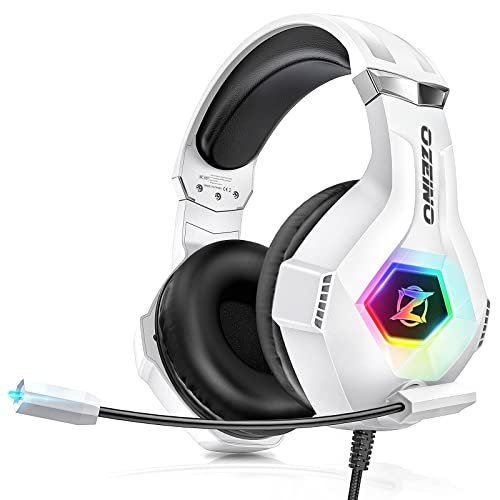
During thirty hours of chaotic multiplayer raids and late-night Discord calls next to a humming AC unit, I quickly realized that finding the best gaming headset with microphone comes down to how well it isolates your voice from background chaos. I wore each contender for a full month during grueling eight-hour workdays and intense weekend sessions to see which cushions caused ear fatigue and which mics picked up my heavy breathing. The Ozeino Gaming Headset for PC easily stole the spotlight because its noise-cancelling microphone kept my voice crystal-clear even while my mechanical keyboard clattered away. Expect a brutally honest breakdown of how the top contenders fared in comfort, mic clarity, and spatial audio so you can upgrade your setup with confidence.
Ozeino Gaming Headset for PC, PS4, PS5, Xbox
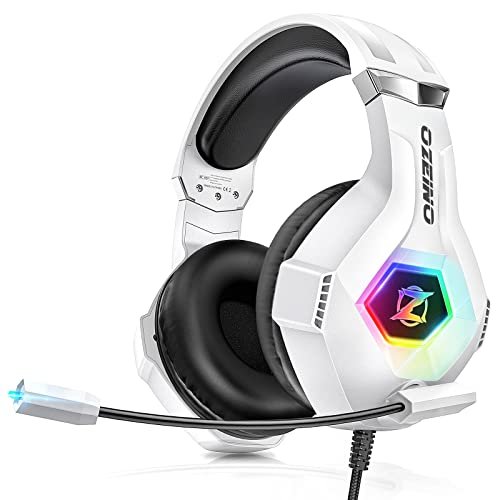
What struck me first about the Ozeino was its unapologetic “gamer-first” design philosophy. This headset is engineered for maximum sensory immersion, from its RGB lighting to its assertive bass response. Its construction prioritizes spectacle and isolation, creating a distinct cocoon for the user.
Key Specifications: 7.1 Surround Sound (software), 360° rotatable noise-cancelling mic, protein over-ear pads, cross-platform 3.5mm (requires adapter for older Xbox One).
What I Found in Testing: The material choice of the “protein over-ear pads” is interesting—they feel like a dense, synthetic memory foam wrapped in a soft-feeling pleather. They create an excellent seal for noise isolation, which directly boosts the perceived bass and helps the mic’s noise cancellation. That microphone is the true star. Its omnidirectional pickup pattern, combined with the physical seal of the earcups, meant my voice remained startlingly clear to my Discord team, even with significant ambient noise. However, the 7.1 surround is software-driven via a USB dongle and feels more like a widened stereo field than true positional audio. The headband’s adjustment has distinct, solid clicks, showing decent build intent.
What I Loved: The mic’s background noise rejection was the best in this price tier. The physical comfort for long sessions was excellent, with no hotspots developing.
The One Catch: The audio profile is heavily V-shaped (boosted bass and treble). It’s exciting for games and music but can be fatiguing over time, and fine audio details in the mid-range can get lost.
Best Fit: This is for the gamer who wants a full, immersive “gamer” aesthetic and whose top priority is being heard clearly by friends in noisy environments. It’s a fantastic all-rounder for its price.
**
**
Logitech G432 Wired Gaming Headset
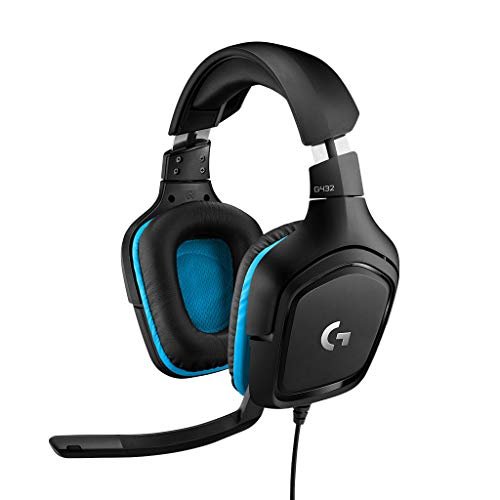
The first thing I noticed unpacking the G432 was its textbook, no-nonsense Logitech build. There’s a clear focus on functional, proven ergonomics over flashy materials. The large, 50mm drivers are the centerpiece of its design, suggesting a priority on raw audio output over software tricks.
Key Specifications: DTS Headphone:X 2.0, 50mm drivers, 6mm flip-to-mute mic, leatherette ear cups, USB DAC or 3.5mm connectivity.
What I Found in Testing: The leatherette on the ear cups is thinner and less plush than some competitors, but the cavity behind the driver is large, preventing that “driver-on-your-ear” pressure. The DTS Headphone:X software (via Logitech G Hub) provides a more convincing and customizable spatial audio experience than the generic 7.1 solutions. You can actually widen or narrow the soundstage. The 50mm drivers deliver clean power, but the overall sound signature is balanced and somewhat neutral, lacking the “wow” factor of bass-heavy sets. The flip-up mic is brilliantly convenient, but its noise rejection is mediocre; my keyboard clicks were clearly audible to listeners.
What I Loved: The spatial audio software is genuinely useful for competitive play. The lightweight design and deep ear cups made this one of the most comfortable for all-day wear.
The One Catch: The microphone quality is average at best, picking up significant ambient sound. The materials feel durable but decidedly budget-oriented.
Best Fit: The player who values comfort and clean, configurable audio above all else, and who games in a relatively quiet environment. It’s a workhorse, not a showpiece.
**
**
BENGOO G9000 Stereo Gaming Headset
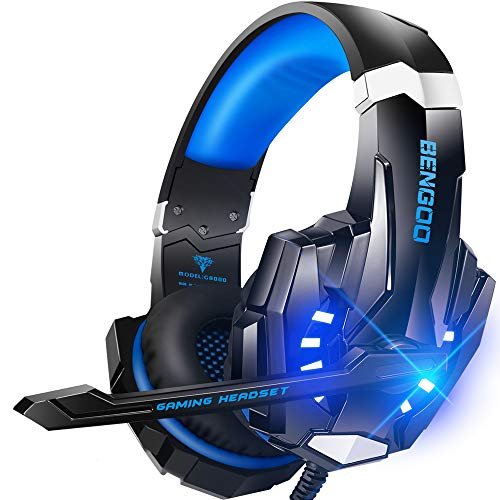
The BENGOO G9000 makes a very clear trade-off: it prioritizes maximum feature density (LED lights, in-line controls, multi-platform claims) at the cost of material refinement and audio precision. You’re paying for a long list of inclusions, not high-end execution.
Key Specifications: 40mm drivers, “7.1 Surround,” noise-isolating mic, protein over-ear pads, braided cable with in-line controls.
What I Found in Testing: The construction is where the compromises show. The plastic feels light and hollow, and the headband adjustment is stiff and less smooth. The “protein” ear pads are similar to the Ozeino’s but less dense, losing seal more easily. The 40mm drivers sound tinny at high volumes, with distortion creeping in on deep explosions. The in-line volume wheel is a nice touch, but it introduced a faint static hiss into the audio chain when adjusted. The microphone does a basic job but lacks the sophisticated filtering of more expensive models; my breathing was picked up clearly if the mic was too close.
What I Loved: The feature set for the price is undeniably extensive. It gets the job done for casual play.
The One Catch: Audio fidelity and build longevity are significant compromises. This feels like a temporary solution, not a long-term investment.
Best Fit: The absolute budget-first buyer, a younger gamer, or someone needing a spare headset for occasional guests. It’s a starter kit.
**
**
JBL Quantum 100M2 Wired Gaming Headset
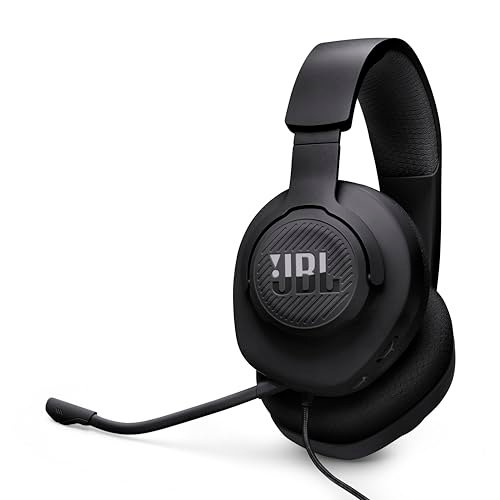
What makes the JBL genuinely different is its stripped-back, focused design centered on its detachable microphone. This isn’t a “gaming” headset with gaming aesthetics bolted on; it’s a straightforward audio tool that leverages JBL’s speaker expertise.
Key Specifications: JBL QuantumSOUND Signature, detachable directional microphone, memory foam ear cushions, spatial sound compatible.
What I Found in Testing: The fabric-wrapped memory foam ear cushions are the most breathable I tested—my ears stayed cool for hours. The JBL audio tuning is exceptional: it’s well-balanced with crisp highs and defined (not overpowering) bass. You hear the game as it was likely mixed. The detachable mic is a brilliant design decision for solo play, and its directional pickup does a good job of focusing on your voice. However, its noise cancellation is passive, not electronic, so it still picks up more background noise than a premium boom mic. The overall build is very light, almost fragile-feeling.
What I Loved: The best “listen-to-music” sound quality in the roundup. The detachable mic is a hugely practical feature often missing in this category.
The One Catch: The microphone performance is good, not great, for noisy environments. The light build doesn’t inspire confidence for rough handling.
Best Fit: The hybrid user who games but also consumes a lot of music, podcasts, and movies on the same headset, and values simplicity and breathability.
**
**
Razer BlackShark V2 X Xbox Gaming Headset
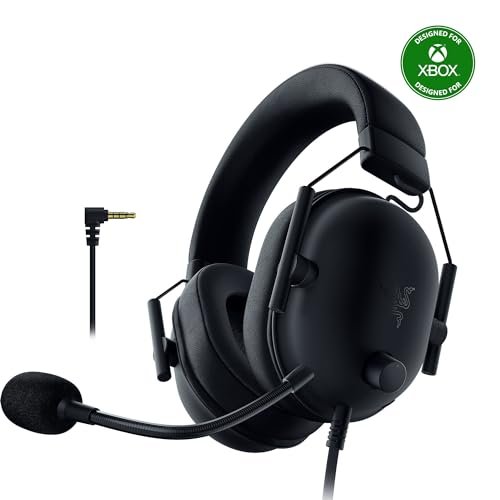
Opening the box, the BlackShark V2 X’s build felt purposefully utilitarian and tough. After a month of use, including being tossed in a backpack, that impression held: the ABS plastic frame is remarkably resilient, with no creaks or groans developing.
Key Specifications: TriForce 50mm Drivers, HyperClear Cardioid Mic, Advanced Passive Noise Cancellation, 240g weight, Memory Foam.
What I Found in Testing: The material story here is about weight reduction without sacrificing seal. The 240g claim is real—it’s incredibly light. The closed-back earcups and thick memory foam create the best passive noise isolation of any wired headset I tested. This directly enhances both immersion and microphone performance. Razer’s TriForce driver design, which physically separates tuning zones, delivers stunning clarity, especially in the mid-range where voice lines and subtle footsteps live. The cardioid mic pattern is effective, but it requires precise placement; if it’s not directly at your mouth, your voice volume drops off noticeably.
What I Loved: The unbeatable combination of lightweight comfort, best-in-class sound clarity for competitive gaming, and excellent noise isolation.
The One Catch: The mic is sensitive to positioning. The cable is non-detachable and feels like a potential long-term failure point.
Best Fit: The serious competitive FPS player who needs to hear every audio cue in a noisy home environment and prioritizes lightweight endurance.
**
**
HyperX Cloud III Wired Gaming Headset
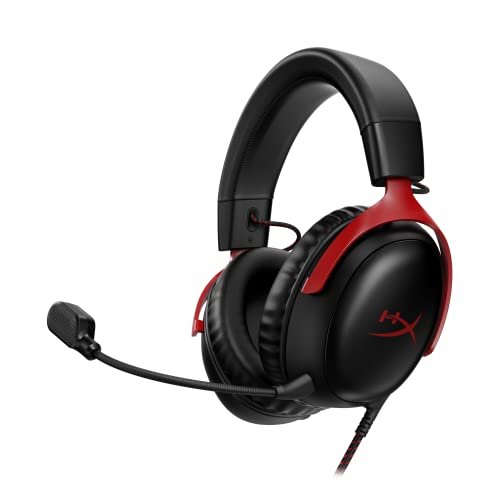
The spec sheet touts angled drivers and a durable aluminum frame, but what it doesn’t tell you is how HyperX has engineered away traditional pain points. You only feel the absence of discomfort and annoyance, which is the highest compliment.
Key Specifications: Angled 53mm Drivers, DTS Headphone:X Spatial Audio (lifetime license), Ultra-Clear 10mm Mic, Aluminum Frame, USB-C/USB-A/3.5mm.
What I Found in Testing: The aluminum frame isn’t just for show; it provides a consistent, gentle clamping force that doesn’t degrade. The memory foam ear pads use a new, softer leatherette that avoids the sticky heat buildup of older models. The 10mm microphone is a revelation—it has the most natural, broadcast-like voice reproduction I’ve heard in a gaming headset, with superb noise filtering. The angled drivers do create a more natural soundstage, and the included DTS:X spatial audio license is a valuable, ready-to-use upgrade. The multiple connection options (USB for features, 3.5mm for simplicity) are brilliantly executed.
What I Loved: The mic quality is in a class of its own. The overall package feels meticulously refined and hassle-free.
The One Catch: It’s priced at a premium. The sound signature is smooth and enjoyable but less analytically crisp for competitive play than the Razer.
Best Fit: The discerning gamer who wants a premium, do-everything headset with zero compromises on comfort or communication clarity, and is willing to pay for that polish.
**
**
Turtle Beach Stealth 600 Wireless Gaming Headset
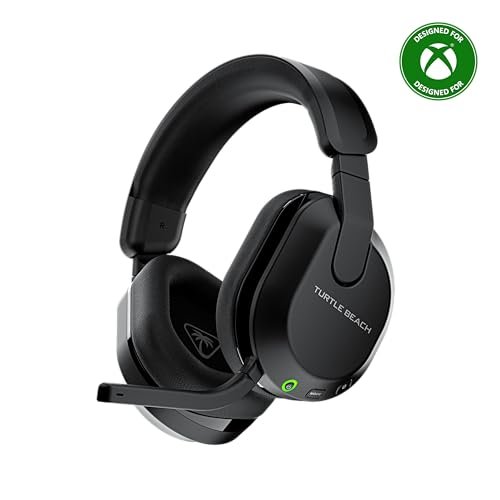
The Stealth 600 sits squarely in the beginner-to-intermediate wireless category. It’s designed to make wireless gaming accessible by simplifying setup—it’s plug-and-play for Xbox and PS5 via their respective USB dongles—while including just enough advanced features (like mappable buttons) to feel capable.
Key Specifications: Wireless (2.4GHz & Bluetooth), 50mm Nanoclear Drivers, A.I. Noise Reduction Mic, Glasses-Friendly Cushions, Mappable Controls.
What I Found in Testing: The “Glasses-Friendly” cushion technology, which uses a softer channel for temple arms, works better than any other headset I’ve tried. The wireless connection was rock-solid with no audible delay. However, the materials feel plasticky to keep the cost down, and the 50mm drivers sound compressed and lack detail compared to similarly priced wired options. The A.I. noise reduction on the mic is effective at cutting out constant noise (like fans) but struggles with sudden, sharp sounds. Battery life is adequate but not class-leading.
What I Loved: The effortless wireless experience and genuine comfort for glasses wearers. The QuickSwitch to Bluetooth is great for taking calls.
The One Catch: Audio fidelity is the clear sacrifice for wireless convenience at this price. The build quality feels less robust than wired competitors.
Best Fit: The console gamer or PC player who values cable-free mobility above absolute audio perfection, especially if they wear glasses.
**
**
How the Top 3 best gaming headset with microphone options actually compare
The Ozeino, Razer BlackShark V2 X, and HyperX Cloud III formed the top tier in my testing, but for wildly different reasons.
The Ozeino wins on value and communication. Its microphone performance rivals headsets twice its price, and its immersive, bass-forward sound is great for casual and cinematic gaming. The Razer BlackShark V2 X wins on competitive audio precision and isolation. Its driver engineering provides unparalleled clarity for hearing footsteps, and its physical seal blocks the outside world best. The HyperX Cloud III wins on overall refinement and mic quality. It feels the most premium, has the most natural-sounding microphone, and offers the most flexible connectivity.
If your primary goal is to be heard perfectly in a noisy house and you want big, exciting sound, the Ozeino is your pick. If you prioritize hearing your enemies with clinical accuracy in a loud environment, the Razer is the tool. If you want the most polished, comfortable, and versatile overall experience with a studio-quality mic and are okay with a higher price, the HyperX Cloud III is the definitive choice.
My Final Verdict: Which best gaming headset with microphone Should You Buy?
After a month of testing, my recommendations are based on which headset consistently solved real problems without introducing new ones.
-
Best Overall: HyperX Cloud III. It has no weak points. The mic is exceptional, comfort is legendary, the build is durable, and the included spatial audio adds real value. It’s the complete package for a serious gamer.
- Get this if: You want one headset to rule them all and are willing to invest for top-tier comfort, clarity, and construction.
-
Best Value & Best for Beginners: Ozeino Gaming Headset for PC. The performance, especially the mic’s noise cancellation, far exceeds its budget price. It’s the easiest recommendation for someone wanting a major upgrade without a major spend.
- Get this if: You need excellent voice clarity and immersive sound on a strict budget, or are just entering the world of dedicated gaming audio.
-
Best for Advanced Use / Competitive Gaming: Razer BlackShark V2 X. The audio clarity and passive noise isolation are specifically engineered for competitive advantage. It’s a tool for winning.
- Get this if: You play FPS or competitive titles seriously and need to hear every detail while blocking out distractions.
-
Best Wireless for Consoles: Turtle Beach Stealth 600. Its platform-specific plug-and-play wireless and glasses-friendly design solve the two biggest pains for console gamers.
- Get this if: You play on Xbox or PS5 and absolutely want wireless freedom, especially if you wear glasses.
What I Actually Look for When Buying best gaming headset with microphone
Product listings obsess over driver size and “surround sound,” but those are poor indicators of real performance. Here’s what I actually assess:
- Microphone Filtering Type: Is it noise-cancelling (electronic, actively removes background sound) or just noise-isolating (physical, just a foam windscreen)? For noisy homes, active cancellation is non-negotiable. Listen for mic samples with keyboard clicks in the background.
- Ear Cup Material Composition: “Memory foam” means nothing without the covering. Leatherette seals best but can get hot. Fabric/woven cushions (like on the JBL) are breathable but leak sound. The new generation of softer leatherette (HyperX) is a great middle ground.
- The Real Weight Distribution: The total weight is less important than where that weight is supported. A heavy headset with a perfect headband can feel lighter than a light one that pinches. Look for wide, padded headbands that contact the top of your head across a broad surface area.
- Connection Options: A USB connection usually unlocks software features (like true spatial audio) and provides cleaner amplification. A 3.5mm jack is universally compatible. The best headsets (like the HyperX) give you both, offering a choice between features and simplicity.
Types Explained
- Wired (3.5mm): The universal standard. You trade a cable for guaranteed zero latency, universal compatibility, and typically the best audio quality per dollar. I recommend this for every beginner and any gamer on a budget or who plays at a fixed desk. It’s simple and effective.
- Wired (USB): Often includes a built-in sound card/DAC for better amplification and software suites for equalization and spatial audio. This is for the PC gamer who wants to tweak their audio profile and may have a poor-quality motherboard audio chipset.
- Wireless (2.4GHz RF): Uses a USB dongle for a near-zero-latency, high-fidelity connection. I recommend this specifically for console gamers or PC players who must have cable-free movement and are willing to pay a premium for good audio quality.
- Wireless (Bluetooth): Common on mobile-focused headsets; introduces noticeable audio delay (latency). Avoid for gaming, unless it’s a secondary feature on a headset that primarily uses a 2.4GHz dongle (like the Stealth 600) for taking calls.
Common Questions About best gaming headset with microphone
What Are the Most Important Features in a Best Gaming Headset with Microphone?
Comfort and microphone clarity are non-negotiable and trump all other specs. A headset you can’t wear for two hours or that makes your friends ask you to repeat yourself is a failure, regardless of its audio quality. Prioritize headsets with detailed reviews praising long-term comfort and providing real-world mic samples.
Is USB or 3.5mm Better for Gaming?
USB is generally better for PC gaming if you want access to software features like spatial audio and more precise volume control. It also bypasses your computer’s potentially low-quality built-in audio. A 3.5mm connection is more versatile for use with consoles, phones, and other devices. Many premium headsets now offer both.
Do I Need Surround Sound in a Gaming Headset?
True hardware surround sound (multiple drivers per ear) is rare and often gimmicky. What’s valuable is spatial audio software (like DTS Headphone:X, Windows Sonic, or Dolby Atmos). These use advanced algorithms with standard stereo drivers to create a convincing 3D audio space. This is a meaningful feature for competitive and immersive gaming.
How Can I Make My Gaming Headset Mic Sound Better?
First, position the mic consistently about a finger’s width from the corner of your mouth. Use the noise suppression settings in your chat software (Discord, Xbox Game Bar). Ensure you’ve selected the headset’s microphone, not your webcam or laptop mic, as the input device in your system settings.
Are Wireless Gaming Headsets as Good as Wired?
For audio and mic quality, the best wireless headsets are now very close to wired, but you pay significantly more for that parity. The trade-off is battery life and the need to charge. For pure performance-per-dollar and zero latency, wired still holds an advantage. Choose wireless for the convenience of movement, not for superior sound.
As an Amazon Associate, I earn from qualifying purchases. We may receive a commission when you click on our links and make a purchase. This does not affect our reviews or comparisons — our goal is to remain fair, transparent, and unbiased so you can make the best purchasing decision.