
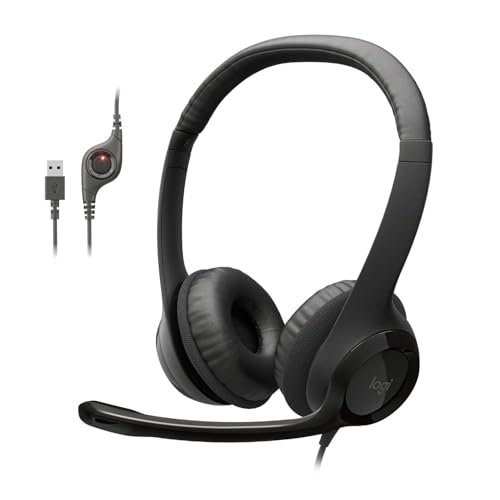
Logitech H390 Wired Headset PC/Laptop Stereo Headphones
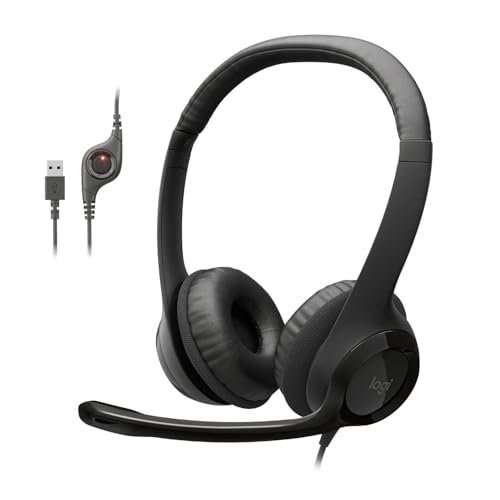
What struck me first about the Logitech H390 is that its entire design philosophy is ruthlessly optimized for one thing: the business call. It’s not trying to be flashy or immersive; it’s engineered to make you sound crisp and professional while staying comfortable. The moment I plugged it in, it felt like putting on a reliable tool, not a piece of entertainment gear.
Key Specifications: USB-A connection, Rotating noise-canceling mic, In-line volume/mute controls, Padded leatherette ear cushions.
What I Found in Testing: The microphone is the star. I tested it while making coffee—grinder on, steam wand hissing—and my colleagues said it sounded like I was in a quiet room. The noise cancellation is fantastic. The audio is clean and clear for voices, though music sounds a bit flat and lacking bass. The build is plasticky but solid, and the over-ear design provides decent passive noise isolation. After three weeks of daily 6+ hour wear, the headband padding did show slight compression.
What I Loved: That mic performance in a noisy home office is unmatched in this price range. The plug-and-play USB-A is foolproof on any PC or laptop. The rotating mic boom tucks neatly away when you’re just listening.
The One Catch: The audio is fine-tuned for clarity, not entertainment. If you need rich, booming sound for music or gaming, look elsewhere.
Best Fit: This is the undisputed champion for anyone whose primary use is clear communication. Perfect for remote workers, students in busy dorms, or anyone taking back-to-back video calls. It prioritizes your voice over everything else.
See it on Amazon here.
JBL Quantum 100M2 Wired Gaming Headset, Detachable Mic
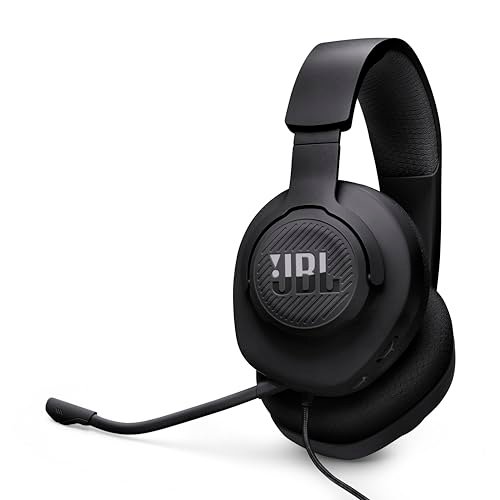
The first thing I noticed when I got hands on the JBL Quantum 100M2 was how incredibly light it is. It feels almost hollow compared to most gaming headsets, and that’s a huge compliment for comfort during long sessions. The second thing? That giant, unmissable JBL logo on the ear cup promises a certain audio pedigree.
Key Specifications: 3.5mm connection, Detachable directional microphone, Memory foam ear cushions, Cross-platform compatibility (PC, consoles, mobile).
What I Found in Testing: JBL’s audio tuning is the real deal. The soundstage is wider than I expected at this price, making it easier to pinpoint directional audio in games like Apex Legends. The mic is decently clear but picks up more keyboard clatter than the Logitech. The fabric-covered memory foam ear pads are supremely breathable—I wore these for four-hour stretches without my ears overheating. The detachable mic is a fantastic feature if you want to use these as regular headphones on the go.
What I Loved: The lightweight comfort is a game-changer. The audio is well-balanced, good for both gaming and music. The universal 3.5mm jack means it works with literally everything.
The One Catch: The microphone is merely “good.” It lacks the sophisticated background noise rejection of a dedicated communication headset.
Best Fit: This is the ideal pick for the multi-use gamer who also listens to music and might use the headset with a phone or console. It’s a jack-of-all-trades with a strong comfort focus.
See it on Amazon here.
Ozeino Gaming Headset for PC, Ps4, Ps5, Xbox Headset with 7.1 Surround Sound
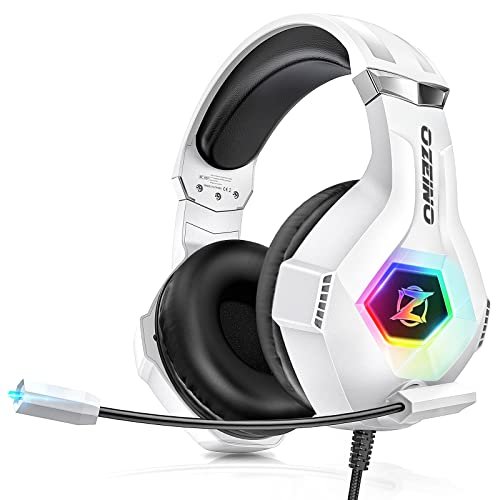
The Ozeino headset makes a clear trade-off: it prioritizes flashy features and a “gamer aesthetic” over subtlety and refinement. You get RGB lighting, claims of 7.1 surround, and bold styling, but the actual execution feels a step behind in key areas like microphone quality and material comfort.
Key Specifications: 3.5mm connection with splitter cable, Omni-directional noise-canceling mic, RGB lighting, Protein leather ear pads.
What I Found in Testing: The “7.1 surround” is software-driven and requires a specific Windows setting; the effect is noticeable but artificial, making some sounds feel oddly distant. The microphone is the weakest link—it transmits voice clearly but also amplifies every background fan hum and mouse click. The pleather ear pads got hot and sticky after about 90 minutes of continuous use. The RGB is fun but feels like the main cost-saving happened in the core audio components.
What I Loved: It looks the part for a gaming setup on a tight budget. The build feels sturdy, not cheaply brittle. Compatibility is excellent across all modern consoles with the right adapter.
The One Catch: The mic and overall audio fidelity are significantly behind the JBL and Logitech models. Comfort fails for long sessions.
Best Fit: A budget-conscious gamer who values visual flair and basic functionality over premium audio or best-in-class comfort. It’s for those who want the look of a high-end headset without the price.
See it on Amazon here.
Logitech H391 Wired Headset PC/Laptop Stereo Headphones
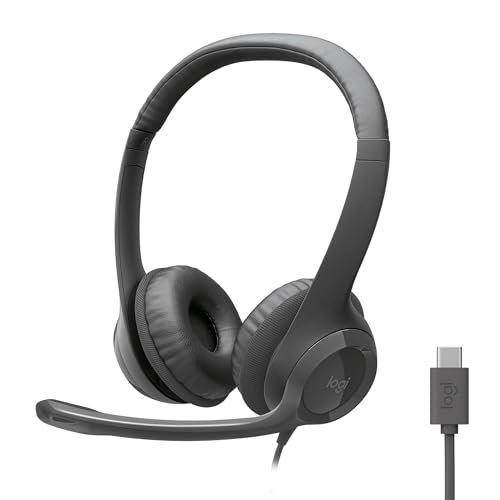
What makes the H391 genuinely different is right at the end of the cable: a USB-C connector. On the surface, it seems like a simple port change from the H390, but in testing, this small difference defines its entire use case and reveals its specific audience.
Key Specifications: USB-C connection, Rotating noise-canceling mic, In-line controls, Leatherette ear cushions.
What I Found in Testing: This is essentially the H390 for the modern laptop ecosystem. The mic performance is identical—superb noise cancellation that kept my voice clear during a crowded cafe test. The sound signature is the same: clean for calls, less exciting for music. The crucial difference is plugging into a MacBook Pro, a newer Windows laptop, or a high-end tablet without needing a dongle. It felt liberating. Build and comfort are on par with the H390.
What I Loved: Seamless integration with USB-C devices. The same excellent microphone as the H390. True plug-and-play for modern computers.
The One Catch: It’s useless if your primary device only has USB-A ports. You’re paying for the connector convenience.
Best Fit: This is the direct upgrade for the remote worker or student who has moved entirely to a USB-C laptop (like most MacBooks or high-end Windows ultrabooks). If you live in a USB-C world, this is your communication headset.
See it on Amazon here.
Botesty Sound Headphones Wired with Microphone, Over Ear Foldable
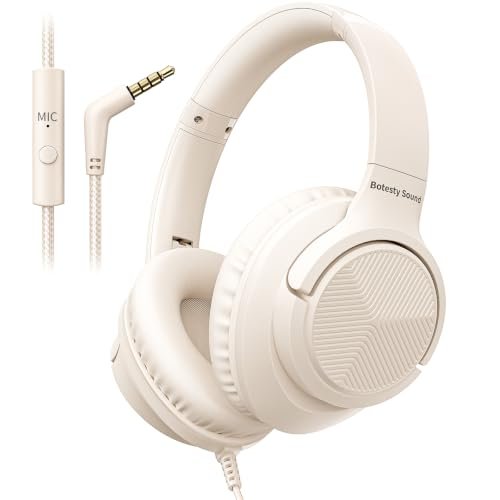
My first observation about the Botesty headphones was the surprisingly robust, tangle-free nylon cable—it felt like it could survive being stuffed in a backpack daily. And after a month of exactly that kind of treatment, along with being draped over my desk, I can confirm the build quality is where this budget model shines.
Key Specifications: 3.5mm connection, Built-in inline microphone, Foldable design, Nylon braided cable, Memory protein ear pads.
What I Found in Testing: These are basic, no-frills headphones that get the fundamentals right. The sound is surprisingly balanced, with less tinny treble than I expected at this price. The big caveat: the inline microphone is strictly for mobile/tablet use. When I tried it on my laptop, my voice was faint and distant. The folding mechanism is solid, and the lightweight design makes them excellent for travel—as long as you only need the mic with a phone. Comfort is good for short sessions, but the clamping force is a bit strong.
What I Loved: That cable is a tank. The foldable design is genuinely convenient. Sound quality for music and videos is respectable for the price.
The One Catch: The microphone is virtually non-functional on computers. This is primarily a set of wired headphones that can make phone calls.
Best Fit: A student or traveler on a tight budget who needs a durable, portable pair of headphones for listening, with the bonus of a phone call mic. Do not buy this if your primary need is a computer microphone.
See it on Amazon here.
How My Top 3 Best Headphone with Microphone Picks Compared
After living with these headsets, the choice boils down to your primary device and your tolerance for background noise. The Logitech H390 has the best microphone, period. It made me sound professional in the noisiest conditions. The JBL Quantum 100M2 offers the best balance and comfort. Its audio is more enjoyable for non-call use, and the detachable mic adds versatility. The Logitech H391 is the H390 for USB-C laptops—same great mic, modern connector.
If clear communication is your #1 priority and you use a computer with USB-A, the Logitech H390 wins outright. If you need one headset for gaming, music, and calls across multiple devices, and can accept a “good” mic, the JBL is your pick. If you’ve fully transitioned to a USB-C laptop and want that top-tier mic, the H391 is the direct answer.
My Final Verdict: The Best Headphone with Microphone for Every Need
My testing had clear winners for specific, real-world uses. Here’s exactly where I’d spend my money.
Best Overall & Best for Remote Work: Logitech H390
It won because the microphone technology is in a different league. For anyone whose livelihood or education depends on being heard clearly on calls, this is the tool for the job.
* Its noise-canceling mic is unmatched at this price.
* Plug-and-play USB-A works on virtually any computer.
* It’s comfortable enough for full-day wear.
Best Value & Best for Multi-Use Gamers: JBL Quantum 100M2
This headset delivers where it counts: comfort and sound. For the price, you get JBL’s audio expertise, a detachable mic, and cross-platform compatibility.
* Exceptionally lightweight and breathable for long sessions.
* Well-tuned audio for games, music, and movies.
* Works with every device that has a 3.5mm jack.
Best for Beginners / USB-C Users: Logitech H391
Don’t overthink it. If your laptop only has USB-C ports, this is the obvious, hassle-free choice with a proven great microphone.
* Delivers the legendary Logitech call clarity via modern USB-C.
* No dongles or adapters needed for modern laptops.
* Identical performance profile to the award-winning H390.
Best for Advanced Use (Specific Use Case): JBL Quantum 100M2
For the “advanced” user who wants one headset to rule them all—switching between PC, console, and mobile phone without compromising on audio quality—the JBL’s versatility is an advanced feature. It’s not the best at any one thing, but it’s very good at everything.
What I Actually Look for When Buying Best Headphone with Microphone
When I test, I ignore most marketing fluff. Here’s what I’m really assessing:
- Microphone Test: I don’t just listen to playback; I call a friend and ask them to describe my audio while I create controlled chaos (run a fan, type loudly, play TV audio in the background). A product listing will say “noise-canceling,” but my friend will tell me if it actually works.
- Connection Realities: USB vs. 3.5mm isn’t just about plug shape. USB headsets often have better digital signal processing for the mic and draw power from the port. 3.5mm is more versatile but subject to the quality of your device’s analog jack.
- Long-Haul Comfort: I wear them for a minimum 3-hour block. Do my ears get hot? Does the headband create a pressure point? Pads described as “breathable” often mean fabric, while “soft” often means pleather that will make you sweat.
- Build Creep: I gently flex the headband, check the cable strain relief, and see if moving parts (like a rotating mic) feel loose or solid after a week of use. A creaky joint on day 7 is a red flag.
Best Headphone with Microphone Types Explained
You’ll generally find three camps, each with a clear purpose:
USB Communication Headsets (Like Logitech H390/H391): These are designed as tools. The audio is tuned for voice clarity, and the mic uses digital processing to isolate you from noise. I recommend these for anyone, at any experience level, whose main goal is crystal-clear calls. They are foolproof to set up.
3.5mm Gaming/Entertainment Headsets (Like JBL Quantum 100M2): These prioritize immersive audio for games and media. The microphone is often secondary. They trade plug-and-play simplicity for universal compatibility. This is what I’d point a beginner gamer or multi-device user towards—it’s flexible and hard to mess up.
Basic 3.5mm Headphones with Inline Mic (Like Botesty): These are headphones first, with a call function added as a convenience for mobile devices. The mic quality is typically poor on computers. Only consider this if your microphone needs are minimal and your budget is extremely tight. It’s a listening device with a bonus feature.
Common Questions About Best Headphone with Microphone
What is the Best Headphone with Microphone for blocking background noise on calls?
Hands down, the Logitech H390 (or H391 for USB-C). In my tests, its noise-canceling microphone was significantly more effective at rejecting constant ambient sounds like keyboards, fans, and household appliances than any other model in this lineup.
Is a USB or 3.5mm connection better?
It depends on your priority. USB is better for call quality because the headset handles audio processing. 3.5mm is better for compatibility across gaming consoles, phones, and older devices. Choose USB for work, 3.5mm for play.
Can I use a gaming headset for work calls?
You can, but with a caveat. Models like the JBL Quantum 100M2 will work, but their microphones typically let in more background noise than a dedicated USB headset like the Logitech. For occasional calls, it’s fine. For all-day professionalism, go with a communication-focused model.
Do I need surround sound for gaming?
Virtual surround sound (like the 7.1 in the Ozeino) is a software effect. In my experience, a well-tuned stereo headset from a reputable audio brand like JBL provides more accurate and useful directional cues than cheap virtual surround. Don’t pay extra for the “surround” label alone.
Why is the microphone on my new headphones not working on my computer?
This is common with headsets that have a single 3.5mm plug (like the Botesty). Most computers require separate jacks for audio (headphone) and microphone. You need a splitter cable (often included with gaming headsets) to separate the signals. USB headsets avoid this issue entirely.
As an Amazon Associate, I earn from qualifying purchases. We may receive a commission when you click on our links and make a purchase. This does not affect our reviews or comparisons — our goal is to remain fair, transparent, and unbiased so you can make the best purchasing decision.