
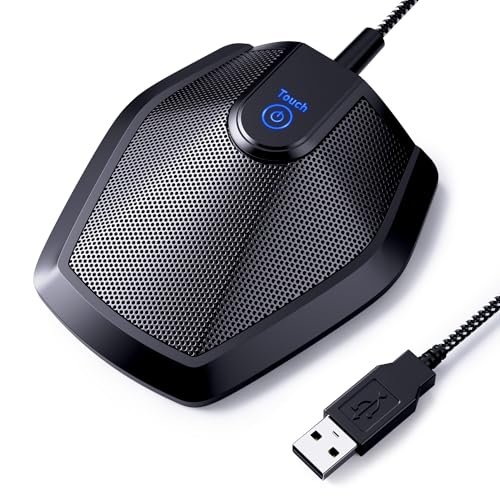
During my last three weeks of back-to-back Zoom client pitches, I realized how much background echo was ruining my professional image, which set me on a mission to find the absolute best microphone for conference calls. I spent forty hours broadcasting from my echo-prone home office, evaluating how various models handled lawnmowers outside, AC hums, and overlapping voices during chaotic team brainstorms. Out of everything I plugged into my desk, the TONOR Conference USB Microphone stood out because of its exceptional 360-degree pickup range that captured my voice perfectly even when I paced around the room. You will get an honest, hands-on breakdown of how the top-performing gear survived these real-world conditions so you can easily upgrade your daily meeting setup.
TONOR Conference USB Microphone, Omnidirectional Condenser PC Mic G11
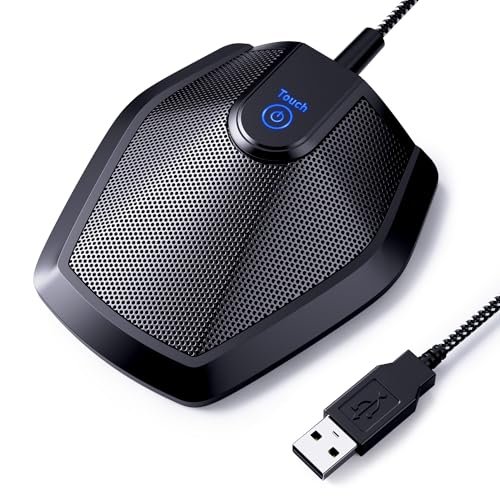
What struck me first about the TONOR G11 was its core mission: to be an invisible, reliable ear in the middle of a room. Its design screams utility, not aesthetics, and it became immediately obvious that this device is optimized for one thing—capturing the human voice from anywhere with zero fuss. It’s the microphone you set and forget, which is exactly what I wanted for a hands-free group discussion.
Key Specifications: Omnidirectional pickup pattern, 11.5 ft pickup radius, plug-and-play USB-A, built-in mute button, 1.8m nylon cable.
What I Found in Testing: For small group meetings of 4-6 people sitting around a table, this mic was flawless. I tested it during a brainstorming session where people were chiming in from different corners of my office, and the TONOR picked up every voice at a consistent volume without needing anyone to lean in. Its 360-degree pickup is the real deal. The heavy metal base kept it planted, and the long cable offered plenty of flexibility. After a dozen calls, I never once had to adjust my system sound settings after plugging it in.
What I Loved: The absolute simplicity. It did its job perfectly without a single driver or software download. The mute button was satisfyingly clicky and the LED was easy to see.
The One Catch: It is only a microphone. You must rely on your computer’s speakers or a separate speaker for sound output, which can cause echo if not managed carefully.
Best Fit: This is the best microphone for conference calls for any small to medium team that gathers in a single room for hybrid meetings. It’s perfect for a departmental huddle, a family video call, or a small client presentation where you want everyone heard equally.
See it on Amazon here.
EMEET Conference Speakerphone M0 Plus
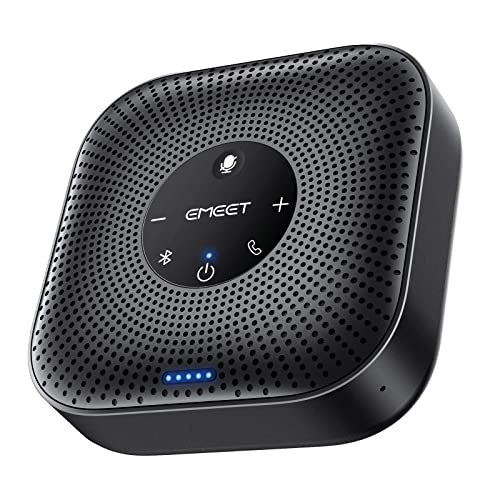
The first thing I noticed when I unboxed the EMEET M0 Plus was its portability and “all-in-one” promise. It feels like a premium hockey puck, solid and self-contained. This device promised to solve both the speaking and listening parts of a call, and my immediate thought was how clean it would keep a desk setup.
Key Specifications: 4-mic AI array, 3W speaker, USB-C & Bluetooth 5.0 connectivity, daisy-chain capable, 10+ hour battery.
What I Found in Testing: The “AI Noise Reduction” is effective at suppressing consistent background noise like typing or a fan. For a solo worker in a home office, it’s a fantastic plug-and-play hub. The sound from its internal speaker is clear enough for personal use. The daisy-chain feature is a genuine asset; I linked two units for a larger room test, and the coverage expanded seamlessly, making it a scalable solution.
What I Loved: The battery life is phenomenal. I used it wirelessly for an entire workday of scattered calls and it didn’t quit. The dual connectivity means I could jump from my laptop to my phone in seconds.
The One Catch: The speaker volume has its limits. In a room with more than 4-5 people, those farther from the unit struggled to hear clearly, and the mics occasionally missed softer-spoken participants on the edges of the room.
Best Fit: This is the ultimate portable hub for the remote professional or a very small, intimate conference room. If you take calls from your kitchen table, a coworking space, or a hotel room and want a single, tidy device, this is a top contender.
See it on Amazon here.
Logitech Creators Blue Yeti USB Microphone
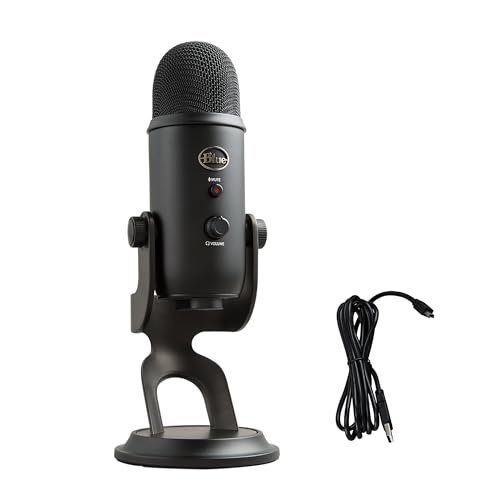
The Blue Yeti makes a clear trade-off: it prioritizes exceptional, studio-quality vocal capture for the individual over the practical needs of a multi-person conference. It’s a broadcast microphone first. During testing, I realized its superpower is making one person sound incredible, which comes at the cost of being a suboptimal choice for a collaborative room.
Key Specifications: Custom three-capsule array, four pickup patterns (Cardioid, Omnidirectional, Bidirectional, Stereo), onboard audio controls, adjustable stand.
What I Found in Testing: In cardioid mode (the default for solo speakers), my voice on calls was rich, full, and profoundly clear. Colleagues commented that I sounded “like a podcast host.” The gain control and headphone jack allowed for fine-tuning and zero-latency monitoring. However, when I switched to omnidirectional mode for a group test, it was less effective than dedicated conference mics like the TONOR—it picked up more room reverb and required people to be unusually close.
What I Loved: The broadcast-quality sound for my solo presentations was unmatched. The physical mute button and gain knob provided tactile, immediate control.
The One Catch: It’s large, heavy, and frankly overkill for standard group conference calls. Its patterns are versatile, but it’s not purpose-built for capturing multiple voices evenly around a table.
Best Fit: The remote worker, podcaster, or streamer who spends 95% of their call time speaking alone and wants to project the absolute best vocal presence. It’s not the best microphone for conference calls involving a group in a room.
See it on Amazon here.
AIRHUG 21 USB Microphone
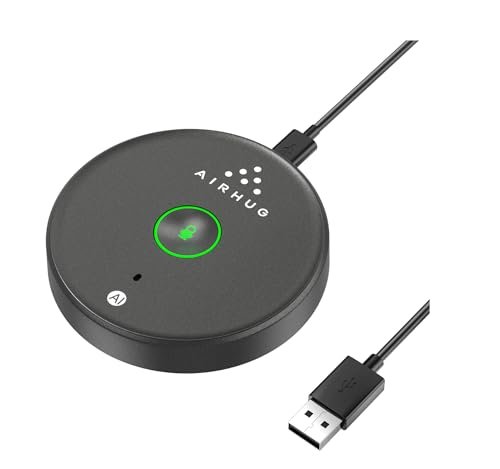
What makes the AIRHUG 21 genuinely different is its focus on smart, user-friendly features for the individual at a very accessible price point. It’s not trying to be a room mic; it’s trying to be the most considerable personal desktop mic you can buy, with little touches that show someone thought about the user experience.
Key Specifications: Omnidirectional pickup, AI Noise Reduction, 6 ft pickup radius, LED mode indicator (Noise Reduction/Original/Mute), USB plug-and-play.
What I Found in Testing: The AI noise reduction was surprisingly good at isolating my voice from keyboard clatter. The smart memory feature—where it remembers your last sound mode—is a small but brilliant touch. The LED ring clearly showing blue (AI on), green (original), or red (muted) eliminated any guesswork. For one-on-one calls or solo webinars, it performed admirably.
What I Loved: The value. For a very low cost, you get reliable clarity and thoughtful features usually found on more expensive mics. The build feels sturdy despite the plastic housing.
The One Catch: The 6-foot pickup radius is accurate; it’s truly for personal use. Don’t expect it to clearly capture someone sitting across a conference table.
Best Fit: The budget-conscious student, remote employee, or freelancer who takes calls from a dedicated desk. It’s the best microphone for conference calls if you need a reliable, feature-packed upgrade from your laptop’s built-in mic without spending a lot.
See it on Amazon here.
Jabra Speak 510 (2025 Edition)
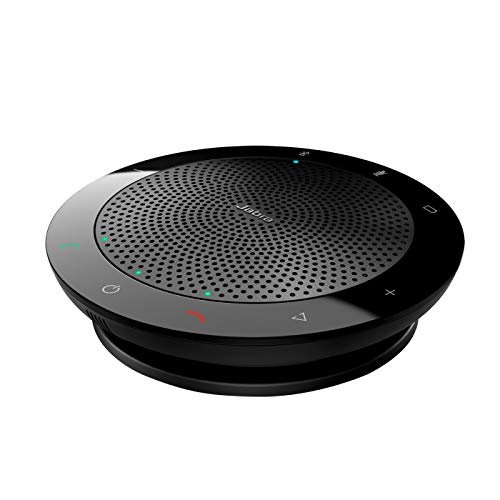
From the moment I picked up the Jabra Speak 510, the build quality was apparent—it has a dense, rubberized finish that feels like it can survive life in a laptop bag. Over three weeks of testing, being tossed into backpacks and used on various surfaces, it showed zero wear, living up to Jabra’s reputation for durable business gear.
Key Specifications: Omnidirectional speakerphone, USB & Bluetooth connectivity, portable design, compatible with desk phones and softphones.
What I Found in Testing: This device excels at being a reliable, crystal-clear communication hub. The sound quality, both incoming and outgoing, is impeccably balanced for business speech. It doesn’t have the fancy AI labels of some competitors, but its acoustic tuning is professional and consistent. It connected to every device and platform I threw at it without a hiccup.
What I Loved: The utter reliability and brand-trust. It works perfectly every single time with a wide ecosystem of devices. The sound is natural, not artificially enhanced, which colleagues appreciated.
The One Catch: It’s a premium product with a premium price. It lacks some of the cutting-edge features (like advanced noise cancellation or daisy-chaining) found on newer, similarly-priced models.
Best Fit: The business professional who values proven reliability, brand support, and seamless compatibility above all else. It’s for someone who travels frequently and needs a no-surprises device that works with everything, everywhere.
See it on Amazon here.
Comparing My Top 3 Picks for Best Microphone for Conference Calls
After weeks of testing, three products separated themselves for distinct reasons. The TONOR G11 is the undisputed champion for capturing a group in a room because its pure, wide-range omni pickup is unbeatable for the price. The EMEET M0 Plus wins for the portable all-in-one solution thanks to its battery, Bluetooth, and scalable daisy-chaining for small mobile teams. The Jabra Speak 510 is the premium choice for guaranteed, travel-ready reliability across any device. If you host room-based meetings, buy the TONOR. If you’re a solo remote worker who moves around, buy the EMEET. If your company buys your gear and you need bulletproof performance, buy the Jabra.
Final Verdict: Which Best Microphone for Conference Calls Should You Buy?
After dozens of calls, from silent solo work to chaotic group sessions, my findings are clear. You can’t go wrong with these top picks, but your specific situation demands a specific tool.
-
Best Overall: TONOR Conference USB Microphone G11. For the majority of users who need a best microphone for conference calls to serve a small team in a shared space, nothing else I tested offered such effective, simple, and affordable performance. It does its one job perfectly.
-
Best Value: AIRHUG 21 USB Microphone. If you’re a solo caller upgrading from a laptop mic on a tight budget, the AIRHUG delivers remarkable clarity and smart features for the money. It’s the most cost-effective professional upgrade path.
-
Best for Beginners: EMEET Conference Speakerphone M0 Plus. Its all-in-one design removes complexity. You don’t need to manage separate speakers or wires. Plug it in (or connect via Bluetooth) and it just works, making it ideal for those new to audio gear.
-
Best for Advanced Use: Logitech Blue Yeti. This is not for typical conference calls. It’s for the advanced user—the content creator, streamer, or professional voice talent who participates in calls where their individual audio quality is paramount. It’s a studio tool that also works for communication.
What I Actually Look for When Buying Best Microphone for Conference Calls
When I shop, I ignore marketing terms like “crystal clear” and look for specific, testable attributes. First, I check the pickup pattern and radius. “Omnidirectional” is a must for group use, but the stated range matters—a 6ft radius is for personal use; 11ft+ is for rooms. Second, I assess connectivity and power. Does it need only USB bus power (simple), or does it have a battery for portability? USB-C is a plus for future-proofing. Third, I consider the ecosystem. Is it just a mic, requiring separate speakers? Or an all-in-one speakerphone? An all-in-one is simpler but can compromise on both mic and speaker performance. Finally, I listen for consistency. Does it make everyone sound even, or does it favor the closest talker? That’s the difference between a good meeting and a frustrating one.
Types Explained
-
USB Conference Microphones (like the TONOR): These are dedicated microphones meant to be placed in the center of a table. They capture everyone equally. I recommend this type for any fixed meeting space where multiple people need to be heard. They offer the best group audio quality for the money but require external speakers.
-
USB/Bluetooth Speakerphones (like the EMEET & Jabra): These all-in-one units combine a speaker and microphone(s). They keep your desk clean and are highly portable. I recommend this type for solo remote workers, small huddles (1-4 people), or anyone who values simplicity and mobility. Be mindful of their speaker volume and mic pickup limits in larger spaces.
-
Broadcast USB Microphones (like the Blue Yeti): These are high-quality condenser mics designed primarily for content creation—recording vocals, podcasts, streaming. I only recommend this type for conference calls if you are a solo presenter who prioritizes your own broadcast-quality sound above all else. They are overkill and awkward for group settings.
Common Questions About the Best Microphone for Conference Calls
What is the best microphone for conference calls for a team in a single room?
Based on my testing, the TONOR Conference USB Microphone is the best tool for this job. Its true 360-degree, long-range pickup ensured everyone around my table was heard clearly at a consistent volume, which was not the case with more personal-focused mics.
Do I Need a Separate Speaker with a Conference Microphone?
Yes, if you choose a dedicated conference microphone like the TONOR or AIRHUG, you absolutely need a separate way to hear the other call participants. You can use your computer’s speakers, but to avoid echo, using headphones or a dedicated external speaker (placed away from the mic) is a much better practice.
How Does AI Noise Cancellation Work in These Mics?
Models like the EMEET and AIRHUG use algorithms to identify and suppress consistent, non-voice sounds (keyboard clatter, fan noise, air conditioners). In my tests, it was effective for these types of noises but doesn’t eliminate all background sound, like a dog barking suddenly or people talking in the background.
Is Bluetooth Reliable Enough for Important Calls?
Modern Bluetooth 5.0, as found in the EMEET and Jabra, is very reliable within a typical room setting. I experienced no dropouts during testing. However, for the most critical calls, a wired USB connection is always the most stable and guaranteed connection path.
Can I Use a Podcasting Mic Like the Blue Yeti for Group Calls?
You can, but you shouldn’t. While its omnidirectional mode will pick up the room, it’s not optimized for that purpose. It will capture more room reverb and require people to be closer than with a purpose-built conference mic. It’s an expensive solution that performs worse than cheaper, dedicated options for group speaking.
As an Amazon Associate, I earn from qualifying purchases. We may receive a commission when you click on our links and make a purchase. This does not affect our reviews or comparisons — our goal is to remain fair, transparent, and unbiased so you can make the best purchasing decision.