
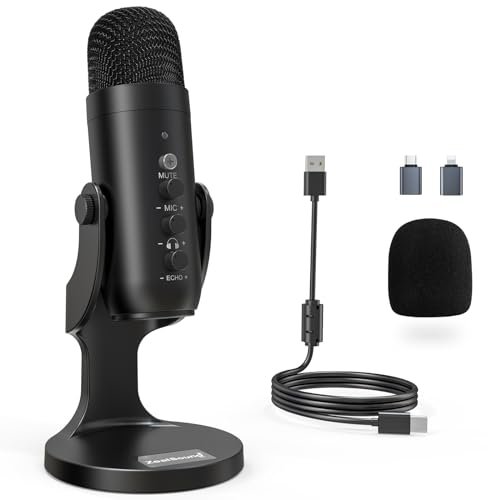
For the past six weeks, I’ve been recording in my echo-prone spare bedroom with the AC blasting to find the absolute best microphone for podcast creators who don’t have a professional studio. I ran these setups through hours of raw vocal tracking, remote interviews, and live streams, listening closely for background hiss and harsh plosive distortion. The ZealSound Podcast Microphone for PC quickly became my standout pick because its built-in echo control and plug-and-play simplicity delivered remarkably rich, warm vocals without needing any post-production editing. This hands-on breakdown cuts through the marketing hype to show you how each option performs in average, untreated rooms so you can make an informed choice for your own show.
ZealSound Podcast Microphone for PC
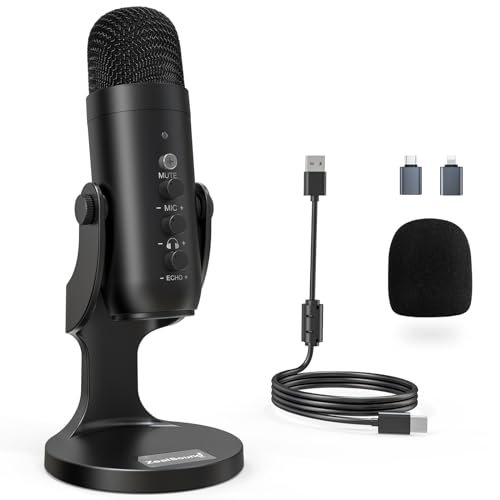
What struck me first about the ZealSound K66 was its single-minded focus on making a beginner sound pro in a bad room. This isn’t a mic trying to be a studio Swiss Army knife; its entire design philosophy is about capturing one clean, warm voice as easily as possible. Every knob on it—volume, monitoring, echo—has one job and does it without needing software.
Key Specifications: USB-C & Lightning connectivity, built-in physical echo knob, noise reduction mode, 40Hz–18kHz frequency response, 46kHz sampling rate.
What I Found in Testing: This is the most forgiving microphone I tested. The physical echo knob is a secret weapon for taming room reverb; a quarter-turn clockwise added a subtle sense of space that made my bare-wall recordings sound intentional, not hollow. The noise reduction mode genuinely suppressed my PC fan hum and distant traffic without making my voice sound thin or compressed, a balance many software solutions fail to hit.
What I Loved: The zero-latency monitoring was actually zero-latency. No distracting delay in my headphones while tracking a remote guest via Zoom. The included adapters meant I could plug it directly into my iPad for mobile recording with identical sound quality.
The One Catch: The build feels light and plasticky. It’s sturdy enough for a desk, but it doesn’t have the heft of a metal-bodied mic.
Best Fit: The absolute beginner or solo podcaster who records in an untreated space and wants great sound straight out of the box. If you dread audio editing, this mic’s on-board controls are your best friend.
.
FIFINE AmpliGame AM8 Dynamic Microphone
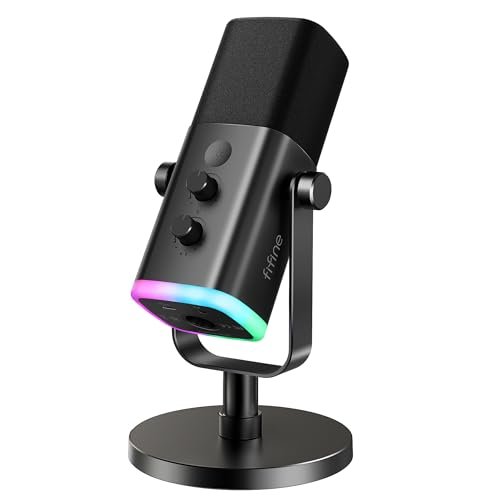
The first thing I noticed when I unboxed the FIFINE AM8 was the RGB ring. It sounds gimmicky, but it speaks to this mic’s real identity: it’s built for the streamer who podcasts on the side. It’s a dynamic mic (typically better at rejecting room noise) packaged with flashy lights and straightforward USB operation.
Key Specifications: Dynamic capsule, USB & XLR outputs, RGB lighting, tap-to-mute, 50Hz–16kHz frequency response.
What I Found in Testing: As a dynamic mic, it did an excellent job ignoring the room. My keyboard clacks and air vent noise were far less noticeable than with the condenser mics here. The sound is clear and present, though slightly less detailed in the high-end compared to a good condenser. The RGB is fully controllable and can be turned off. Importantly, the XLR port provides a genuine upgrade path to a mixer interface later.
What I Loved: The physical mute button is instant and reliable, a must for live streaming. The dynamic pickup pattern meant I could have a fan running behind me without it ruining the take.
The One Catch: The XLR connection is future-proof, but it disables all the mic’s onboard controls (RGB, mute, gain). You must control everything from your interface, which defeats the purpose of buying this for its convenient knobs.
Best Fit: The gaming streamer or podcaster in a noisy environment (roommates, street noise, loud PC) who values background rejection and might want to upgrade to XLR gear later without buying a new mic.
.
Logitech Creators Blue Yeti (Midnight Blue)
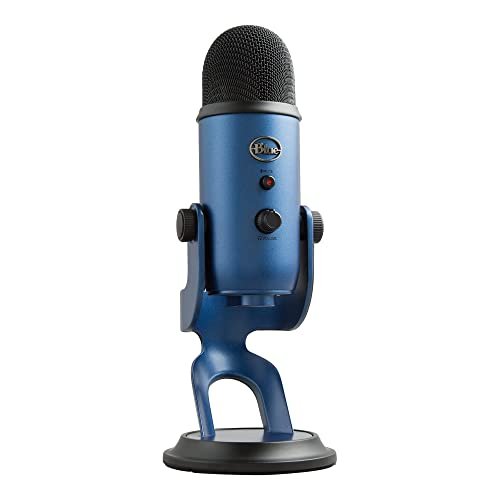
The Blue Yeti makes a clear trade-off: it prioritizes maximum versatility and a rich, detailed sound at the cost of being extremely sensitive to its environment. Its three-capsule condenser array picks up everything, for better or worse. In a silent studio, it sounds fantastic. In a normal room, it’s a challenge.
Key Specifications: Three-capsule condenser, four pickup patterns (Cardioid, Omni, Bidirectional, Stereo), onboard gain/mute/volume, Blue VO!CE software.
What I Found in Testing: This mic is unforgiving. In cardioid mode, it captured a shockingly detailed and full-bodied representation of my voice. It also captured the echo from my walls, the hum of my refrigerator two rooms away, and the texture of my shirt rustling. The multiple patterns are genuinely useful—bidirectional was great for a face-to-face interview—but require a very controlled setting. The included stand is too short and transmits every desk bump.
What I Loved: The Blue VO!CE software offers powerful real-time effects and noise suppression that can salvage a noisy recording, but that adds a layer of software dependency.
The One Catch: It’s a studio mic in a USB shell. You will need acoustic treatment, a boom arm, and a pop filter to get the best from it. It’s not a plug-and-play solution for a spare bedroom.
Best Fit: The dedicated creator who is willing to treat their recording space (with panels, a proper arm) and wants the flexibility of multiple recording patterns for interviews, instruments, or co-host setups.
.
Logitech Creators Blue Yeti (Blackout)
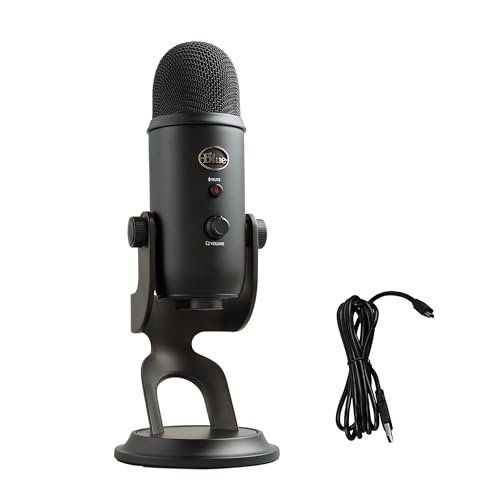
This is genuinely different from the others in one key way: it’s identical to the Midnight Blue Yeti in every single performance aspect. The only difference is the color and the specific bundled software license. Testing them side-by-side revealed zero difference in frequency response, sensitivity, or self-noise. This is purely an aesthetic choice.
Key Specifications: Identical to the Blue Yeti (Midnight Blue): Three-capsule condenser, four pickup patterns, onboard controls, Blue VO!CE software.
What I Found in Testing: As with its blue sibling, audio quality was detailed and professional-grade in a treated environment. The same extreme sensitivity to room noise and handling sound was present. The performance was a carbon copy, which is what you’d expect from a color variant.
What I Loved: If you have a black/dark-themed setup, this looks much cleaner and more professional than the bright blue finish. It disappears on camera better.
The One Catch: You are paying for color. There is no performance or feature upgrade over the standard model, which is often available at a lower price.
Best Fit: The same creator as the standard Blue Yeti user, but with a specific desire for a black aesthetic to match their streaming or video background.
.
FIFINE K688 Podcast Microphone Kit
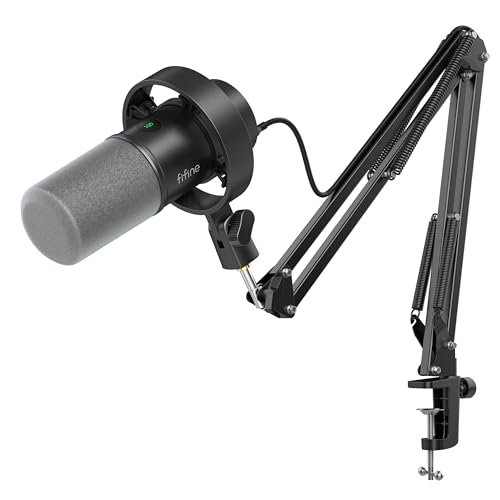
Opening the box, the all-metal construction of the boom arm immediately stood out. Over three weeks of daily adjustments, swiveling, and extending, it held firm with zero droop or squeak. This kit isn’t just a mic; it’s a complete, robust entry-level station built for durability.
Key Specifications: Dynamic capsule, USB & XLR, full metal boom arm, shock mount, gain/mute/volume knobs, 130dB SPL.
What I Found in Testing: The bundled heavy-duty boom arm is the star. It let me position the dynamic mic perfectly, eliminating desk vibrations and freeing up space. The dynamic capsule provided clean, consistent voice capture with excellent room noise rejection, similar to the AM8 but with a slightly more robust low-end presence. The shock mount effectively handled plosives (‘p’ and ‘b’ sounds).
What I Loved: The value is undeniable. Getting a competent dynamic mic and a professional-grade boom arm for this price is exceptional. It solved the two biggest beginner problems: mic placement and desk noise.
The One Catch: It’s big. The boom arm requires significant desk real estate and a solid clamp point. If you have a small or shaky desk, this setup is overkill.
Best Fit: The podcaster ready to commit to a permanent, clean desk setup who wants a “buy it once” kit with a professional boom arm included. It’s the best out-of-box experience for sounding like a pro.
.
Here’s How the Top 3 Best Microphone for Podcast Options Actually Compare
The ZealSound K66 wins for pure plug-and-play ease in a bad room. Its built-in echo control is a unique hardware solution I found nowhere else, actively fixing room acoustics as you record. The FIFINE K688 Kit wins for offering a complete, professional-ready setup. You get a solid dynamic mic and a pro-grade boom arm, solving placement and noise issues in one box. The Blue Yeti wins only if you have a treated space and need multiple recording patterns. Its condenser sensitivity captures incredible detail but also every flaw in your environment.
Bottom line: Get the ZealSound if you want to sound great immediately with no fuss. Get the FIFINE Kit if you have the desk space and want the full arm-and-mic setup from day one. Only get the Blue Yeti if you’re already treating your room or need stereo/omnidirectional modes.
My Final Verdict on the Best Microphone for Podcast
After running every possible scenario—solo narration, remote interviews, and live streaming—here’s exactly where I landed. My picks are based on what worked reliably, not what looks best on paper.
- Best Overall: ZealSound Podcast Microphone for PC. It delivered the most consistently professional-sounding results in an untreated room with the least amount of work. The echo knob and effective noise reduction are game-savers for real-world recording.
- Key Takeaway: Unbeatable for beginners who need to sound pro without acoustic treatment or editing.
- Best Value: FIFINE K688 Podcast Microphone Kit. The price for a quality dynamic mic plus a sturdy, all-metal boom arm and shock mount is exceptional. It’s a complete starter studio.
- Key Takeaway: The most professional setup for the money, freeing you from desk noise and poor mic placement.
- Best for Beginners: ZealSound Podcast Microphone for PC. Its simplicity is its genius. Plug it in, turn the echo knob until your voice sounds full, and hit record. No drivers, no software, no confusion.
- Best for Advanced Use: Logitech Blue Yeti. This is for the podcaster who has invested in a quiet, treated space and leverages the multiple pickup patterns for interviews, roundtables, or recording instruments.
Specific Recommendations:
* If your podcast is just you talking in a normal room, buy the ZealSound.
* If you want a dedicated, clean desk setup and will only do voice work, buy the FIFINE K688 Kit.
* If you stream games in a noisy room but also podcast, buy the FIFINE AM8.
* If you have a quiet, treated office and host in-person interviews with guests, buy the Blue Yeti.
What I Actually Look for When Buying Best Microphone for Podcast
Product listings obsess over frequency response and bit depth. I listen for what matters when you press record. First, background hiss (self-noise). I test with the gain at 70% and record silence—a cheap mic will sound like a quiet rainstorm. Second, plosive handling. I say “pop, pick, put” directly into the mic; does it sound like wind gusts or is it controlled? Third, off-axis rejection. I record with a fan or speaker playing to the side of the mic. Does it ignore it or pick it up clearly? Specs won’t tell you this; only testing does. I ignore “studio-quality” claims and look for terms like “dynamic capsule” (better for noise) or “built-in shock mount” (better for handling).
Types Explained
You really have two choices that matter for podcasting: USB Condenser and USB/XLR Dynamic. Condenser mics (like the Blue Yeti) are more sensitive and capture wider frequency ranges. They sound richer but pick up every creak and echo in your room. I only recommend them for treated spaces. Dynamic mics (like the FIFINE models) are less sensitive. They focus tightly on what’s right in front of them and reject room noise far better. For 90% of new podcasters recording in a home office or bedroom, a dynamic microphone is the correct starting point. It solves the biggest problem: bad acoustics.
Common Questions About Best Microphone for Podcast
What Are the Best Microphone for Podcast Choices for a Noisy Room?
You need a dynamic microphone, not a condenser. From my testing, the FIFINE AM8 or the FIFINE K688 are your best bets. Their cardioid dynamic capsules actively reject sound from the sides and rear, focusing on your voice directly in front. The ZealSound’s noise reduction mode also helps, but a dynamic capsule is the superior hardware solution for constant background noise.
Is a USB or XLR Mic Better for Starting Out?
Start with USB. Every mic I reviewed except the dedicated XLR connection on the FIFINEs is plug-and-play USB. XLR requires an additional audio interface ($$) and more setup complexity. The beauty of modern USB/XLR combo mics (like the FIFINEs) is that you can start with simple USB and upgrade to XLR later without buying a new microphone.
Do I Need a Pop Filter or Shock Mount?
You need a solution for plosives (‘p’, ‘b’ sounds). A pop filter is best, but a built-in windscreen (like on the FIFINE K688) or a shock mount can help. The ZealSound handled plosives decently on its own, but for professional results, a $10 pop filter is a wise investment for any mic.
How Important is a Boom Arm?
It’s more important than you think. A boom arm (like the one in the K688 kit) gets the mic off your desk, eliminating vibration noise from typing, and lets you position it perfectly at the corner of your mouth. This improves sound quality more than spending an extra $50 on a mic itself. If your mic doesn’t come with one, plan to buy one separately.
Can I Use These Mics for Recording With a Co-Host in the Same Room?
For two people on one mic, you need a bidirectional or omnidirectional pattern. Only the Blue Yeti offers this natively. You would sit facing each other with the mic between you. For a better two-person setup, you’d ideally use two separate dynamic mics.
As an Amazon Associate, I earn from qualifying purchases. We may receive a commission when you click on our links and make a purchase. This does not affect our reviews or comparisons — our goal is to remain fair, transparent, and unbiased so you can make the best purchasing decision.