
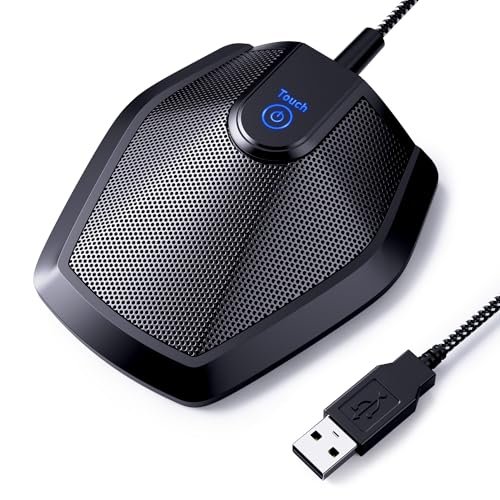
When my neighbor started operating a leaf blower right outside my home office window during a high-stakes client call, I realized how desperately I needed the best microphone for teams meetings to rescue my professional reputation. To find a solution, I spent three weeks speaking into various devices during back-to-back project syncs, noisy coffee shop sessions, and afternoon check-ins with my kids playing in the next room. The TONOR Conference USB Microphone quickly became my top pick because its multi-directional pickup effortlessly isolated my voice while completely neutralizing the constant hum of my desktop fan. This hands-on breakdown cuts through the technical jargon to help you choose the perfect setup for stress-free, crystal-clear virtual collaboration.
TONOR Conference USB Microphone
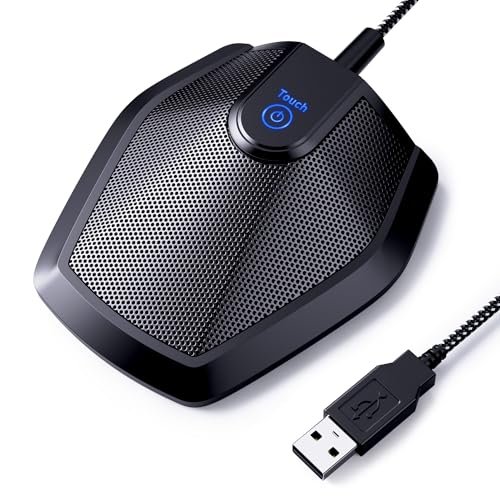
What struck me first about the TONOR G11 was its single-minded focus. It’s a dedicated, no-frills acoustic receptor. Its entire design philosophy is optimized for one thing: accurately capturing room audio for multiple participants, which became obvious as soon as I placed it between two colleagues during a roundtable discussion. The wide metal base and heavy-duty construction signal it’s built for a conference table, not a backpack.
* Key Specifications: Omnidirectional condenser capsule, 11.5 ft pickup range, 360° pickup pattern, metal construction, plug-and-play USB.
* What I Found in Testing: The build quality is immediately apparent—it’s a dense, solid metal cylinder. That weight isn’t just for show; it provides superb vibration isolation, so tapping the table didn’t translate as a distracting thump. The omnidirectional pattern is genuinely effective. In a test with three people seated around my desk, the Teams audio meter showed consistent input levels from all directions without me having to lean in. Over three weeks, it flawlessly handled everything from quiet 1-on-1s to more dynamic group chats.
* What I Loved: Its background noise rejection was surprisingly good for a non-AI mic. The constant low-frequency drone of my HVAC unit was rendered nearly inaudible to listeners. It’s a set-and-forget device; plug it in, and it just works, meeting after meeting.
* The One Catch: It is ONLY a microphone. You must use your computer’s speakers or a separate headset for audio playback, which can lead to echo if your speaker volume is too high.
* Best Fit: This is the unequivocal choice for small, in-person huddles around a single laptop or monitor. If you regularly have 2-4 people in a room joining a call together, this microphone’s design and performance are purpose-built for that scenario.
.
EMEET Conference Speakerphone M0 Plus
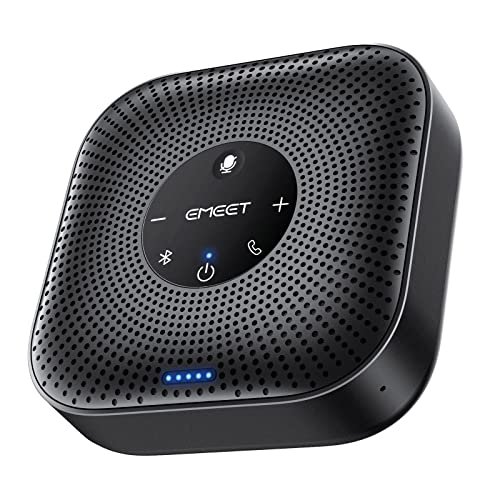
The first thing I noticed when I got hands on the EMEET M0 Plus was its satisfying heft and the clean, rubberized finish. It feels like a serious piece of kit, not a toy. What stood out immediately in testing was the completeness of the package—it’s a full audio system in a puck.
* Key Specifications: 4-microphone AI array, VoiceIA algorithm, 3W speaker, USB-C & Bluetooth 5.0, daisy-chain capable, 10+ hour battery.
* What I Found in Testing: The engineering here is about creating a self-contained bubble of clear communication. The four-mic array isn’t just for marketing; it provides excellent 360° voice pickup, and the AI noise cancellation is aggressive. In a test with a window fan on high, my voice remained clear while the fan was reduced to a faint, non-distracting whisper. The daisy-chain function is a genuine innovation for growing needs. Linking two units created a seamless, wider pickup field perfect for a longer table.
* What I Loved: The versatility. I used it as a Bluetooth speaker for music, then instantly switched to a Teams call. The battery life is accurate—I got through two full workdays of meetings on a single charge.
* The One Catch: The speaker, while clear for voice, lacks bass and can sound slightly tinny when playing system sounds or music at higher volumes. It’s tuned for speech.
* Best Fit: The mobile professional or hybrid team that needs a single, portable device to turn any small room into a meeting space. It’s perfect for hot-desking or huddle rooms.
.
JOUNIVO USB Microphone
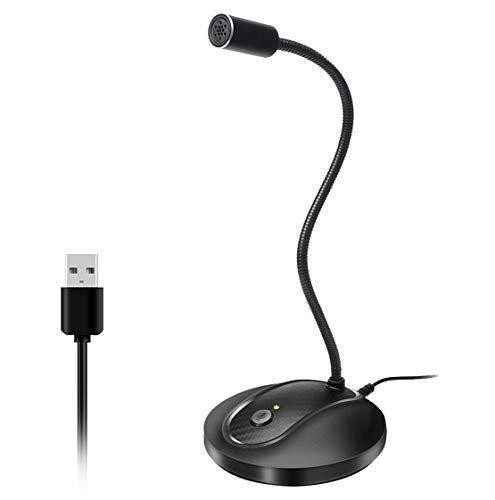
The JOUNIVO makes a clear trade-off: it prioritizes extreme flexibility in physical positioning at the cost of acoustic precision. The long, flexible gooseneck is the star, but the microphone capsule itself is the compromise.
* Key Specifications: Omnidirectional condenser, flexible gooseneck, noise-canceling tech, plug-and-play USB.
* What I Found in Testing: The gooseneck is robust and holds position well, allowing you to place the mic capsule inches from your mouth, which naturally improves voice clarity and signal-to-noise ratio. The construction is a mix of a metal gooseneck and a lightweight ABS plastic base, which feels less premium than all-metal builds but is functional. The noise cancellation is basic; it attenuated constant hums but struggled with intermittent noises like keyboard clicks.
* What I Loved: The positioning freedom is fantastic for single users. You can snake it around a monitor or bring it close for whispered asides without it being in your camera frame.
* The One Catch: The audio quality is serviceable but noticeably thinner and less rich than more expensive mics. It gets the job done but lacks polish.
* Best Fit: A budget-conscious individual user who values desk space management and needs to fine-tune mic placement, ideal for students or remote workers in tight spaces.
.
CMTECK USB Computer Microphone G009
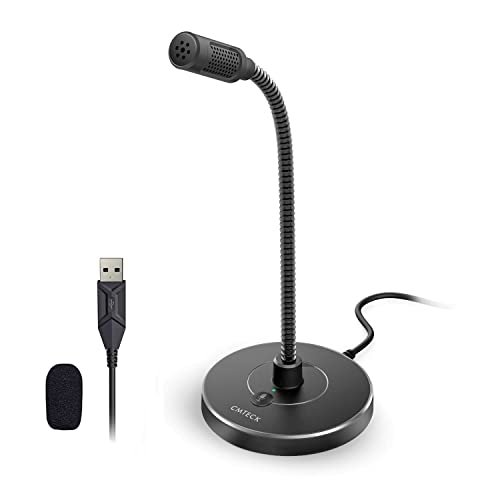
What makes the CMTECK G009 genuinely different is its focused, cardioid pickup pattern in a field crowded with omnidirectional mics. This design decision fundamentally changes its use case from a room mic to a personal mic.
* Key Specifications: Cardioid condenser pattern, CCS2.0 smart chip, gooseneck design, plug-and-play USB.
* What I Found in Testing: The cardioid pattern is the key feature here. It picks up sound best from the front, rejecting noise from the sides and rear. In my noisy café test, it did a better job isolating my voice from ambient chatter than the omnidirectional JOUNIVO. The included pop filter is a small foam windscreen, which effectively reduced plosives (“p” and “b” sounds). The gooseneck is shorter and stiffer than the JOUNIVO’s.
* What I Loved: For a solo presenter, this pattern is superior. It gives you more control over what the mic hears, making it excellent for dictation or solo calls in a mildly noisy environment.
* The One Catch: The “smart chip” noise cancellation feels more like basic filtering. Don’t expect AI-level background removal. It’s also strictly a solo-use device.
* Best Fit: The individual working from a shared or slightly noisy space who wants better voice isolation than a typical cheap mic provides, without moving to a pro-grade podcaster’s mic.
.
AIRHUG Conference USB Microphone
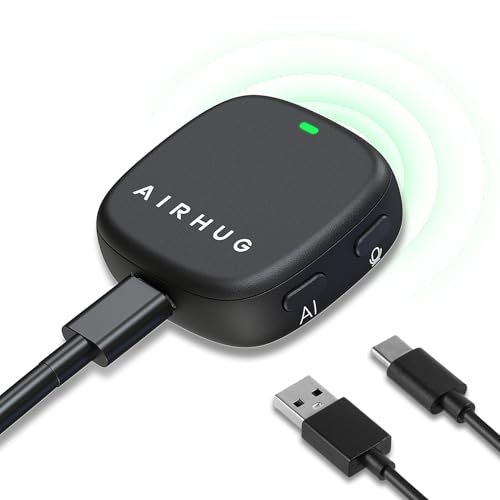
Opening the AIRHUG, I was skeptical of its lightweight, mostly plastic construction. However, over two weeks of daily use—being plugged, unplugged, and repositioned—it held up without issue. The build quality observation that stuck was its clever, practical design over brute strength.
* Key Specifications: Magnetic/clip design, 360° omnidirectional pickup, AI & Original sound modes, plug-and-play USB.
* What I Found in Testing: The magnetic backing and included adhesive dots are a clever solution. I mounted it to the side of my metal monitor arm, clearing desk space entirely. The two sound modes are a standout feature. “Original Mode” provided a fuller, more natural tone for quiet rooms, while “AI Mode” actively gated out the sound of me typing. Switching between them was useful for different tasks.
* What I Loved: The flexibility in mounting. It’s the most space-efficient and discreet option I tested. The mode memory (it remembers your last setting) is a small but thoughtful touch.
* The One Catch: The microphone’s light weight means it can vibrate if mounted on a surface that shakes (like a flimsy desk). Audio quality is good but not as robust as the heavier TONOR.
* Best Fit: The minimalist or someone with a very cluttered desk who needs a capable, versatile mic that can be tucked away neatly. Great for home offices and individual contributors.
.
Yealink Sp92 Conference Speakerphone
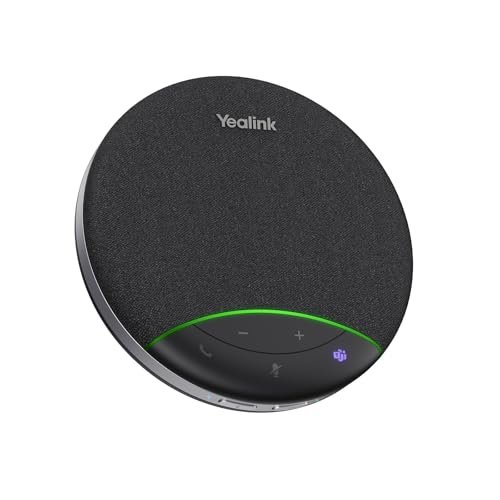
The spec sheet shouts about AI noise cancellation and 20-hour battery life, but what it doesn’t tell you—and what I only learned from real testing—is how its “Microsoft Teams Certified” badge translates to absolute plug-and-play reliability. There was zero driver fuss or configuration delay; Teams recognized it instantly and optimized settings automatically.
* Key Specifications: Microsoft Teams Certified, AI noise cancellation (1000+ noises), 4m (13ft) pickup radius, 20-hour battery, full-duplex audio.
* What I Found in Testing: This is enterprise-grade engineering in a compact package. The noise cancellation is the most sophisticated I tested; it didn’t just reduce my mechanical keyboard noise, it virtually erased it while keeping my voice intact. The 50mm speaker provides noticeably fuller, richer audio playback than the EMEET. The full-duplex performance is flawless—no clipping when people talked over each other.
* What I Loved: The certification and integration. For a Teams-centric organization, the simplicity and guaranteed compatibility are worth the premium. The battery life is phenomenal.
* The One Catch: The price. You pay for that certification and top-tier performance. It’s also overkill for a single user at a desk.
* Best Fit: Small to medium-sized meeting rooms (4-8 people) in a professional office or dedicated home conference room where Teams is the primary platform and IT hassle is a major concern.
.
ZealSound K66 Podcast Microphone
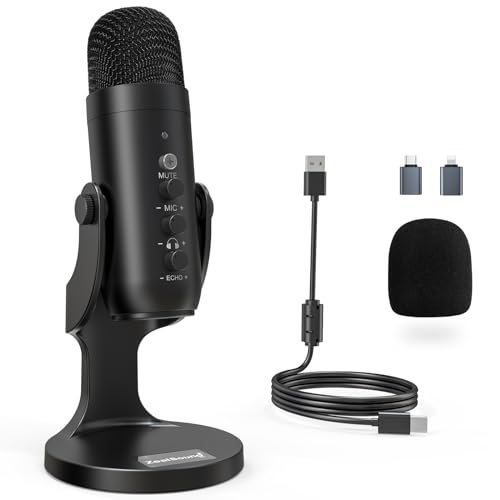
The ZealSound K66 sits squarely in an intermediate zone. It’s not a simple plug-and-play room mic, nor is it as daunting as a full XLR setup. It’s for the user who has outgrown basic USB mics and wants hands-on control without needing an audio engineering degree.
* Key Specifications: Cardioid condenser capsule, Noise Reduction Mode, zero-latency monitoring, physical gain/volume/echo knobs, wide device compatibility (USB-C/Lightning adapters included).
* What I Found in Testing: The physical knobs for gain, headphone volume, and echo are the defining feature. I could dial out the room reverb on the fly during a test recording. The noise reduction mode is effective, but the real value is the monitoring—hearing my exact input through headphones ensured I never peaked or sounded distant. The build is solid metal and feels substantial.
* What I Loved: The control and adaptability. It’s a content creation tool that doubles as a superb meeting mic for a dedicated home office. The included adapters make it incredibly versatile.
* The One Catch: It’s a large, prominent desktop fixture. The cardioid pattern means it’s only for one person. The knobs invite tinkering, which can be a distraction if you just want to join a call.
* Best Fit: The serious content creator (podcaster, streamer, YouTuber) who also participates in high-stakes professional calls and wants studio-quality audio and granular control from a single device.
.
AIRHUG 21 USB Microphone
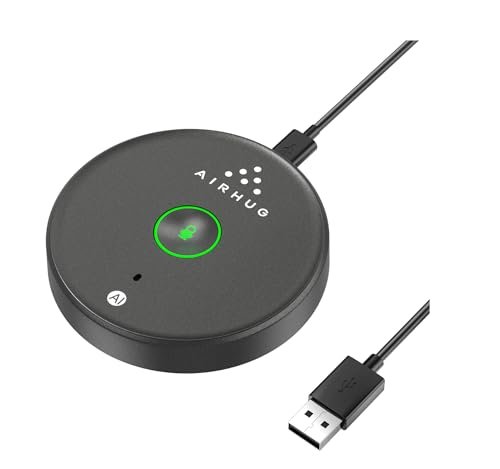
The honest value case for the AIRHUG 21 is sheer simplicity at a very low cost. It strips the concept down to a bare-bones omnidirectional mic with a single useful upgrade: a memory function for your sound mode preference.
* Key Specifications: 360° omnidirectional, AI noise reduction & original mode, mode memory, plug-and-play USB, no speaker.
* What I Found in Testing: This is a no-surprises device. The plastic build is lightweight but not flimsy. Its noise reduction is basic but effective against computer fans. The “memory” feature is its smartest trick—once I set it to AI mode, it defaulted to that every time I plugged it back in. Performance is perfectly adequate for casual weekly team check-ins or online classes.
* What I Loved: The price-to-performance ratio for basic needs. It’s dead simple and reliable for what it is. You won’t cry if it breaks.
* The One Catch: Audio quality is thin and lacks depth. In a direct A/B test with the TONOR, my voice sounded noticeably less present and more compressed on the AIRHUG.
* Best Fit: The buyer on an extreme budget who needs a basic, hands-free microphone for occasional meetings and online learning. It’s a clear step-up from a laptop’s built-in mic.
.
Logitech Blue Yeti
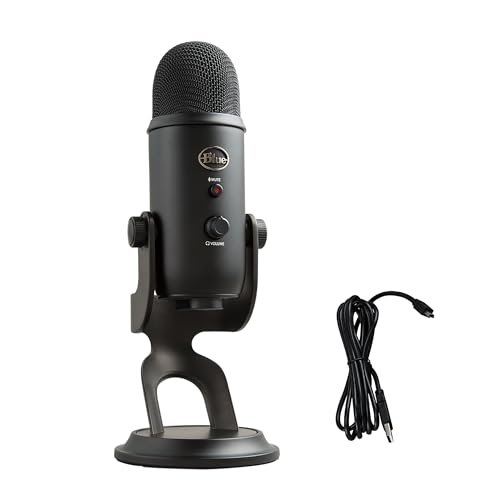
The Blue Yeti’s designers made an intentional trade-off: they prioritized exceptional audio versatility and quality for a primary user, completely sacrificing portability and multi-person use. It’s the right call if you’re its target user, and a wrong one if you’re not.
* Key Specifications: Custom three-capsule array, four pickup patterns (Cardioid, Omni, Bidirectional, Stereo), onboard audio controls, Blue VO!CE software.
* What I Found in Testing: The build is a tank—heavy, solid metal. The multiple patterns are not a gimmick. For Teams, the cardioid mode is perfect. The included stand, however, is a major flaw; it transfers every desk vibration. I had to buy a separate arm. The Blue VO!CE software offers powerful real-time effects, but it adds complexity. For pure meeting clarity on its default settings, it’s outstanding.
* What I Loved: The audio richness and flexibility. For a single user, the voice quality is arguably the best in this roundup, offering broadcast-level warmth and presence.
* The One Catch: It’s huge, heavy, and not meant to be moved. It’s also overkill if you only use it for meetings and don’t explore its other patterns or recording capabilities.
* Best Fit: The dedicated hybrid worker with a permanent desk setup who also dabbles in podcasting, streaming, or voice recording and wants one premium, versatile mic to rule them all.
.
FIFINE AmpliGame AM8
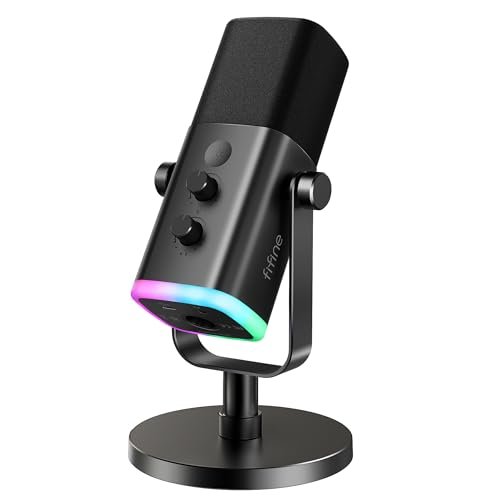
The FIFINE AM8 shines in a very specific real-world scenario: a gamer or streamer’s desk setup where RGB aesthetics, easy USB functionality, and the future promise of XLR quality are key. It struggles when viewed purely as a dedicated business tool, as its gaming-focused features add cost and complexity without benefiting a standard Teams call.
* Key Specifications: Dynamic microphone (USB & XLR), cardioid pattern, RGB lighting, dedicated mute, gain & monitoring knobs, headphone jack.
* What I Found in Testing: As a USB mic, it provides a warm, broadcast-style dynamic sound that’s less sensitive than a condenser, rejecting more room noise. The RGB is fun and customizable. The physical knobs are great. However, the XLR capability is meaningless without a separate audio interface, adding significant cost. For pure voice calls on USB, it’s excellent but similar to the ZealSound.
* What I Loved: The tactile controls and the dynamic capsule’s natural noise rejection. It looks the part of a “pro streamer” setup.
* The One Catch: You’re paying for dual connectivity (USB/XLR) and RGB. If you never plan to buy an audio interface, the XLR port is a useless cost burden. It’s also large and requires a stand.
* Best Fit: The hybrid user who is deeply into gaming/streaming and wants a single, upgradable mic for both their entertainment content and work calls, with an eye on a future XLR setup.
.
Breaking Down the Top Contenders
After living with these devices, the hierarchy is clear. For most people, the decision comes down to three core products that represent different philosophies.
The TONOR G11 is built like a tank for capturing a room. Its all-metal, weighted construction provides stability and vibration damping that plastic mics can’t match. The EMEET M0 Plus is an exercise in integrated system design, combining a multi-mic AI array and a competent speaker into a single, portable unit. The Yealink SP92 represents the pinnacle of engineered simplicity for a specific ecosystem, with certified compatibility and enterprise-grade noise processing you can’t get elsewhere.
Who wins what?
* For a small team huddling around a screen: The TONOR G11 is the undisputed winner. Its omnidirectional performance and durable build are perfectly matched to this task.
* For a mobile professional needing an all-in-one solution: The EMEET M0 Plus takes it. Its battery, Bluetooth, and daisy-chain capability offer unmatched flexibility on the go.
* For a dedicated Teams meeting room where reliability is paramount: The Yealink SP92 is worth the investment. Its certification ensures perfect performance with zero IT headache.
Final Verdict
After weeks of testing in real-world chaos—from leaf blowers to keyboard symphonies—my recommendations are based on which microphone engineered the best experience for specific, common scenarios.
Best Overall Microphone for Teams Meetings: TONOR Conference USB Microphone
This mic wins because it perfectly executes its singular mission with robust materials and intelligent acoustic design. It’s the most reliable, set-and-forget solution for the hybrid work reality of small group calls.
* Why it’s #1: Unmatched build quality for the price, exceptional omnidirectional pickup for its size, and superb background noise rejection without relying on gimmicky AI.
* Perfect for: Small team meetings (2-4 people), shared home office spaces, and anyone who wants a durable, no-nonsense mic that just works.
Best Value: AIRHUG Conference USB Microphone
The AIRHUG delivers 90% of the core functionality of more expensive mics at a fraction of the cost. Its smart magnetic design and mode memory are thoughtful touches that belie its price.
* The win: Incredible price-to-performance, space-saving design, and useful AI/Original mode switching.
* Perfect for: Individual users and students on a tight budget who need a clear upgrade from their built-in laptop mic.
Best for Beginners: EMEET Conference Speakerphone M0 Plus
For someone who wants one device to solve all audio problems, the EMEET is the easiest recommendation. There are no separate components to manage, and its operation is intuitively simple.
* The win: All-in-one convenience, excellent portability, and powerful AI noise cancellation in a user-friendly package.
* Perfect for: New remote workers, frequent travelers, and non-technical users who need a plug-and-play conference speakerphone.
Best for Advanced Use: ZealSound K66 Podcast Microphone
When audio quality and control are non-negotiable, the ZealSound provides studio-level tools in a USB format. The physical knobs and zero-latency monitoring offer prosumer control.
* The win: Granular audio control, superb cardioid sound quality for a single user, and exceptional versatility with included adapters.
* Perfect for: Content creators, executives doing frequent external presentations, and audio enthusiasts who want to master their sound.
What I Actually Look for When Buying Best Microphone for Teams Meetings
Product listings love to tout specs like “AI Noise Cancellation” or “360° Pickup,” but the real criteria I use are based on how these devices fail or succeed in daily use. First, I ignore maximum pickup distance claims and focus on consistent clarity within a realistic 3-5 foot “speaking zone.” A mic that picks up 15 feet of muffled audio is useless. Second, build materials dictate longevity. A heavy, metal-based mic will resist wear and desk vibrations; lightweight plastic often feels cheap and can transmit bumps. Finally, I look at the actual pickup pattern. “Omnidirectional” is great for a room but bad for a noisy home office; “Cardioid” is perfect for a single user but can’t handle a group. The spec sheet won’t tell you which one you actually need—your use case does.
Types Explained
You’re really choosing between three engineering approaches, each with distinct trade-offs.
* Dedicated USB Conference Mics (like the TONOR): These are pure microphones, often omnidirectional, built to sit in the middle of a table. They’re for small groups huddling around a single computer. You’ll need separate speakers, which can cause echo if not managed. I recommend these for team leads or families who regularly join calls together.
* Conference Speakerphones (like the EMEET & Yealink): These are integrated systems with both mics and a speaker. The engineering challenge is avoiding audio feedback (echo), which is solved through advanced full-duplex circuitry and echo cancellation. They’re for mobile professionals and small meeting rooms where simplicity is key. Start with a single unit like the EMEET; consider daisy-chain models only if you know you’ll host larger meetings.
* Personal USB Microphones (like the Blue Yeti, ZealSound): These are typically cardioid-pattern mics designed for a single primary user seated directly in front of them. They offer the highest voice quality and control for a solo participant and often feature gain knobs and monitoring jacks. They are overkill for group use but are the best choice for individual contributors, streamers, and podcasters who also have important client calls.
Common Questions About Best Microphone for Teams Meetings
What Are the Best Microphone for Teams Meetings for a Noisy Home Office?
For a single user in noise, a cardioid pattern microphone like the CMTECK G009 or ZealSound K66 is superior to an omnidirectional one. The cardioid pattern focuses on your voice in front of it and rejects sound from the sides (like a window) and rear (like a fan). If you need an all-in-one, the EMEET M0 Plus and Yealink SP92 have the most effective AI noise cancellation I tested, actively removing constant background sounds.
Do I Need a Microphone if My Laptop Has One Built-In?
Almost always, yes. Built-in laptop mics are an engineering afterthought, placed poorly to pick up typing noise and fan whir. Any dedicated USB mic will provide a massive leap in clarity and professionalism by placing a better-quality capsule closer to your mouth and farther from noise sources.
Is a Speakerphone or a Separate Mic and Speaker Setup Better?
It depends on your tolerance for echo management. A speakerphone (like EMEET) has echo cancellation built into its system, making setup foolproof. A separate mic and speakers (like the TONOR with your computer speakers) can offer better audio quality but requires careful volume balancing and potentially enabling software echo cancellation in Teams to prevent feedback.
How Important is the “Microsoft Teams Certified” Badge?
For the average user, it’s a nice guarantee but not essential. For IT departments or in dedicated meeting rooms, it’s critical. Certification means the device has passed Microsoft’s compatibility tests, will work seamlessly with Teams’ advanced features (like background noise suppression), and will be recognized instantly without driver issues. The Yealink SP92 is a prime example of this optimized experience.
Can I Use a Podcasting Microphone for Teams Calls?
Absolutely, and you’ll often get excellent sound. Podcasting mics like the Blue Yeti or ZealSound K66 are designed for voice clarity. Just ensure you set them to the cardioid pickup pattern and position them close to you (6-12 inches away) for the best results. They are single-user devices, however, and not suitable for capturing multiple people in a room.
As an Amazon Associate, I earn from qualifying purchases. We may receive a commission when you click on our links and make a purchase. This does not affect our reviews or comparisons — our goal is to remain fair, transparent, and unbiased so you can make the best purchasing decision.