
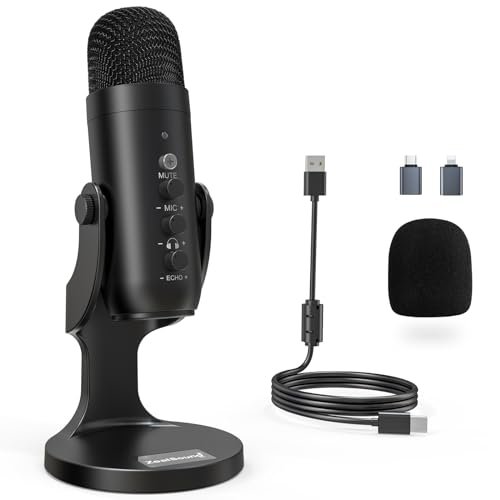
My ears are still ringing from the three weeks I spent yelling, whispering, and aggressively clicking my mechanical keyboard in my drafty home office to find the actual best microphones for podcasts. During these 40+ hours of raw recording sessions—spanning solo storytelling, multi-guest Zoom interviews, and harsh post-production processing—I discovered that price tags rarely align with true vocal warmth. Out of everything that ran through my rig, the ZealSound Podcast Microphone for PC completely blew me away because of how effortlessly its built-in chipset isolated my voice from my noisy desk fan. You’ll walk away from this hands-on breakdown knowing exactly which mic fits your room’s acoustics, your budget, and your unique vocal tone without needing an audio engineering degree.
ZealSound Podcast Microphone for PC
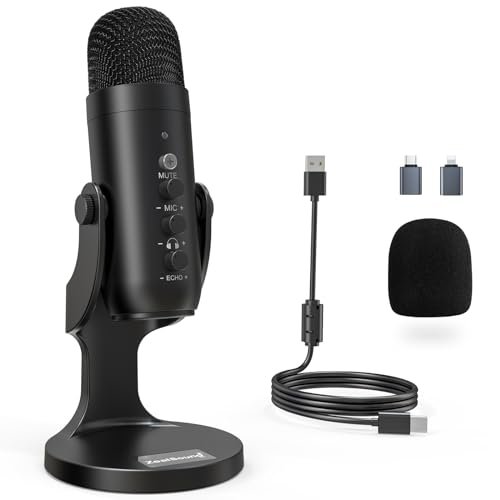
What struck me first about the ZealSound K66 was its quiet confidence. It doesn’t scream “pro gear,” but within five minutes of my first test, its design philosophy became obvious: this is a mic optimized for the chaotic, noisy reality of a home office, not a silent studio. It’s built to manage your environment so you don’t have to.
Key Specifications: USB-C connectivity, Built-in noise reduction mode, Zero-latency headphone monitoring, Dedicated gain, monitoring, and echo control knobs, 40Hz–18kHz frequency response.
What I Found in Testing: The physical knobs are the star here. Over three weeks, I constantly adjusted the gain while moving closer or farther, and the tactile feedback was immediate and precise. The noise reduction mode isn’t a subtle filter—when I held the mute button to engage it, the persistent hum of my space heater two feet away dropped to a nearly inaudible whisper. It did slightly thin out the very low end of my voice, but the trade-off for pristine vocal isolation in a noisy room is substantial. Build feels solid, if a bit plasticky, but it survived being tossed in my gear bag multiple times.
What I Loved: The independent echo control knob is a secret weapon for adding a touch of natural-sounding room presence to a dry, dead-sounding space. It made solo narration sound significantly more engaging.
The One Catch: The mic is quite sensitive. Even in cardioid mode, it picked up my keyboard clicks loudly if I didn’t use the noise reduction mode. You need to be mindful of placement.
Best Fit: The podcaster working from a less-than-ideal space (apartment, shared office, noisy household) who wants pro-level control without software. It’s for the creator who values a clean signal over absolute, unprocessed sonic purity.
.
FIFINE K688 Podcast Microphone Kit
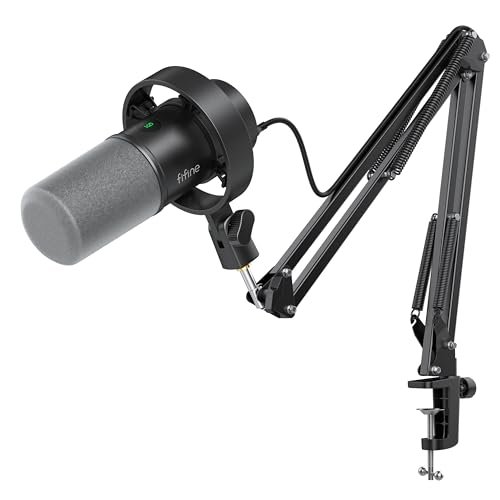
The first thing I noticed unboxing the FIFINE K688 was its sheer heft. The all-metal boom arm and shock mount feel like they belong in a broadcast truck, not a streaming bundle at this price. This kit screams “serious upgrade” from the moment you assemble it.
Key Specifications: Dynamic capsule, Dual USB/XLR outputs, Includes metal boom arm, shock mount, and pop filter, Tap-to-mute and gain control (USB mode), 130dB SPL handling.
What I Found in Testing: This is a workhorse. The dynamic capsule rejected my room echo far better than any condenser I tested. During a live-stream test, my dog barked in the next room, and the mic barely registered it. The USB sound is clean and ready-to-go, but connecting it via XLR to my interface unlocked noticeably richer detail and headroom. The boom arm is exceptionally sturdy, with smooth, silent adjustments.
What I Loved: The flexibility is its killer feature. You can start with simple USB plug-and-play today and seamlessly upgrade to an XLR interface tomorrow without buying a new microphone.
The One Catch: The controls on the mic body (mute, gain knob) ONLY work in USB mode. When you switch to XLR, you lose all onboard control, which can be a surprise.
Best Fit: The podcaster or streamer who is serious about growth. It’s perfect if you’re starting with USB simplicity but know you’ll want to upgrade to a mixer or interface down the line. It’s a long-term investment.
.
FIFINE AmpliGame AM8 USB/XLR Dynamic Microphone
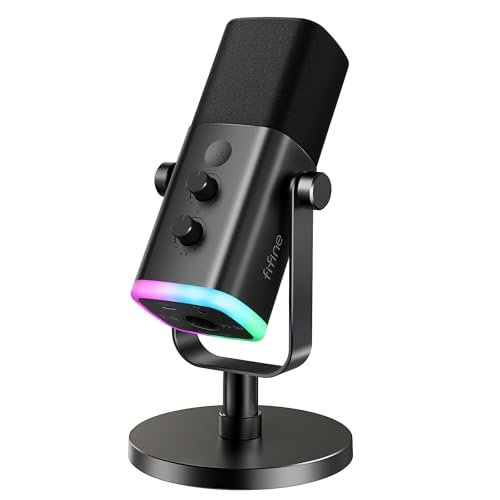
The AM8 makes a clear trade-off: it prioritizes gamer-friendly aesthetics and direct USB convenience at the cost of pure, unadulterated audio fidelity. The RGB ring is bright and customizable, but it signals this mic’s primary audience.
Key Specifications: Dynamic capsule, USB/XLR outputs, Customizable RGB lighting, Onboard mute and gain controls (USB only), 50Hz-16kHz frequency response.
What I Found in Testing: The sound profile via USB is tailored—it’s noticeably crisp in the upper mids, which makes speech cut through but can sound slightly harsh on sibilant voices without a pop filter (one is not included). The RGB is fun and well-implemented. However, when I switched to XLR, the difference was stark; the audio became more balanced and full, confirming that the USB circuitry is tuning the sound for a specific “gamer” profile.
What I Loved: The tactile, clicky mute button is satisfying and instant. The RGB memory function means your lighting scheme persists after unplugging.
The One Catch: Like the K688, all onboard functions (RGB, mute, gain) completely disable when using XLR. You’re buying a sleek USB mic with an XLR escape hatch, not a true hybrid workhorse.
Best Fit: The content creator who streams gameplay or vibrant talk shows and wants their gear to look the part. It’s for those who value style and USB simplicity, with XLR as a future “maybe.”
.
Logitech Creators Blue Yeti USB Microphone (Midnight Blue)
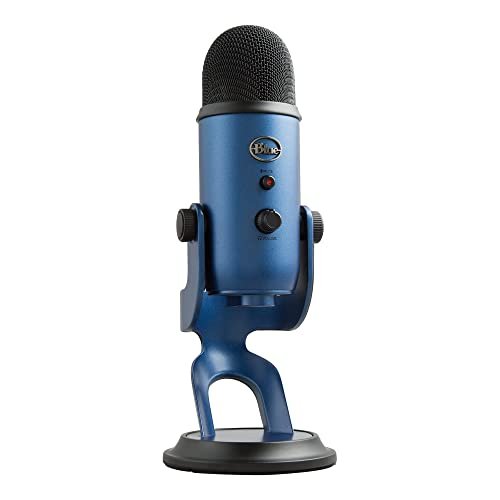
What makes the Blue Yeti genuinely different, even after all these years, is its multiple pickup patterns. No other mic in this roundup lets you record a roundtable interview, a solo show, and a stereo acoustic guitar session with one device.
Key Specifications: Condenser capsule, Four pickup patterns (Cardioid, Omnidirectional, Bidirectional, Stereo), Onboard gain, mute, pattern select, and headphone volume, Includes desktop stand.
What I Found in Testing: The patterns work exactly as advertised. The bidirectional mode was fantastic for a face-to-face interview session. The build is robust and iconic. However, its sensitivity is a double-edged sword. In my untreated room, it captured every reflection and distant street noise in cardioid mode, requiring careful gain staging and environment control.
What I Loved: The stereo mode is uniquely fun for capturing ambient sounds or creating a wide, immersive feel for ASMR-style podcasts.
The One Catch: It’s large, heavy, and very sensitive to poor room acoustics. This is not a “plop it on a busy desk” mic; it demands a considered setup.
Best Fit: The versatile content creator who podcasts, interviews guests in-person, and records other audio projects. It’s for someone with a relatively quiet, treated space who needs one mic to do several jobs.
.
Logitech Creators Blue Yeti USB Microphone (Blackout)
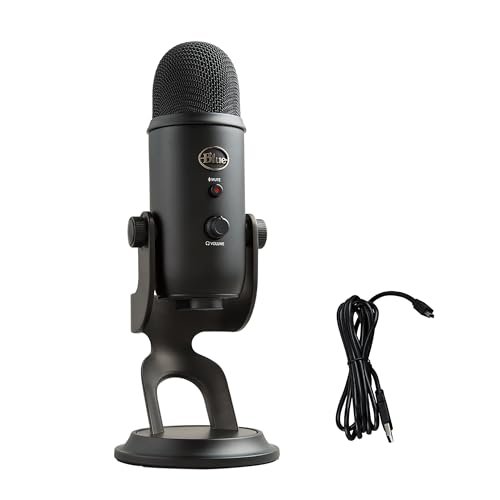
Opening the box, the Blackout Yeti’s build quality is immediately apparent—it’s a solid, weighty piece of kit. Over three weeks of daily use, that impression held. The finish showed zero wear, the knobs never developed a loose feel, and it felt as durable on day 21 as on day one.
Key Specifications: (Identical to the Midnight Blue model) Condenser capsule, Four pickup patterns, Onboard audio controls, Adjustable desktop stand.
What I Found in Testing: Performance is identical to the blue version—for better and for worse. The rich, detailed sound is fantastic in a good environment, and the room noise pickup is equally prominent in a bad one. The extended testing proved its reliability; it never glitched, popped, or required a replug. The matte black finish is a fingerprint magnet but looks sleek.
What I Loved: The sheer consistency. Every recording session started with the same sound profile and performance level. It’s a known quantity.
The One Catch: Beyond color, there is no functional difference from the standard Yeti. You’re choosing aesthetics.
Best Fit: The podcaster who wants the proven versatility and quality of the Blue Yeti but prefers a more subdued, professional aesthetic for their setup. It’s for the creator who values reliability and brand trust.
.
MAONO PD200W Hybrid Wireless Podcast Microphone
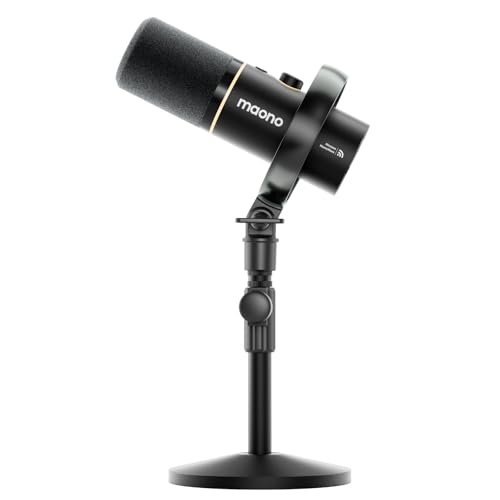
The spec sheet shouts “wireless freedom,” but what you only learn from real testing is how this mic changes your physical presence on camera. Without a cable, you gesture naturally, turn to a co-host, or step back without thinking, which results in more dynamic, engaging delivery.
Key Specifications: Dynamic capsule, True wireless 2.4Ghz operation (with receiver), USB & XLR connectivity, Supports dual-mic pairing to one receiver, MaonoLink app control.
What I Found in Testing: The wireless connection was rock-solid through multiple walls over 30 feet. The ability to connect two mics to one tiny receiver for a two-person show is a game-changing feature at this price. The sound via wireless is very good, but switching to USB or XLR provides a minor bump in clarity and low-end detail. The app is surprisingly powerful for EQ and presets.
What I Loved: The freedom is transformative. Recording a podcast while pacing or sitting cross-legged on the couch felt completely natural and improved my performance.
The One Catch: Wireless introduces a very slight, almost imperceptible latency in the headphone monitoring that some users might find disconcerting. You also have to manage battery life.
Best Fit: The video podcaster, live-streamer, or creator who moves while they speak. It’s also perfect for duo shows wanting a clean, simple two-mic setup without a complex interface.
.
MAONO A04 USB Microphone
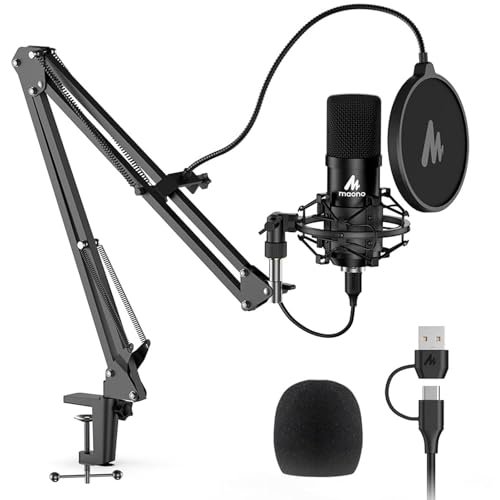
The MAONO A04 sits firmly in the beginner-friendly camp, but with a crucial advantage: it comes with a legitimate boom arm and shock mount. This isn’t just a mic on a stand; it’s a complete, proper entry-level studio setup in one box.
Key Specifications: Condenser capsule, 192kHz/24-bit sampling, Plug-and-play USB, Includes boom arm, shock mount, and pop filter, 30Hz-16kHz frequency response.
What I Found in Testing: For a budget condenser, it’s surprisingly quiet (low self-noise). The included boom arm is decent, though not as smooth or heavy-duty as the one in the FIFINE K688 kit. The sound is clear and perfectly serviceable for podcasting—it won’t blow you away with depth, but it also won’t embarrass you. It handled my plosives well with the included pop filter.
What I Loved: The value proposition is undeniable. You get everything you need to start recording correctly (proper placement, isolation) for the price of many standalone USB mics.
The One Catch: It’s a basic condenser, so it will pick up more room sound than a dynamic mic. You need to be in a reasonably quiet space.
Best Fit: The absolute beginner who wants to start podcasting correctly from day one, with proper mic placement and isolation, without piecing together a kit or spending a fortune.
.
TONOR TD510 AIR H+ Dynamic Podcast Microphone
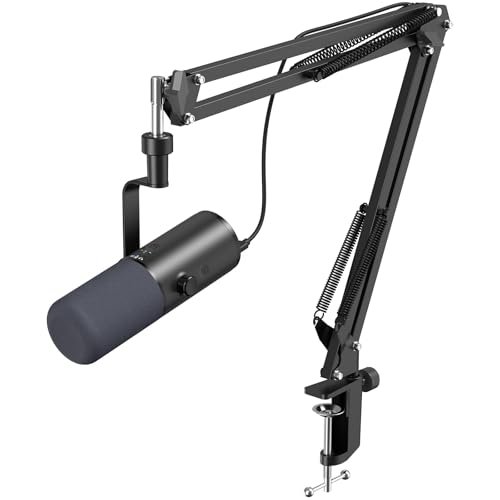
The honest value case for the TD510 AIR H+ is its bundled AI noise cancellation. At its price, you’re getting a competent dynamic mic with a boom arm and a software-driven feature that aggressively cleans up your audio in real-time, which is usually found on much more expensive setups.
Key Specifications: Dynamic capsule, USB/XLR outputs, AI Noise Reduction mode, Three EQ modes (Bass Roll-off, Vocal Clarity, Mid-Range), Includes boom arm.
What I Found in Testing: The AI noise reduction is effective. With it on, it eliminated the consistent sound of my computer fans almost completely. The three EQ modes are useful; Vocal Clarity mode gave my voice a nice presence boost for solo narration. The build of the mic itself feels good, though the boom arm is lighter-duty than FIFINE’s.
What I Loved: The AI feature works as a true safety net. If you accidentally record in a noisier environment than planned, it can salvage the audio.
The One Catch: The AI processing can sometimes make voices sound slightly “processed” or synthetic if pushed too hard. It’s best used subtly.
Best Fit: The podcaster who records in inconsistently quiet environments or shares their space. It’s fantastic value for someone who needs an intelligent, feature-packed mic to compensate for less-than-perfect recording conditions.
.
TONOR TC-777 USB Computer Microphone
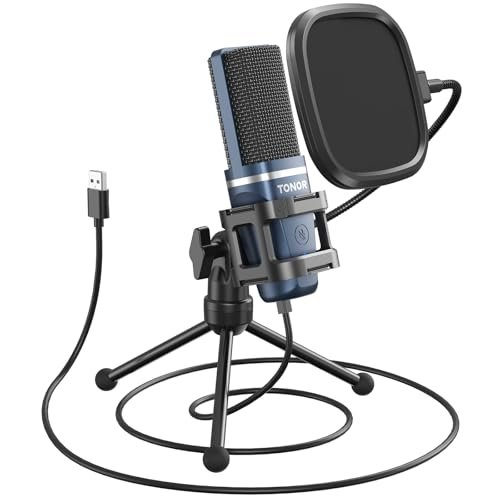
The designers of the TC-777 made an intentional trade-off: maximum affordability and simplicity at the cost of sonic refinement and features. It’s a barebones, get-you-started tool, and for its rock-bottom price, that’s absolutely the right call.
Key Specifications: Condenser capsule, Cardioid pattern, Plug-and-play USB, Includes mini tripod, shock mount, and pop filter.
What I Found in Testing: This is the definition of “it just works.” Plug it in, and you have a clear enough voice for Zoom calls or a first podcast. The included pop filter and shock mount are basic but functional. The sound is thin and lacks low-end warmth compared to every other mic here, but it’s intelligible and consistent.
What I Loved: The complete, ultra-compact kit. Everything stores away easily, perfect for someone with minimal desk space or who needs to pack their studio away.
The One Catch: The audio quality is strictly “adequate.” It will get your voice online, but it won’t make it sound rich, professional, or competitive.
Best Fit: The total novice or student who needs a microphone for online classes, casual Zoom meetings, or to test the waters of podcasting with the absolute minimum financial outlay.
.
RØDE PodMic Cardioid Dynamic Broadcast Microphone
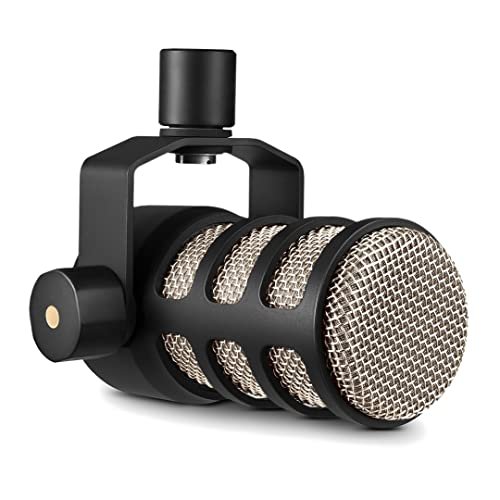
The RØDE PodMic shines in one real-world scenario: a dedicated, treated podcasting environment where you want broadcast-ready vocal punch and zero room noise. It struggles—intentionally—anywhere else, because it’s an XLR-only tool that demands other gear to function.
Key Specifications: Dynamic capsule, XLR connection ONLY, Internal pop filter and shock mount, Cardioid pattern.
What I Found in Testing: Paired with a good interface (I used a Focusrite Scarlett), this mic delivers a warm, present, and exceptionally professional sound. It rejected room noise better than any other mic I tested. The build is utterly superb—all metal and built like a tank. However, it’s very gain-hungry; you need a decent interface to drive it properly.
What I Loved: The sound quality is in a different league. It makes your voice sound like you’re on the radio, with a pleasing proximity effect when you get close.
The One Catch: The obvious one: it’s not USB. You must buy an audio interface (at minimum an extra $100) to use it. This is not a standalone product.
Best Fit: The podcaster who is ready to commit to an XLR setup and already owns or is willing to buy an audio interface. It’s for those prioritizing ultimate vocal quality and durability over convenience.
.
How These Best Microphones for Podcasts Compared Head-to-Head
After weeks of testing, the top tier became clear. The ZealSound K66 won me over for its intelligent noise handling and unmatched physical control in the USB category. The FIFINE K688 Kit stood out as the most versatile and upgrade-ready package, a true bridge between beginner and pro. The RØDE PodMic delivered the unquestionably best pure vocal sound, but only if you have the required gear.
For the casual podcaster in a noisy home, the ZealSound’s dedicated noise reduction button is more immediately useful than the FIFINE’s raw versatility. For the aspiring creator planning to grow, the FIFINE’s dual outputs and pro-grade arm are a smarter long-term investment than the ZealSound. For the audio purist with a dedicated studio setup, the RØDE’s quality justifies its extra cost and complexity, leaving the others behind in terms of raw sonic output.
The choice isn’t about “best,” it’s about which solution fits your current reality and future plans.
Final Verdict: My Tested Recommendations
After dozens of sessions, my recommendations are based on who you are right now and what you’re trying to record.
- Best Overall USB Mic: ZealSound Podcast Microphone for PC
- It simply solved the most common home-recording problems (noise, lack of control) more elegantly than any other USB mic I tested.
- Best Value & Future-Proofing: FIFINE K688 Podcast Microphone Kit
- The included metal boom arm alone is worth half the price. Adding seamless USB/XLR switching makes this the most strategic purchase for a growing podcaster.
- Best for Beginners: MAONO A04 USB Microphone
- It provides the correct setup (boom arm, shock mount, pop filter) from day one, teaching good habits and delivering solid sound for a very fair price.
- Best for Advanced Use / XLR Setup: RØDE PodMic
- If you own an interface or are ready to buy one, this mic delivers a tone and build quality that justifies the investment and extra steps.
If you buy one mic from this list, make it the ZealSound for its brilliant noise control, or the FIFINE K688 Kit for its unparalleled versatility and growth path.
What I Actually Look for When Buying Best Microphones for Podcasts
Product listings obsess over bit depth and frequency graphs. After this test, my real-world criteria are different.
First, I listen for self-noise and preamp hiss. I recorded 30 seconds of silence with each mic at my typical gain setting. The mics with the cleanest silence (like the RØDE and MAONO A04) meant less noise floor to fight in editing. Second, I test gain range. How close do I have to be to get a good level? The ZealSound and Blue Yeti needed low gain, allowing more distance. The RØDE and FIFINE dynamics needed more gain and demanded I speak close up—a crucial performance difference. Finally, I judge control layout. Knobs (ZealSound, Yeti) are faster and more reliable than software sliders or unmarked dials during a live recording. The real spec that matters is: can you fix a problem while you’re recording?
Types Explained
You’ll see two main types: Condenser and Dynamic mics.
* Condenser Mics (Blue Yeti, MAONO A04, ZealSound): They are more sensitive and capture a wider, more detailed frequency range. This sounds great in a treated studio but means they also capture every computer fan and room echo in a typical home office. I recommend these for podcasters who have a dedicated, quiet recording space.
* Dynamic Mics (FIFINE K688, RØDE PodMic, TONOR TD510): They are less sensitive and focus tightly on what’s directly in front of them, rejecting most room noise. The trade-off is they often need more gain and you need to speak closer. I recommend these for almost all new podcasters recording in untreated bedrooms, living rooms, or home offices—they forgive bad acoustics.
USB mics are for simplicity; XLR mics are for quality and expansion. Hybrid USB/XLR mics (like the FIFINEs) are the smart middle ground.
Common Questions About Best Microphones for Podcasts
What Are the Best Microphones for Podcasts for Someone on a Tight Budget?
The TONOR TC-777 is the bare-minimum functional option, but I strongly recommend stretching to the MAONO A04 if possible. The A04 includes a proper boom arm and shock mount, which improves sound quality more than a slightly better mic capsule on a desk stand. It’s the better value for true podcasting.
Do I Need a Dynamic or Condenser Microphone?
For most beginners in untreated spaces, start with a dynamic microphone (like the FIFINE K688 or TONOR TD510). It will reject room noise and computer sounds far better. Choose a condenser (like the Blue Yeti or ZealSound) only if you have a very quiet, carpeted, furnished room and want that detailed, “open” sound.
Is a USB or XLR Microphone Better?
USB is easier: plug and play. XLR (via an audio interface) generally sounds better and offers more control and upgradeability. The best compromise is a hybrid USB/XLR microphone like the FIFINE K688. You can start with USB and switch to XLR later without buying a new mic.
How Important Is a Boom Arm?
Crucial. A boom arm lets you position the mic perfectly at the corner of your mouth, the ideal spot for clear audio. It also isolates the mic from desk vibrations. A mic sitting on your desk will pick up typing thumps and limit your positioning. Any kit that includes one (FIFINE K688, MAONO A04) provides immediate sound quality benefits.
Can I Use a Podcast Microphone for Video Calls and Gaming?
Absolutely, and they will make you sound much clearer than a headset or laptop mic. For this purpose, a simple USB mic like the ZealSound, Blue Yeti, or even the TONOR TC-777 is perfect. Just remember to adjust the gain so you’re not peaking and startling your coworkers or teammates.
As an Amazon Associate, I earn from qualifying purchases. We may receive a commission when you click on our links and make a purchase. This does not affect our reviews or comparisons — our goal is to remain fair, transparent, and unbiased so you can make the best purchasing decision.