
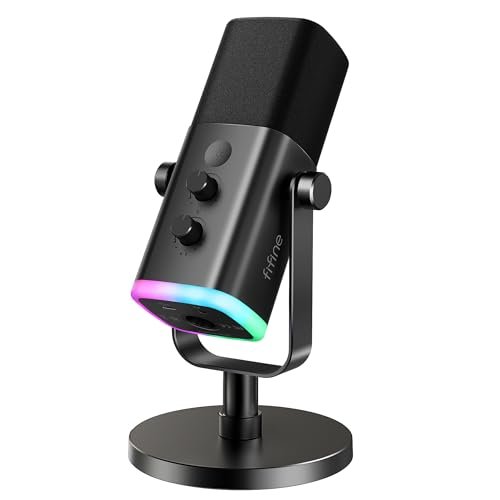
1. FIFINE USB/XLR Dynamic Microphone for Podcast Recording (AmpliGame AM8)
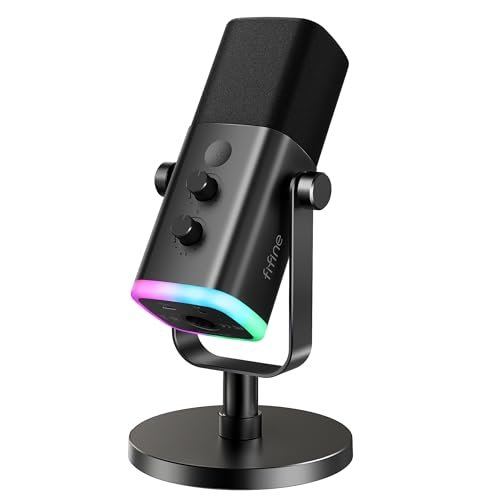
What struck me first about the FIFINE AM8 was that it’s built to endure. This isn’t a plastic toy; it feels like a workhorse designed for daily use without coddling. Its entire philosophy becomes clear after a week of switching between USB for quick recordings and XLR for serious sessions: it’s optimized for the creator who starts on a budget but demands a serious upgrade path. The dual-connection design isn’t a gimmick; it’s the core of its long-term value.
Key Specifications: USB/XLR Hybrid, Dynamic Capsule, Cardioid Pattern, RGB Lighting (USB only), Tap-to-Mute, Gain & Headphone Monitoring Controls.
What I Found in Testing: Over three weeks, this was my most consistent performer in a noisy environment. The dynamic capsule was the key. It rejected my PC’s internal fan noise and the distant lawnmower dramatically better than any condenser mic I tested. The build is robust, with metal housing and knobs that have a satisfying, non-wobbly resistance. The audio is clean and present without being overly bright or sibilant. It lacks the extreme low-end warmth of some broadcast mics, but for spoken word, that’s often a benefit—less mud, more clarity.
What I Loved: The isolation is phenomenal for the price. The XLR option is a genuine lifeline, letting me connect it to a proper interface later for even cleaner gain. The tactile controls, especially the physical mute button with LED, are foolproof and better than any software toggle.
The One Catch: The RGB and all front-panel controls (mute, volume, gain) are completely disabled when using the XLR connection. You must control gain and monitoring from your interface. It makes sense from an engineering standpoint, but it’s a transition to be aware of.
Best Fit: This is for the pragmatic podcaster who records in a less-than-ideal room and wants a mic that will grow with them. If you ever think you might buy an audio interface, this is the smart buy.
.
2. ZealSound K66 Podcast Microphone for PC
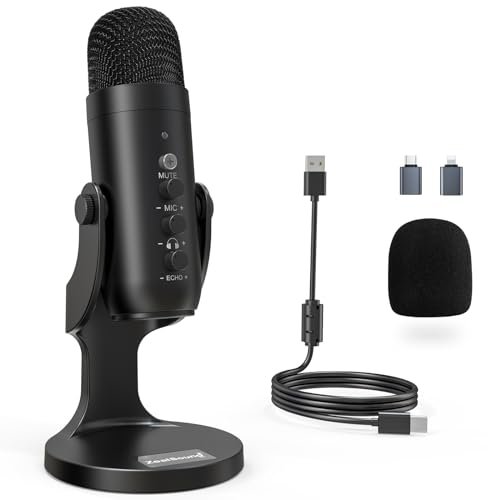
The first thing I noticed unpacking the ZealSound K66 was its sheer versatility. In the box, you get not just the mic, but USB-C and Lightning adapters. That’s a huge signal that this mic is designed for a creator who might record on a PC, edit on a Mac, and do quick mobile interviews on an iPhone. It’s built for a multi-platform reality right out of the gate.
Key Specifications: USB Condenser Mic, Cardioid Pattern, 40Hz–18kHz Frequency Response, Noise Reduction Mode, Dedicated Echo Knob, Plug-and-Play.
What I Found in Testing: The noise reduction mode is its standout feature. Engaging it (by holding the mute button) genuinely dampened the consistent hum of my air conditioner and the clack of my mechanical keyboard. It does introduce a very slight processing artifact—a tiny bit of digital “hollowness”—but for a live stream or a Zoom call where background noise is ruining your audio, it’s a game-saving toggle. The dedicated echo knob is also unique, allowing you to add a bit of room presence easily, which is great for solo voice-over work.
What I Loved: The true cross-platform compatibility is unmatched in this price bracket. The ability to have one consistent audio source for desktop and mobile is a massive practical win. The noise reduction is a real, usable tool, not just marketing.
The One Catch: As a condenser, it’s still more sensitive to room sound than a dynamic mic. In a very reverberant space, even the noise reduction won’t fix echo—it only tackles steady, low-volume background noises.
Best Fit: This is the perfect mic for the multi-hat content creator who podcasts, streams, and records on multiple devices. If you need one mic to rule them all (desktop, laptop, phone), this is your most pragmatic choice.
.
3. Logitech Creators Blue Yeti USB Microphone (Blackout)
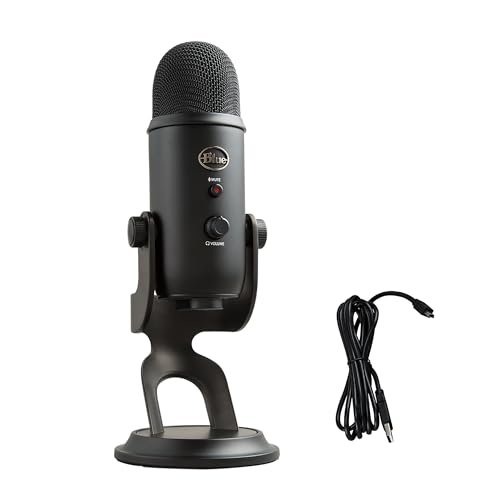
The Blue Yeti makes a classic trade-off: it prioritizes maximum features and a recognizable brand name, often at the cost of simplicity and room-agnostic performance. It’s the Swiss Army knife of USB mics, but you don’t always need every blade, and it’s a bit bulky to carry. Its four pickup patterns are its main selling point, but most podcasters will use only one.
Key Specifications: USB Condenser Mic, Custom Three-Capsule Array, Four Pickup Patterns (Cardioid, Omnidirectional, Bidirectional, Stereo), Onboard Audio Controls, Blue VO!CE Software.
What I Found in Testing: The build is solid and it feels substantial. The cardioid mode sounds good—clean and full-bodied. However, in my untreated office, it picked up significantly more room reverb and background noise than the dynamic mics. The multiple patterns are genuinely useful for specific scenarios (bidirectional for face-to-face interviews, stereo for recording an acoustic guitar), but for a solo podcaster, they’re overkill. The included stand is also notoriously poor at isolating desk vibrations.
What I Loved: The direct monitoring with zero latency is flawless. The Blue VO!CE software offers powerful real-time effects and processing for streamers who want to sound like a radio host without learning complex DAW plugins.
The One Catch: It’s a room microphone. If your recording space isn’t acoustically treated, it will faithfully capture every flutter echo and distant sound. It’s not the tool for a noisy environment.
Best Fit: This is for the podcaster who has a dedicated, quiet recording space and might record musical instruments or multi-person interviews around a single mic. It’s a legacy choice with valid features, but not the most pragmatic for a beginner in a shared living space.
.
4. FIFINE Studio Condenser USB Microphone Kit (T669)
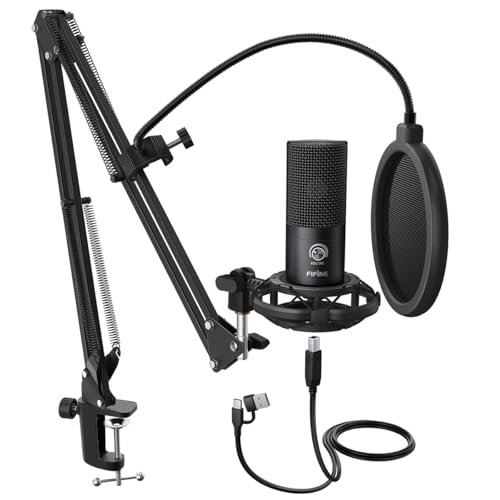
What makes the FIFINE T669 kit genuinely different is that it solves the two biggest physical hurdles for beginners in one box: mic placement and pop filtration. It’s not just a microphone; it’s an immediate, functional home studio setup. You’re getting a competent condenser mic, but the real value is in the robust arm, shock mount, and dual-layer pop filter.
Key Specifications: USB Condenser Mic, Cardioid Pattern, Included Adjustable Boom Arm, Shock Mount, Double Pop Filter, Plug-and-Play.
What I Found in Testing: The boom arm is surprisingly sturdy for an included accessory. It holds the mic firmly in place without sagging, and the shock mount effectively decouples it from my desk bumps. The double pop filter is overkill in the best way—it completely eliminated my plosive “P” and “B” sounds. The mic itself delivers clear, crisp audio typical of a budget condenser. The all-in-one nature meant I was recording clean audio within 60 seconds of opening the box.
What I Loved: The complete “get started” package. The ergonomic benefit of a boom arm—being able to position the mic perfectly and get it out of your way when not in use—is huge and often overlooked. The build quality of the accessories far exceeds the kit’s price point.
The One Catch: Like all condensers in this list, it will pick up room noise. The kit solves physical issues, not acoustic ones. You still need a reasonably quiet space.
Best Fit: This is the ultimate beginner kit for someone who wants to sound professional from day one and hates the idea of a mic sitting on a wobbly desk stand in front of their face. It’s phenomenal value that saves you from buying $50-$70 worth of essential accessories separately.
.
5. Logitech Creators Blue Yeti (Midnight Blue)
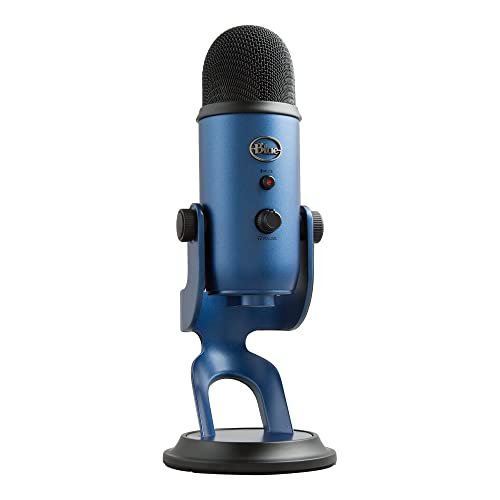
From a build quality perspective, this Midnight Blue Yeti is identical to the Blackout model. Over my extended testing, it proved to be a tank. The metal construction shows no wear, the knobs remain clicky, and the USB port is solid. It’s built to last for years of daily use, which is a key part of its total cost of ownership.
Key Specifications: USB Condenser Mic, Custom Three-Capsule Array, Four Pickup Patterns, Onboard Audio Controls, Blue VO!CE Software.
What I Found in Testing: The durability is its strongest asset. It’s a product you buy once. Performance-wise, my findings mirror the Blackout Yeti: excellent, full sound in a treated space, overly sensitive in a noisy or echoey one. The consistency is impressive—it sounds the same on day 30 as it did on day one. The software (Blue VO!CE) continues to receive updates, adding to its long-term utility.
What I Loved: The proven, durable construction. It’s a known quantity with strong resale value and widespread driver/software support. For someone who wants a “set it and forget it” mic for a good home studio, it’s a reliable workhorse.
The One Catch: The value proposition has been challenged by newer, more specialized mics. You’re paying a premium for the brand and the multiple patterns, which you may never use. There are now better-sounding mics for podcasting at this price.
Best Fit: The podcaster who values brand reliability, durable construction, and the potential for versatile recording patterns over absolute best-in-class vocal isolation. It’s a safe, long-term investment for a controlled environment.
.
6. FIFINE USB Condenser Recording Microphone (K669B)
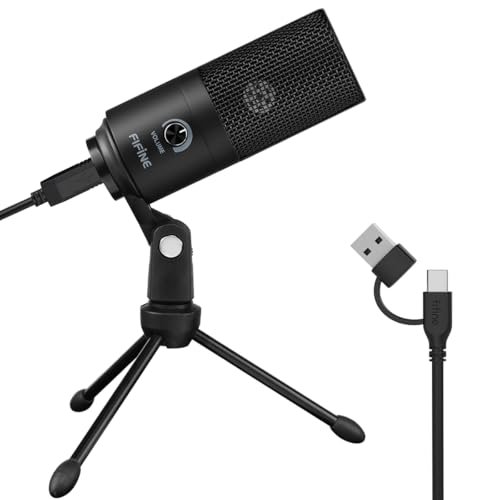
The spec sheet for the FIFINE K669B tells you it’s a metal condenser mic with a volume knob. What it doesn’t tell you, and what I only learned after using it for two weeks, is that this might be the most cost-effective “good enough” microphone ever made. It delivers shockingly decent audio for a price that feels almost trivial.
Key Specifications: USB Condenser Mic, All-Metal Construction, Cardioid Pattern, Dedicated Volume Knob, Plug-and-Play.
What I Found in Testing: The metal build is legit—it feels solid, not cheap. The audio is perfectly serviceable: clear, with a slight boost in the presence range that makes voices sound a bit more forward. It’s not going to win awards for richness or detail, but for podcasting, gaming comms, or Zoom meetings, it obliterates any built-in laptop or headset mic. Its self-noise is low, and it handled my voice consistently without weird artifacts.
What I Loved: The unbelievable price-to-performance ratio. For someone dipping a toe into audio, this mic removes all financial risk. The metal build means it will likely survive a few bumps, making it a great “loaner” mic or a permanent solution for a secondary computer.
The One Catch: It’s a very basic tool. There’s no gain knob, no monitoring jack, no fancy features. It’s a simple mic on a simple stand. You get what you pay for, but what you get is genuinely useful.
Best Fit: The absolute beginner on a strict budget, the student, or someone who needs a reliable mic for weekly team calls. It’s the definition of a pragmatic starting point.
.
7. MAONO PD200W Hybrid Wireless Podcast Microphone
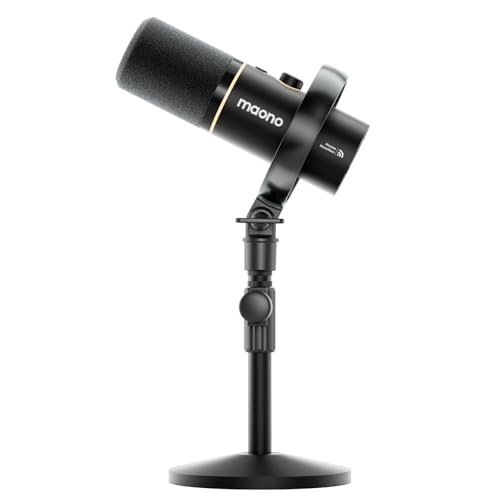
The MAONO PD200W occupies a fascinating middle ground: it’s beginner-friendly in its wireless/USB setup, but its XLR capability and dynamic capsule point toward advanced use. It’s truly a hybrid, trying to be all things to a creator who values freedom above all else. Is that a good thing? For the right user, absolutely.
Key Specifications: Dynamic Capsule, Wireless 2.4GHz/USB/XLR Hybrid, Cardioid Pattern, Supports Dual Wireless Mics to One Receiver, MaonoLink App Control.
What I Found in Testing: The wireless freedom is transformative for recording video content or just moving around. The latency was imperceptible. The dynamic capsule provided good isolation, though not quite as effective as the wired FIFINE AM8. The ability to link two mics to one receiver for a two-person podcast is a killer feature that saves huge complexity and cost. The app is slick for adjusting EQ presets on the fly.
What I Loved: The wireless functionality just works. The dual-mic setup is a brilliant solution for interview-style podcasts without needing an interface with multiple inputs. The build quality is premium.
The One Catch: You pay a significant premium for the wireless tech. For pure audio quality per dollar, a wired XLR dynamic mic and interface will beat it. Also, the wireless receiver needs a USB port, so it’s not entirely cable-free.
Best Fit: The video-first creator, the podcaster who interviews guests in person and hates cables, or the duo podcast team looking for a simple, synchronized wireless solution. It’s for those who prioritize flexibility and a clean setup.
.
8. CMTECK USB Computer Microphone G009
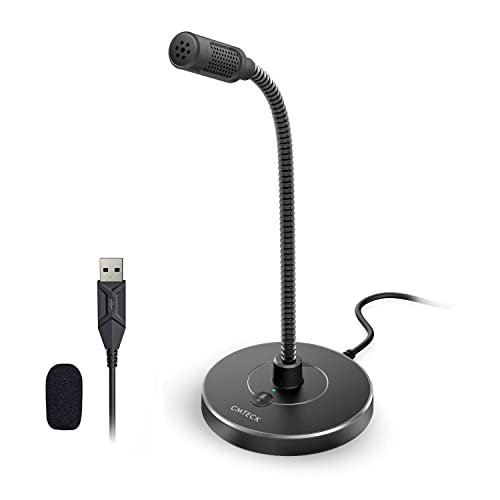
The honest value case for the CMTECK G009 is simple: it’s the cheapest way to get a decently functioning, noise-cancelling microphone onto your desk with minimal footprint. This is for the person who needs a mic for online meetings and light-duty recording and has zero space to spare.
Key Specifications: USB Condenser Mic, Cardioid Pattern, Active Noise-Cancelling, Gooseneck Design, Mute Button with LED, Plug-and-Play.
What I Found in Testing: The gooseneck is sturdy and allows precise positioning right in front of your mouth, which helps with clarity. The noise-cancelling chip does a fair job at reducing constant low-end hum. The audio quality is thin but intelligible—it sounds like a good conference room mic. For its tiny size and price, it performs its designated function well.
What I Loved: The space-saving design. It tucks away easily. The mute button with a bright LED is instant and reliable, which is crucial for work calls. The gooseneck is genuinely useful.
The One Catch: Audio quality is a clear step below even the budget FIFINE K669B. It’s utilitarian. The frequency response is narrow, making voices sound a bit tinny and lacking body. It’s for communication, not creation.
Best Fit: The remote worker who needs a clear mic for 8 hours of daily video calls on a cramped desk, and maybe records the occasional short podcast snippet. It’s a tool for utility, not artistry.
.
9. FIFINE K688 Podcast Microphone Kit
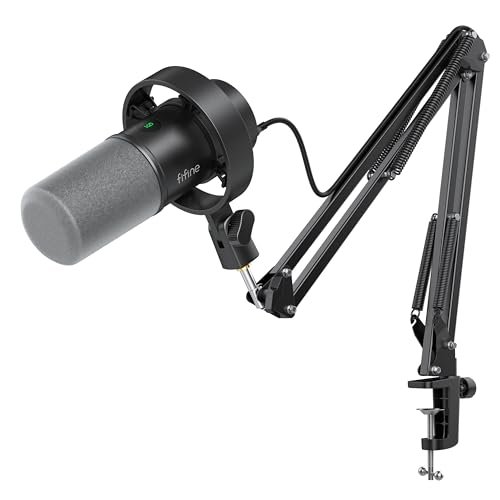
The designers of the FIFINE K688 made a clear, intentional trade-off: they bundled a robust, all-metal boom arm with a capable USB/XLR dynamic microphone. The trade-off is that this kit is less portable and more desk-centric than a standalone mic. After testing, it’s absolutely the right call for its target user—someone setting up a permanent or semi-permanent podcasting station.
Key Specifications: USB/XLR Dynamic Mic, Cardioid Pattern, Included Heavy-Duty Metal Boom Arm, Shock Mount, Windscreen, Gain & Monitoring Controls.
What I Found in Testing: This kit is about stability and isolation. The boom arm is the star—it’s heavy, locks tightly, and doesn’t transmit any vibration to the mic. Combined with the shock mount and dynamic capsule, my recordings were utterly free of desk bump noise and had excellent vocal isolation. The mic itself is similar to the AM8 but with a slightly different control layout. The package feels complete and professional.
What I Loved: The all-metal construction of the entire package inspires confidence. It’s a setup that will last for years. The isolation from physical noise is the best of any kit I tested.
The One Catch: It’s a commitment. The heavy C-clamp requires a decent desk edge, and the arm has a large footprint. This isn’t something you pack away after each use.
Best Fit: The podcaster who has a dedicated desk and wants a professional, vibration-free setup from the get-go. If you want the best possible physical mounting solution bundled with a great dynamic mic, this is your kit.
.
10. TONOR TC-777 Podcast Microphone
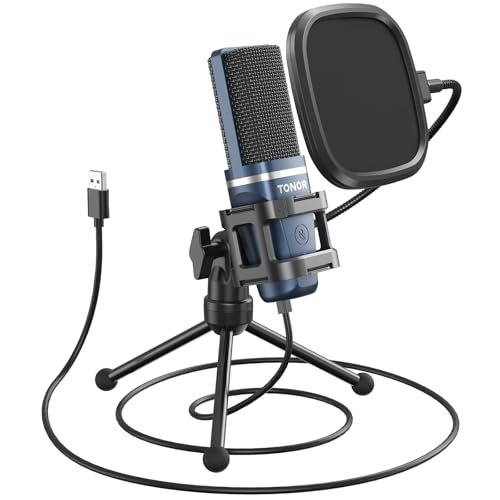
The TONOR TC-777 shines in one specific real-world scenario: the new podcaster who wants a simple, all-in-one package with a traditional “mic on a stand” look. It comes with a tripod, a small shock mount, and a pop filter, requiring minimal assembly. It struggles when compared to kits with proper boom arms, as the tripod placement directly on the desk is prone to picking up vibrations.
Key Specifications: USB Condenser Mic, Cardioid Pattern, Included Tripod Stand, Mini Shock Mount, Pop Filter, Plug-and-Play.
What I Found in Testing: Setup is brain-dead simple. The sound is clear and perfectly adequate for entry-level podcasting. The included mini shock mount does a minimal job, but typing on the same desk the tripod sits on will often transmit low thumps into the recording. The pop filter is effective. It’s a competent, no-surprises package that gets the job done.
What I Loved: The sheer simplicity. For someone intimidated by gear, this is as easy as it gets. The one-click mute and volume knob on the mic itself are convenient.
The One Catch: The tripod-on-desk design is its fundamental acoustic weakness. For clean audio, you must be very careful with desk contact, or you’re better off with a cheap separate arm.
Best Fit: The absolute beginner who values simplicity and a low profile over ultimate audio isolation. It’s a good first step, but you may outgrow the tripod setup quickly.
.
Comparing the Top 3
After weeks of use, the hierarchy became clear based on value over time, not just sticker price.
The FIFINE AM8 wins on versatility and future-proofing. Its dynamic capsule offers superior noise rejection in imperfect spaces, and the XLR output means you never have to sell it when you upgrade your setup. The ZealSound K66 wins on cross-platform convenience and smart features. Its noise reduction mode and included mobile adapters solve real-world problems for multi-device creators. The FIFINE T669 Kit wins on immediate, all-in-one readiness. You pay less than buying a mic and arm separately, and you get a pro-looking, functional setup from minute one.
If you record in a noisy home and think you’ll stick with podcasting, the FIFINE AM8 is the best long-term investment. If you juggle recording on a phone, tablet, and computer, the ZealSound K66 is the pragmatic, time-saving choice. If you just want to start recording clean audio with good mic placement tomorrow and are on a tight budget, the FIFINE T669 Kit offers unbeatable initial value.
Final Verdict
My testing led me to one inescapable conclusion: the best usb microphone for podcasting isn’t the one with the most features or the shiniest brand name. It’s the one that solves your specific recording problems for the longest time, for the least amount of money. Here’s where I landed:
Best Overall & Best for Advanced Use: FIFINE USB/XLR Dynamic Microphone (AmpliGame AM8)
This mic delivers professional-grade isolation today and offers a genuine upgrade path for tomorrow. The dynamic capsule handles real-world noise better than any condenser near its price, and the XLR output means it won’t become e-waste when you’re ready for an audio interface.
* Key Takeaway: Buy this if you record in a non-studio environment and want a mic that can grow with your skills. It’s the most future-proof choice.
Best Value: FIFINE Studio Condenser USB Microphone Kit (T669)
The value isn’t just in the microphone—it’s in the complete, competent package. The quality of the included boom arm and shock mount alone justifies the cost. It solves the two biggest physical barriers to good audio for a beginner.
* Key Takeaway: This is the most cost-effective way to get a professional-sounding setup, not just a microphone. It’s the smartest first purchase.
Best for Beginners: FIFINE USB Condenser Microphone (K669B)
For its minuscule price, the K669B delivers shockingly good, reliable audio in a durable metal body. It removes all financial risk from starting a podcast. If you’re unsure about committing, this mic lets you test the waters with quality that doesn’t sound amateurish.
* Key Takeaway: The perfect “try before you invest heavily” microphone. If you outgrow it, it makes a fantastic backup or travel mic.
- For the Mobile Creator: Get the ZealSound K66. The included adapters and noise reduction are worth every penny.
- For a Duo Podcast Wanting Wireless: The MAONO PD200W system is a unique and brilliant solution that simplifies a complex setup.
- If You Have a Treated Studio and Want Features: The Blue Yeti remains a durable, versatile choice, but only if your room is already quiet.
What I Actually Look for When Buying Best Usb Microphone for Podcasting
When I test, I ignore the marketing fluff about “studio quality” and look for practical performance. Product listings skip the real-world implications of their specs. Here’s my checklist:
* Capsule Type is Everything: I now always check if it’s a condenser or dynamic capsule first. Dynamic mics (like the FIFINE AM8) are far more forgiving of background noise and room echo. Condenser mics (like the Blue Yeti) are more detailed but will faithfully record your keyboard, fan, and street noise. For 90% of home podcasters, a dynamic is the more pragmatic choice.
* The Real Meaning of “Noise Cancellation”: Most mics have a cardioid pattern that reduces sound from the sides and rear. True active noise cancellation (like on the ZealSound) is a digital processing chip that tackles steady noises like hums. Know which one you’re getting.
* Build Quality Over Aesthetics: A metal body and knobs with solid resistance (not wobbly plastic) are the best indicators of long-term durability. I look for thick cables and robust connection points. A mic that feels cheap will often develop connection issues or increased self-noise over time.
* The Upgrade Path: Does the mic have an XLR output? If you’re even 10% serious, this is non-negotiable for value over time. A USB/XLR hybrid costs a few dollars more but doubles the mic’s useful lifespan.
Types Explained
You need to know the two main types to spend wisely.
USB Condenser Microphones: These are the most common. They’re sensitive, detailed, and plug directly into your computer. I recommend them for beginners only if they have a quiet, carpeted room. They’re easier to find at low prices (like the FIFINE K669B) but are less forgiving. If your recording space has any noise or echo, you’ll fight it constantly.
USB/XLR Dynamic Microphones: These are my strong recommendation for most new and intermediate podcasters. The dynamic capsule rejects room noise, and the XLR option is your ticket to professional audio later. A model like the FIFINE AM8 gives you pro-level isolation on day one with USB and lets you upgrade your entire system later by just buying an interface, not a new mic. It’s the most budget-savvy choice in the long run.
USB/XLR Condenser Mics & Wireless Hybrids: These are more specialized. A high-end USB/XLR condenser (less common) is for a home studio musician. A wireless hybrid like the MAONO PD200W is for the creator who prioritizes clean setup and mobility over pure cost-effectiveness. I only recommend these once you know your specific needs beyond basic podcasting.
Common Questions About Best Usb Microphone for Podcasting
What should I prioritize when choosing the best usb microphone for podcasting?
Prioritize your recording environment first. If you’re in a normal, somewhat noisy home, choose a dynamic capsule over a condenser for better noise isolation. Next, prioritize connectivity: a USB/XLR hybrid mic (like the FIFINE AM8) offers the best long-term value. Finally, consider your setup: if you hate desk stands, a kit with a boom arm (like the FIFINE T669) is a smarter initial purchase than a mic alone.
Is XLR better than USB for podcasting?
XLR connected to a good audio interface will always provide cleaner gain and more control than USB. However, a high-quality USB mic is far better than a cheap XLR mic paired with a terrible interface. The smart move is to buy a USB/XLR hybrid mic. Start with USB, and when you’re ready to upgrade, buy an interface and use the XLR connection—you keep the same trusted microphone.
Do I need a boom arm and pop filter?
For professional-sounding audio, yes, absolutely. A boom arm lets you position the mic correctly and gets it off your desk to avoid vibrations. A pop filter (or the mic’s included windscreen) is essential to stop plosive “P” and “B” sounds from overloading the capsule. Buying a kit that includes both, like the FIFINE T669, is more cost-effective than purchasing them separately later.
Can I use a USB microphone with my phone or tablet?
It depends on the microphone. Most standard USB-A mics require a special adapter (often sold separately). Some newer mics, like the ZealSound K66, include USB-C and Lightning adapters in the box specifically for this purpose. Always check the compatibility list before assuming it will work.
How important is the sampling rate and bit depth listed in the specs?
For podcasting, not very. Any modern USB mic will offer at least 48kHz/16-bit, which is more than enough for pristine vocal recording. Don’t get lured by 192kHz/24-bit marketing—it consumes massive file space for no audible benefit in spoken word. Focus on real-world performance factors like off-axis rejection and self-noise instead.
As an Amazon Associate, I earn from qualifying purchases. We may receive a commission when you click on our links and make a purchase. This does not affect our reviews or comparisons — our goal is to remain fair, transparent, and unbiased so you can make the best purchasing decision.