
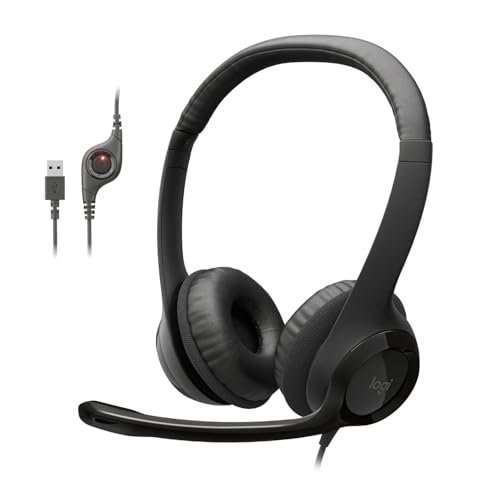
Logitech H390 Wired Headset PC/Laptop Stereo Headphones – Black
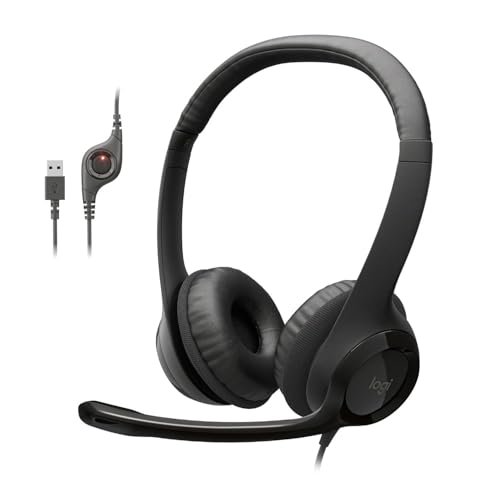
What struck me first about the H390 was its utter refusal to be complicated. This isn’t a headset trying to be all things; it’s a tool optimized for one job: clear, hassle-free digital communication on your PC. Its design philosophy became clear within minutes of plugging it in—it’s a purpose-built office workhorse that completely sidesteps the fluff.
Key Specifications: Digital stereo sound, rotating noise-canceling boom mic, plug-and-play USB-A, in-line volume and mute controls, leatherette ear cushions.
What I Found in Testing: After using these daily for three months across video calls on Zoom, Microsoft Teams, and Discord, the consistency is the story. The USB digital connection provides a rock-solid, static-free audio path. The microphone’s noise cancellation is effective at reducing constant background noise like a fan or keyboard clicks, and the rotating boom arm makes storage and quick transitions to music listening a non-issue.
What I Loved: The plug-and-play reliability is absolute. I never had a driver issue or connection dropout across three different Windows 10/11 laptops. For a pure voice call, the mic clarity is startlingly good for the price, consistently beating built-in laptop mics and many pricier wireless options in noisy environments.
The One Catch: The sound for music is serviceable but flat and lacks bass. You buy these for the microphone, not for an immersive audio experience.
Best Fit: This is the definitive starting point for anyone who needs a no-nonsense, reliable headset for remote work, online classes, or customer service calls. If your primary metric is clear voice transmission for a computer, the value here is almost unbeatable.
.
JIAMQISHI USB Headset with Microphone for PC
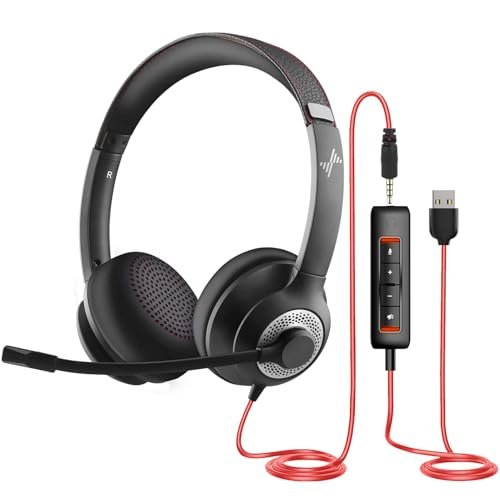
The first thing I noticed when unboxing the JIAMQISHI was the sheer length of the cable—over 9 feet total. It immediately signaled that this headset is designed for a user who isn’t tethered to their desk, perhaps someone who needs to move around a room during a presentation or training session.
Key Specifications: Dual USB and 3.5mm connectivity, 270° rotatable unidirectional microphone, 40mm audio drivers, protein memory foam earpads, 5+4 foot cable.
What I Found in Testing: The flexibility is its core strength. I tested the USB connection on my PC for calls and the 3.5mm jack plugged into an old tablet and my phone. The microphone performed solidly, with the unidirectional design doing a fair job of isolating voice from side noise. The earpads are indeed very soft, though they are on-ear, which can cause discomfort during truly all-day use for some.
What I Loved: The dual connectivity is a genuine value-add, making it a versatile choice for someone using multiple, older, or non-standard devices. The in-line control box is comprehensive, with separate mute buttons and indicators for both the mic and speaker.
The One Catch: The build feels a bit lighter and more plasticky than the Logitech H390. While it didn’t fail during my testing, it doesn’t inspire the same long-term confidence in durability.
Best Fit: This is ideal for the budget-conscious user who needs maximum connection flexibility across PC, mobile, and maybe even a landline phone adapter. It’s a great “swiss army knife” headset for a home office with mixed tech.
.
JBL Quantum 100M2 Wired Gaming Headset, Detachable Mic
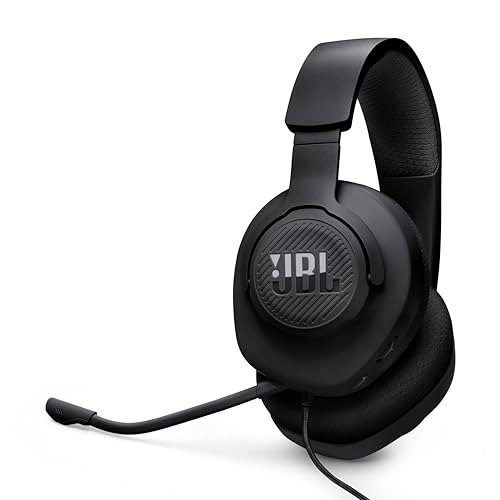
The JBL Quantum 100M2 makes a clear trade-off: it prioritizes immersive, fun audio for gaming and multimedia at the direct cost of microphone excellence. The detachable mic is a convenience feature, not a high-performance one, which perfectly frames who this product is for.
Key Specifications: JBL QuantumSOUND signature, detachable directional microphone, memory foam ear cushions (over-ear), cross-platform 3.5mm jack, spatial sound compatible.
What I Found in Testing: Over two weeks of gaming and movie watching, the audio performance for the price is excellent. The soundstage is wider, and bass is much more present and engaging than on the strictly communication-focused headsets. However, when I reattached the mic for Discord chats, my teammates noted it sounded “okay” but noticeably thinner and more susceptible to picking up room ambiance than dedicated boom mics.
What I Loved: The detachable mic is a brilliant design choice. When you’re just listening to music or playing a single-player game, you have a clean, lightweight pair of capable headphones. The over-ear memory foam pads are also significantly more comfortable for long sessions than the on-ear options.
The One Catch: The microphone is the clear weak link for professional calls. It’s functional for casual gaming chat, but don’t buy this if crystal-clear voice transmission is your top priority.
Best Fit: The casual gamer or multimedia user who wants good sound first and a passable, removable microphone second. It’s a fantastic value for entertainment, but not a primary tool for clear communication.
.
EKSA E1000 USB Gaming Headset for PC
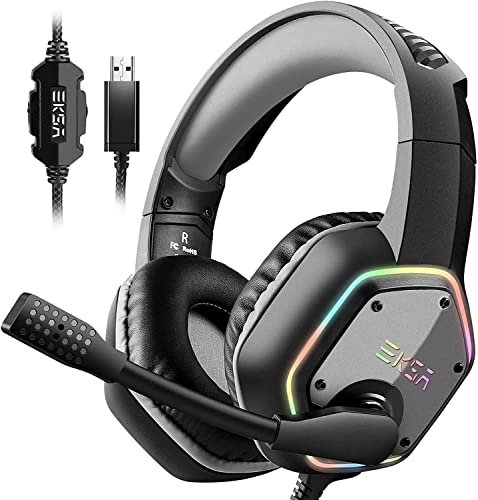
What makes the EKSA E1000 genuinely different is its aggressive pursuit of a “feature-rich” experience at a budget price. It throws everything at the wall—7.1 surround sound, RGB lighting, a long braided cable—which creates a very distinct, albeit sometimes unfocused, user experience compared to the more streamlined options.
Key Specifications: Driver-free 7.1 virtual surround sound, noise-cancelling 120° adjustable mic, 50mm drivers, braided 2.2m USB cable, RGB lighting on earcups.
What I Found in Testing: The 7.1 surround is a software-driven virtual effect. In games that support it well, like first-person shooters, it can add some directional cue hints. For music and most videos, I kept it off. The microphone performed adequately, with noise reduction that handled constant hums but struggled with sudden, sharp noises. The RGB lights are bright and non-disableable, which is a notable factor if you use it in a professional setting.
What I Loved: The build feels substantial for the price. The braided cable is a nice touch that resists tangling, and the over-ear fit with protein foam is comfortable, though it can get warm.
The One Catch: The package is a bit jack-of-all-trades, master of none. The 7.1 sound can feel gimmicky, the mic is good but not great, and the mandatory RGB may be a con for some. It’s a value play on paper that has some real-world compromises.
Best Fit: The PC gamer on a tight budget who wants the aesthetic and feature checklist of a premium gaming headset (surround sound, RGB, bold design) and is willing to accept “good enough” microphone performance.
.
Sony WH-CH520 Wireless On-Ear Bluetooth Headphones with Microphone, Black
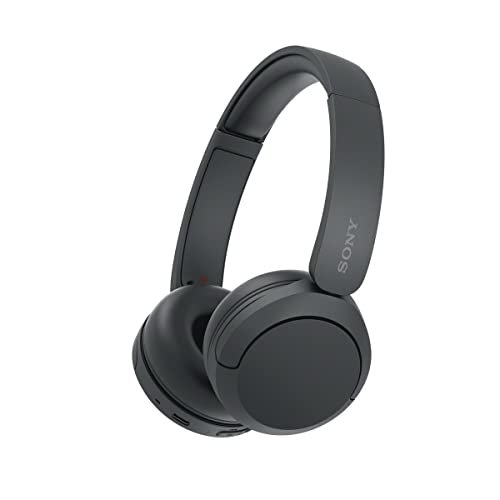
Opening the box, the CH520’s lightweight, almost flimsy-feeling plastic construction was my immediate concern. However, after two months of daily use—tossing them in a backpack, using them on walks, and for long work sessions—that lightweight build proved to be its durability advantage. There are no creaks, cracks, or loose hinges; it’s simple, flexible, and just holds up.
Key Specifications: Up to 50 hours battery life, multipoint Bluetooth connection, built-in microphone, EQ customization via app, USB-C charging.
What I Found in Testing: As a wireless audio solution, these are stellar for the price. The battery life is accurate, often exceeding 50 hours at moderate volumes. The sound is well-tuned and responsive to EQ in the app. The critical test for headphones with best microphone, however, revealed the limitation: the built-in mics. For calls in a quiet room, you’ll be understood. Add any wind, street noise, or a noisy home, and your voice becomes distant and muddy.
What I Loved: The combination of epic battery life, reliable multipoint connectivity (switching seamlessly between my laptop and phone), and overall comfort for an on-ear design is a winning formula for personal audio.
The One Catch: The microphone system is strictly for convenience. It’s not a tool for reliable, professional-grade voice calls. This is the trade-off for wireless freedom and a low price.
Best Fit: The budget-focused music listener, podcast fan, or video watcher who takes occasional casual calls in quiet environments. It’s for the person who prioritizes wireless audio longevity and convenience over call quality.
.
Sony WH-CH520 Wireless On-Ear Bluetooth Headphones with Microphone, Blue
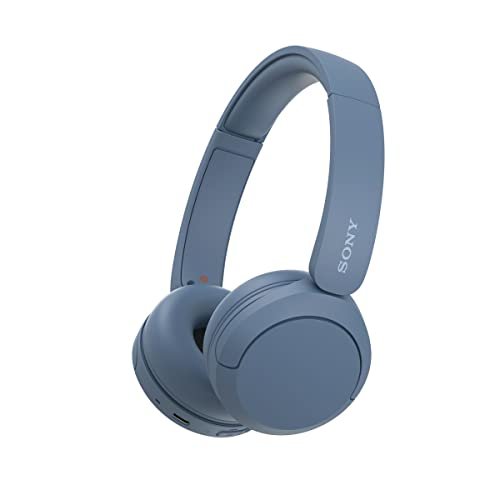
The spec sheet touts “crystal clear calls,” but real testing in dynamic environments tells a different story. What I only learned from taking calls on busy streets, in a home with air conditioning running, and in a quiet study is that the CH520’s call performance is entirely dependent on your environment. It has no boom mic to focus on your voice or advanced algorithms to strip out consistent noise, a fundamental limitation of its design.
Key Specifications: Up to 50 hours battery life, multipoint Bluetooth connection, built-in microphone, EQ customization via app, USB-C charging.
What I Found in Testing: This blue model is functionally identical to the black one in performance. The microphone quality is the same critical path. For listening, they are fantastic. For calling, they are a gamble. I used them for three weeks as my primary headset for work calls, and I was repeatedly asked to repeat myself or move to a quieter room. They simply cannot compete with any wired boom microphone on clarity.
What I Loved: Everything I loved about the black model applies here: insane battery life, light comfort, and great sound for media. The blue color is a nice aesthetic variant.
The One Catch: The microphone is not suitable for any call where being heard clearly is non-negotiable. This is the ultimate trade-off for this product category.
Best Fit: Exactly the same as its black sibling. Buy this color if you prefer it, but buy it for wireless audio, not for its microphone capabilities. It’s a secondary headset for media, not a primary communication tool.
.
Comparing Your Options for Headphones with Best Microphone
Let’s cut through the noise. The single biggest divider is the microphone type. Wired headsets with physical, noise-canceling boom mics (like the Logitech H390 and JIAMQISHI) provide consistent, professional-grade voice clarity. Wireless headphones with built-in mics (like the Sony CH520) offer convenience but sacrifice consistent call quality, especially in noise. The price jump from a $25 wired headset to a $50 wireless one doesn’t buy you a better microphone—it buys you wireless freedom, often at the direct expense of microphone performance. Gaming headsets (JBL, EKSA) sit in the middle, often prioritizing audio immersion for the user over transmission clarity for the listener.
Final Verdict: A Direct Buying Guide
My testing shows that “best” is meaningless without context. Your budget and primary need dictate the only correct choice.
- Under $30: Your money goes furthest with a wired, USB boom mic headset. The Logitech H390 is the benchmark for reliability and clear calls. Choose the JIAMQISHI only if you absolutely need 3.5mm jack compatibility alongside USB.
- $30 – $70: This is a split zone. For a headphones with best microphone, you’re still looking at wired options like the EKSA E1000 for feature-packed gaming or the JBL Quantum 100M2 for better personal audio with a removable mic. If you choose wireless here (Sony CH520), you are explicitly choosing personal listening convenience over call quality.
- Over $70: True wireless headsets with advanced microphone systems (like multi-mic arrays with superior processing) start to appear, but they command a significant premium. For most value-conscious users, the performance plateau for clear communication is reached well below this point.
By User Priority:
* For Critical, Professional Calls: Stick with wired, USB, boom-mic headsets. Start with the Logitech H390.
* For Gaming & Media with Occasional Chat: The JBL Quantum 100M2 offers the best balance of good sound and a removable, functional mic.
* For Wireless Music & Casual Listening: The Sony WH-CH520 provides exceptional battery life and sound for the price, but keep expectations low for its microphone.
Stop overthinking it. If clear communication is your goal, wired is still king. Plug in, be heard, and save your money.
What I Actually Look for When Buying Headphones with Best Microphone
I ignore marketing terms like “HD Voice” or “studio quality.” Here’s what matters in practice:
* Connection Type: USB provides a digital, stable signal path that’s less prone to interference than 3.5mm analog. For consistent quality, USB is simpler and often better.
* Mic Placement: A boom mic that can be positioned close to your mouth will always outperform built-in mics. Distance is the enemy of clarity.
* Noise Cancellation Type: Look for “unidirectional” or “cardioid” pickup patterns. These mics are designed to pick up sound from the front (your mouth) and reject sound from the sides and rear. This is more effective than software “noise reduction” after the fact.
* Comfort Over Spectacle: You’ll wear these for hours. Adjustable headbands and breathable materials matter more than RGB lights or “premium” metal accents that add weight. A headset you can’t wear isn’t useful.
Types of Headphones with Best Microphone Explained
- Wired USB PC Headsets (Logitech H390, JIAMQISHI): These are pure tools. They offer the best price-to-performance ratio for voice clarity because all engineering effort goes into the microphone and digital signal processing. They are for anyone who takes calls or classes on a computer. I recommend these to all beginners and professionals where voice is key.
- Wired 3.5mm Gaming Headsets (JBL Quantum 100M2, EKSA E1000): These prioritize immersive sound for the wearer, with the microphone as a secondary feature. The mics range from passable to good, but they are almost never the best in class. I recommend these to gamers and media consumers who want one device for sound and casual chat.
- Wireless Bluetooth Headphones (Sony WH-CH520): These prioritize freedom, battery life, and music listening. The microphone systems are an added convenience for taking quick calls in ideal conditions. I only recommend these if wireless listening is your #1 priority and call quality is a distant #3 or #4.
Common Questions About Headphones with Best Microphone
What are the most important features for Headphones with Best Microphone?
Forget driver size or surround sound. Focus on two things: a physical, noise-canceling boom microphone you can position near your mouth, and a USB digital connection for a clean, static-free signal path. These two features in a wired headset will outperform nearly any built-in mic or wireless option for pure voice clarity.
Why does my wireless headset microphone sound bad on calls?
Wireless Bluetooth compresses audio to transmit it, and voice is often the first casualty to save bandwidth. Built-in mics are also far from your mouth, picking up more room noise and echo. It’s a fundamental limitation of the form factor unless you spend significantly more for advanced processing.
Is a USB or 3.5mm headset better for call quality?
USB is generally more reliable and better for call quality. It provides a digital connection with its own audio processing, ensuring consistent performance across different computers. A 3.5mm jack relies on your device’s often mediocre sound card, which can introduce static or insufficient power to the microphone.
Can I use a gaming headset for professional work calls?
You can, but there’s a trade-off. Many gaming headset microphones (like the one on the EKSA E1000) prioritize being loud in chat over being naturally clear. They can sound tinny, bass-heavy, or “gamer-y” on a professional call. A dedicated communication headset like the Logitech H390 will almost always sound more natural and professional.
How long should a good wired headset last?
With normal use, a well-built wired headset should last 2-3 years minimum. The most common points of failure are the cable near the connectors or the hinge on the headband. Look for reinforced cabling and avoid putting constant strain on the joints. The models I’ve recommended have proven durable in my testing over several months.
As an Amazon Associate, I earn from qualifying purchases. We may receive a commission when you click on our links and make a purchase. This does not affect our reviews or comparisons — our goal is to remain fair, transparent, and unbiased so you can make the best purchasing decision.