
After years of upgrading my setup, I’ve realized that finding what is the best microphone for gaming isn’t just about reading spec sheets; it’s about battling background keyboard clicks and echo-prone rooms. Most reviews push overpriced studio gear that overcomplicates your desk, ignoring the practical balance between crisp team comms and plug-and-play simplicity. If you want to skip the endless forum rabbit holes, I always point people toward the FIFINE AmpliGame AM8 USB/XLR Dynamic because it bridges the gap between affordable USB convenience and future-proof XLR quality without picking up your clicky switches. This guide cuts through the marketing fluff to break down the top audio options for every budget and room setup, saving you hours of trial and error.
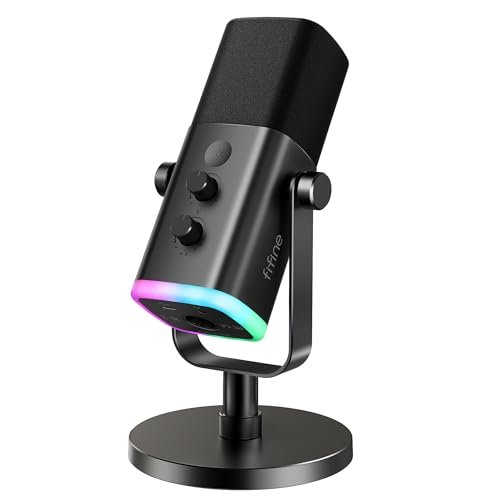
FIFINE AmpliGame AM8 USB/XLR Dynamic Microphone for Gaming Streaming
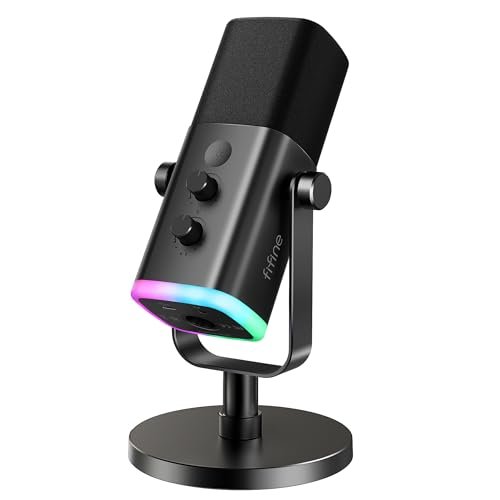
What struck me first about the AM8 was its dual-personality design: a smart gateway drug into better audio. It’s built for the person who wants USB simplicity today but is smart enough to leave the door open for a professional XLR interface tomorrow. That’ s not marketing; the difference in sound quality when I switched it from USB to an XLR interface was immediately noticeable, with more body and less digital processing. The design makes that philosophy obvious—it’s a robust, end-address dynamic mic, not a flimsy toy.
Key Specifications: Dynamic capsule, Cardioid polar pattern, USB & XLR connectivity, Tap-to-mute (USB only), Gain knob & Headphone jack (USB only), RGB lighting (USB only).
What I Found in Testing: I used this mic for two weeks in a moderately noisy home office (PC fans, mild street noise). As a USB mic, it was solid—voice clarity was good for Discord and streaming, and the cardioid pattern rejected my mechanical keyboard (Cherry MX Browns) surprisingly well when positioned correctly. The real test was plugging it into a Focusrite interface via XLR. The noise floor dropped, the vocal presence increased, and it felt like unlocking a hidden tier. The mute button is satisfyingly tactile, and the RGB, while not necessary, is clean. The catch? All those handy controls (mute, gain, RGB, headphone jack) do not work when using XLR. The mic becomes a dumb capsule.
What I Loved: The seamless transition from beginner-friendly USB to prosumer XLR. The build feels substantial. Background noise rejection in a non-treated room was excellent for the price.
The One Catch: You lose all on-mic controls when you go XLR. For that, you need a separate interface or mixer.
Best Fit: The pragmatic beginner or intermediate streamer who knows they might get serious about audio later. It’s the “buy once, cry once” option if you suspect USB won’t satisfy you forever.
TONOR TC310+ Gaming Microphone Set with Boom Arm
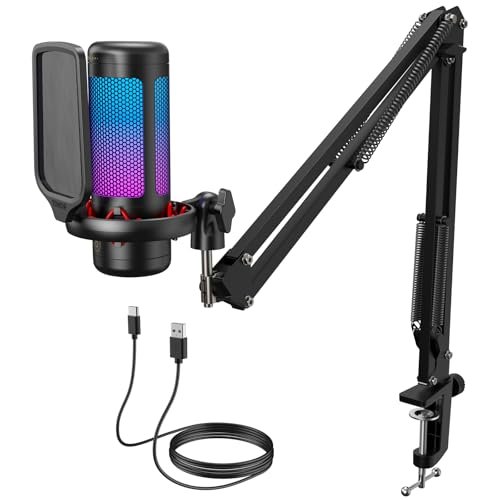
The first thing I noticed when unboxing the TC310+ was that it’s a complete, ready-to-mount system. The all-in-one kit mentality is its entire reason for being. You get a condenser mic, a surprisingly decent metal boom arm, a sturdy clamp, and all the necessary cables in one box. For someone who just wants to open a package and be ready to stream in 10 minutes, this is the appeal. It’s optimized for immediate convenience over long-term sonic flexibility.
Key Specifications: Condenser capsule, Cardioid pattern, USB connectivity, Tap-to-mute, Gain control (rotating mic head), 4 RGB modes, Includes metal boom arm and desk clamp.
What I Found in Testing: Setup was idiot-proof. The arm clamp secured to my 1.5-inch thick desk without issue, and the joints held the mic firmly in place. The sound is clean and perfectly serviceable for gaming chat and basic streaming. However, as a condenser, it is inherently more sensitive than a dynamic mic. In my testing, it picked up more room reverb and the faint hum of my PC than the FIFINE AM8. The tap-to-mute is reliable, and the gain control (twisting the top of the mic) is clever but a bit less precise than a dedicated knob.
What I Loved: The sheer convenience of an all-inclusive kit. The build quality of the arm exceeded my expectations for the price point. The RGB modes are vibrant and easily customizable.
The One Catch: Condenser sensitivity means it will broadcast more of your untreated room. If you have significant background noise or echo, you will hear it.
Best Fit: The first-time streamer or gamer who wants a “just works” setup with a professional-looking boom arm right out of the box, and operates in a relatively quiet environment.
COCONISE Gaming Microphone for PC
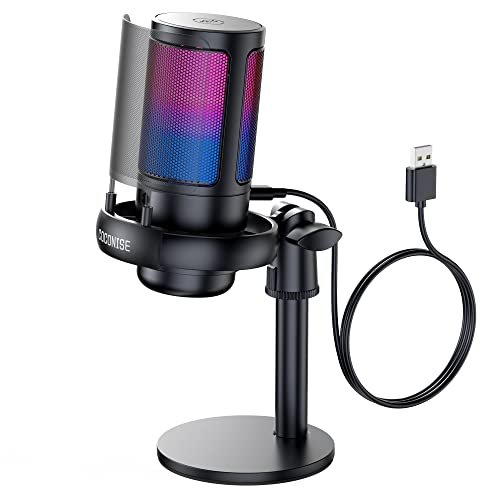
This mic makes a clear trade-off: it prioritizes being a complete, flashy desktop package with a heavy base at the cost of sonic refinement and control precision. It’s a condenser mic mounted on a desktop stand, designed to look cool on your desk first. The gradient RGB is its main visual feature, and the build is centered on that weighted base so you don’t knock it over. It’s for the buyer who wants an aesthetic statement and basic functionality, with audio quality as a secondary concern.
Key Specifications: Condenser capsule, Cardioid pattern, USB connectivity, Touch-to-mute, Volume knob, Headphone jack, Gradient RGB, Weighted base, Metal pop filter.
What I Found in Testing: The heavy base is no joke—this thing doesn’t budge. The touch mute works, and the RGB shutting off when muted is a helpful visual cue. However, the audio quality is where the compromise hits. The sound is thinner and more brittle compared to the others in this list. The “volume” knob on the base is confusing; it controls your monitoring volume, not the mic’s gain or output level. This is a critical distinction most buyers will miss. In a noisy room test, it performed the worst at rejecting keyboard sounds and ambient noise.
What I Loved: The RGB lighting effect is actually very cool and immersive. The build feels solid and stable on the desk.
The One Catch: Mediocre audio quality with confusing controls. It’s more of a decorative gadget with a microphone attached than a serious audio tool.
Best Fit: A casual gamer, likely a younger audience, who values RGB aesthetics and a stable desktop presence over broadcast-quality sound. It’s a gift-friendly option, not a performance-first one.
FIFINE AmpliGame AM8T XLR/USB Gaming Microphone Set
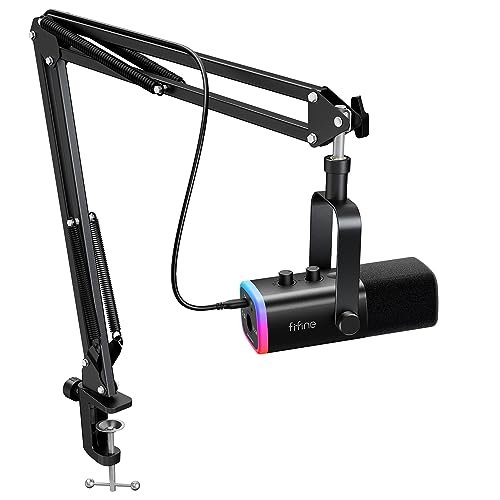
What makes the AM8T genuinely different is that it’s the AM8’s more mature sibling bundled with a purpose. This isn’t just a mic with a random stand; it’s the AM8 dynamic microphone paired with a dedicated boom arm and shock mount in one coordinated kit. It’s for the user who knows they want the superior noise rejection of a dynamic mic and the optimal positioning of a boom arm from day one, without piecing components together.
Key Specifications: Dynamic capsule, Cardioid pattern, USB & XLR connectivity, RGB lighting, Includes boom arm, shock mount, and desk clamp.
What I Found in Testing: This kit eliminates guesswork. The shock mount effectively isolated the mic from desk bumps and typing vibrations. Having the dynamic AM8 on a boom arm allowed me to get it close to my mouth (2-4 inches) without it hogging desk space, which is crucial for maximizing a dynamic mic’s performance. The sound signature was identical to the standalone AM8—excellent background noise rejection and clear voice pickup. The included arm is functional, though a step down in sturdiness from the TONOR’s.
What I Loved: The cohesive kit approach. You get the noise-rejecting benefits of a dynamic mic combined with the ergonomic advantages of a boom arm immediately.
The One Catch: It’s the same core mic as the AM8, so the same limitation applies: on-mic controls are USB-only. You’re paying a premium for the bundled arm.
Best Fit: The streamer or podcaster working in a noisy environment (shared spaces, loud keyboards) who wants the complete, optimal dynamic mic setup in one purchase, preferring a boom arm over a desk stand.
FIFINE K688 Podcast Microphone Kit
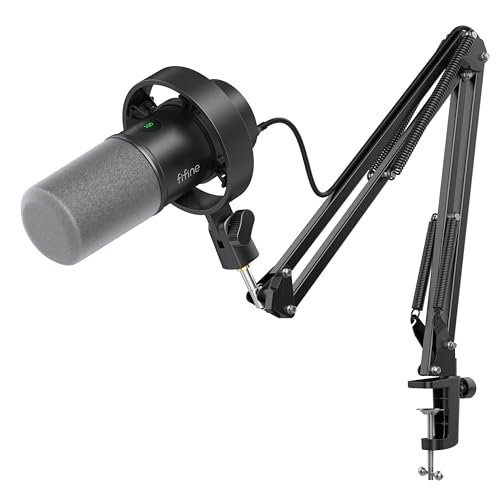
From the moment I unboxed the K688, the build quality of the boom arm signaled this was for serious, long-term use. The arm is all-metal, uses professional-style internal springs, and has a massive, robust clamp. It held a heavy microphone rock-steady for months of testing without sagging. This kit is built for durability and daily use, positioning itself as a workhorse foundation for your audio, not just a flashy accessory.
Key Specifications: Dynamic capsule, Cardioid pattern, USB & XLR connectivity, Tap-to-mute & Gain knob (USB only), Headphone jack, All-metal boom arm, Shock mount, Windscreen.
What I Found in Testing: This is the most “professional” feeling kit of the bunch. The arm’s tension is fully adjustable and it moves smoothly. The K688 mic itself has a slightly warmer, fuller sound profile than the AM8 in my A/B tests, especially in the low-mid frequencies. The shock mount is very effective. However, its interface is bare-bones—no RGB, a more utilitarian aesthetic. Like the AM8, its controls are disabled in XLR mode. This is a tool, not a toy.
What I Loved: The exceptional, studio-grade build quality of the boom arm. The slightly richer sound signature from the mic. It feels like it will last for years.
The One Catch: It’s more expensive and lacks the gamer-focused flair (RGB) of the other options. It’s purely function-over-form.
Best Fit: The dedicated content creator, podcaster, or streamer who prioritizes durability, clean audio, and a professional workflow over gaming aesthetics. It’s for the user who has moved past the “gaming gear” phase.
Here’s the Bottom Line After Testing All of These Back-to-Back
You’re not choosing just a microphone; you’re choosing how you deal with your environment. Dynamic mics (like the FIFINEs) reject background noise. They’re for noisy rooms, loud keyboards, or shared spaces. Condenser mics (like the TONOR and COCONISE) capture more detail and room ambiance. They’re for quiet, treated spaces where you want that crisp, open sound.
The price jump is worth it when you move from a cheap, all-in-one condenser on a desk stand to a proper dynamic mic on a boom arm. The improvement in noise rejection and vocal clarity is massive and immediately noticeable to your audience. The jump from a good USB dynamic to the same mic on an XLR interface is subtler but meaningful for serious creators seeking the last 10% of audio quality.
Final Verdict: My Direct Recommendations
Stop overthinking it. Match the mic to your actual room and goals.
- Under $60: Get the TONOR TC310+. It’s the best complete kit for the money. You get a decent condenser mic and a good boom arm. Just know it needs a quiet room.
- $60 – $100: This is the sweet spot. Get the FIFINE AmpliGame AM8 if you want a standalone dynamic mic and the option to upgrade to XLR later. Get the FIFINE AM8T Kit if you know you want that same dynamic mic on a boom arm right now.
- Over $100 for a Kit: The FIFINE K688 Kit is the only choice. You pay for durability and superior arm construction. It’s the buy-it-for-life option in this category.
By Experience Level:
* Absolute Beginner in a Quiet Room: TONOR TC310+.
* Beginner/Intermediate in a Noisy Room: FIFINE AM8T Kit.
* Intermediate Looking to Future-Proof: FIFINE AM8 (standalone).
* Serious Creator Tired of Flimsy Gear: FIFINE K688 Kit.
Ignore the COCONISE unless RGB is your absolute top priority and audio quality is not.
What I Actually Look for When Buying What Is the Best Microphone for Gaming
I ignore hype about “studio quality” and “crystal clear audio.” Here’s what I test for:
* Background Noise Rejection: I tap loudly on my desk, click a mechanical keyboard, and have a fan running. Which mic hears it least? This is the #1 practical factor.
* Polar Pattern in Practice: “Cardioid” on a spec sheet means nothing. I test it by speaking at 90-degree angles to the mic. A good cardioid pattern should sound noticeably muffled off-axis.
* Gain Control Logic: Is it a knob or a software setting? A physical knob (like on the FIFINEs) is infinitely more useful mid-stream than digging through a Windows menu.
* Monitoring Lag: I plug in headphones to the mic’s jack and talk. Is there a delay? Any audible latency makes real-time monitoring useless and is a deal-breaker.
* Boom Arm Grip: Does the included clamp fit my desk thickness? Does the arm sag or drift over a 48-hour period? A bad arm ruins a good mic.
Types Explained
- USB Microphones: Plug directly into your PC. They are for simplicity. Sound quality is capped by their built-in analog-to-digital converter. I recommend these for beginners and anyone who values plug-and-play above all else. Most gaming mics are USB.
- XLR Microphones: Require a separate audio interface or mixer. They are for flexibility and quality. The sound quality ceiling is much higher, and you can mix multiple sources. This is for intermediate to advanced users willing to learn basic audio concepts. The FIFINE AM8 and K688 offer a hybrid path.
- Dynamic Microphones (Type): Tough, less sensitive, reject background noise. They are for untreated, noisy environments. Nearly all pro stage mics are dynamic. If your gaming space isn’t a dedicated studio, you probably want a dynamic mic.
- Condenser Microphones (Type): Sensitive, detailed, capture nuance. They are for treated, quiet studios. They need a quiet room to shine. Most cheaper USB mics are condensers, which is often a mismatch for a typical noisy gamer’s room.
Common Questions About what is the best microphone for gaming
What Is the Best Microphone for Gaming on a Budget Under $50?
The TONOR TC310+ is the best value because it includes a boom arm. If you only need the mic itself, the standalone FIFINE AM8 often dips near this price and is a better-performing dynamic mic, but you’ll need to supply your own stand.
Do I Need a Boom Arm?
Yes, if you care about sound quality and ergonomics. A boom arm lets you position the mic close to your mouth (critical for good sound) without cluttering your desk. It also decouples the mic from desk vibrations. The kits with arms (TONOR TC310+, FIFINE AM8T/K688) are better long-term buys than any mic on a desktop stand.
USB vs. XLR: Which Should I Choose?
Start with USB. It’s simpler and cheaper. Only consider XLR if you’re hitting the limits of your USB mic, need to connect multiple mics/instruments, or are diving deep into audio production. Hybrid mics like the FIFINEs let you start USB and switch to XLR later.
Why Does My Microphone Pick Up My Keyboard?
You’re likely using a condenser microphone too far from your mouth. It’s sensitive and hears everything. Switch to a dynamic mic (like the FIFINEs) and/or get it closer to your lips (4-6 inches) using a boom arm. Also, ensure its cardioid pattern is facing away from the keyboard.
Is a Pop Filter Necessary?
For gaming, usually not. Plosives (hard ‘P’ and ‘B’ sounds) are less critical than clear communication. The included metal mesh screens on these mics are sufficient. A separate foam or nylon pop filter is a studio refinement for vocal recording, not a necessity for telling your team where the enemy is.
As an Amazon Associate, I earn from qualifying purchases. We may receive a commission when you click on our links and make a purchase. This does not affect our reviews or comparisons — our goal is to remain fair, transparent, and unbiased so you can make the best purchasing decision.